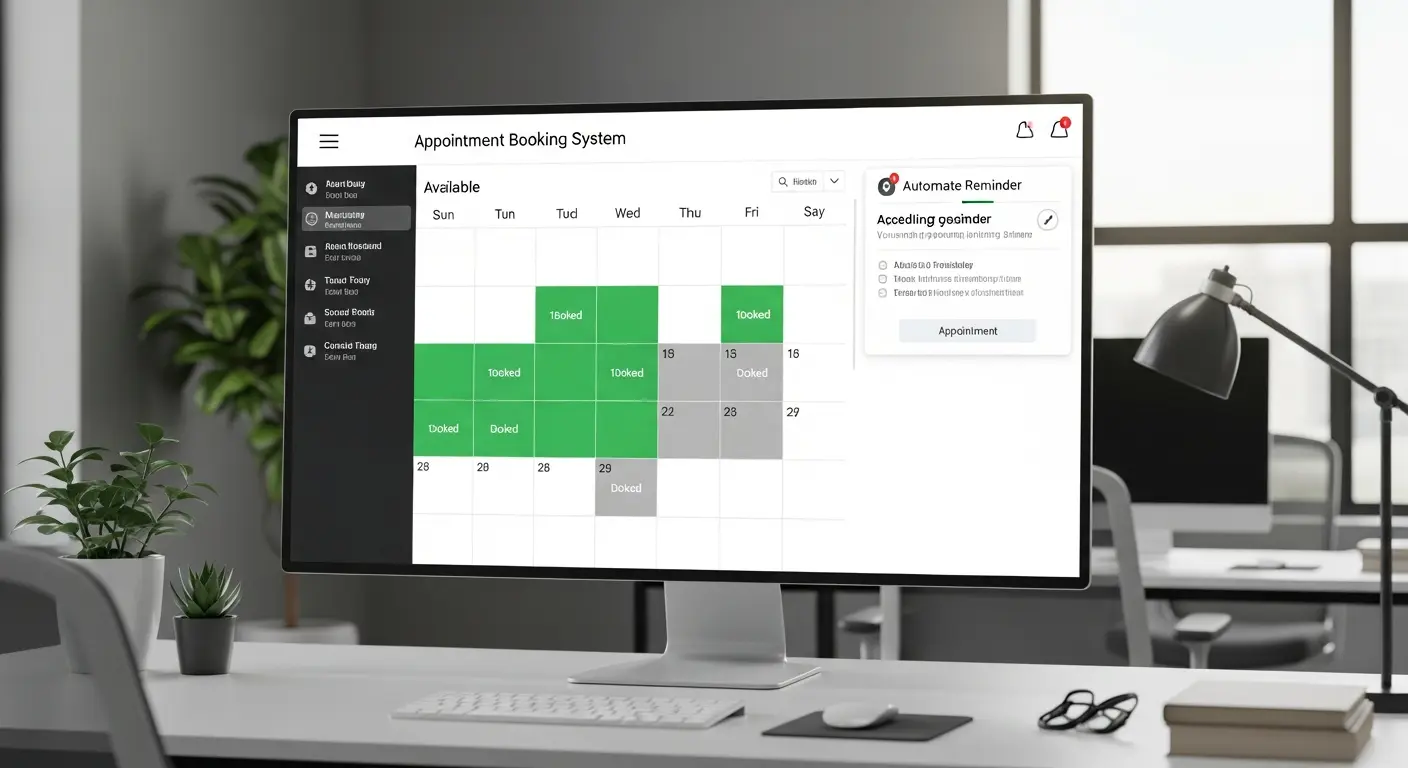
Best AI Appointment Booking Systems 2026
The Hidden Cost of Manual Scheduling
The average professional spends 6-10 hours per month playing "email ping-pong" to schedule meetings—"Does Tuesday at 2 PM work?" "No, how about Wednesday at 10 AM?" This back-and-forth is frustrating, time-consuming, and costs businesses thousands in lost productivity. AI-powered appointment booking systems eliminate this inefficiency entirely, handling scheduling 24/7 without human intervention.
Impact Reality: Professionals using AI appointment booking save 10-15 hours monthly and reduce no-shows by 30-50% through automated reminders and smart scheduling.
What is AI Appointment Booking?
AI appointment booking systems use artificial intelligence and automation to:
- Display real-time availability automatically
- Allow clients to self-book 24/7
- Send confirmation and reminder emails/SMS
- Handle rescheduling and cancellations automatically
- Predict and prevent scheduling conflicts
- Optimize meeting timing based on participant preferences
- Integrate with calendars, CRM, and business tools
- Process natural language scheduling requests
Modern AI booking assistants can understand requests like "Schedule a 30-minute call with Sarah sometime next week in the afternoon" and handle it autonomously.
Top AI Appointment Booking Systems
1. Calendly
Price: Free | Essentials at $10/month | Professional at $15/month
The most popular scheduling tool with intelligent automation features.
AI Features:
- Smart availability detection across calendars
- Automated meeting type routing
- Buffer time optimization
- Workflow automation (emails, notifications)
- Integration with 100+ apps
- Group scheduling with AI conflict resolution
- Custom branding
Best For: Professionals, consultants, coaches, sales teams Standout Feature: Seamless team scheduling and round-robin distribution Users: 20M+ professionals worldwide
Time Saved: 10-12 hours/month on scheduling
Customer Story: "Calendly eliminated the back-and-forth. Clients love booking instantly, and I reclaimed 2 hours weekly." - Marketing Consultant
2. Acuity Scheduling
Price: Starting at $16/month
Feature-rich booking system with powerful customization and automation.
Capabilities:
- Customizable intake forms
- Payment processing (deposits, full payment)
- Package and subscription booking
- Staff calendar management
- Automated waitlist
- Email and SMS reminders (reduces no-shows 40%)
- API for custom integrations
Best For: Service businesses (salons, studios, healthcare, wellness) Standout Feature: Accepts payments during booking Integration: Squarespace, Stripe, PayPal, Zoom
ROI: Customers report 30% reduction in no-shows, 15% revenue increase
3. Clara (AI Assistant)
Price: Starting at $99/month per user
Human-in-the-loop AI assistant that schedules via email like a real executive assistant.
How It Works:
- CC Clara on emails: "clara@claralabs.com"
- AI reads conversation context
- Communicates with participants via email
- Finds optimal meeting time
- Sends calendar invites
- Handles rescheduling
Best For: Executives, busy professionals, complex multi-party meetings Standout Feature: Natural language interaction—feels like a human assistant White-Glove: Human oversight ensures perfection
Use Case: VP of Sales reduced scheduling time from 90 minutes to 5 minutes weekly
4. x.ai (Amy/Andrew AI)
Price: Contact for pricing (mid-market and enterprise)
AI scheduling assistant integrated into your workflow.
AI Intelligence:
- Natural language email scheduling
- Learns your scheduling preferences over time
- Handles complex multi-timezone coordination
- Manages recurring meetings
- Syncs with all major calendars
Best For: Medium to large businesses, distributed teams Standout Feature: Most human-like AI assistant Adoption: Used by companies like Capital One, VMware
5. Chili Piper
Price: Starting at $15/user/month
Sales-focused scheduling with intelligent lead routing and booking.
Sales Automation:
- Instant meeting booking from web forms
- Lead routing based on territory, availability
- CRM integration (Salesforce, HubSpot)
- Automated reminders and follow-ups
- Meeting analytics and insights
- Handoff scheduling (SDR → AE transitions)
Best For: B2B sales teams, lead conversion optimization Standout Feature: Books meetings instantly from inbound leads (strike while iron is hot) Impact: 30-50% increase in meeting conversion rates
Case Study: SaaS company increased qualified meetings by 45% using instant booking
6. YouCanBookMe
Price: Free | Paid from $10/month
Simple, affordable booking with smart features for small businesses.
Features:
- Customizable booking pages
- Multi-calendar sync
- Automated email notifications
- Time zone intelligence
- Integrations (Zoom, Stripe, Mailchimp)
- Embeddable booking widgets
Best For: Freelancers, solopreneurs, small service businesses Standout Feature: Best free tier (unlimited bookings) Ease of Use: 5-minute setup
7. Microsoft Bookings
Price: Included with Microsoft 365 Business (from $6/user/month)
Integrated scheduling for Microsoft 365 users.
Capabilities:
- Staff scheduling and resource management
- Customer self-service booking
- Automated reminders (email and SMS)
- Microsoft Teams meeting integration
- Industry templates (healthcare, education, professional services)
- Mobile app
Best For: Microsoft 365 organizations, healthcare, education Standout Feature: Deep Microsoft ecosystem integration Advantage: No additional cost if already using M365
8. Setmore
Price: Free | Premium at $12/month
Comprehensive appointment scheduling with POS and customer management.
Full Suite:
- Unlimited appointments (even free plan)
- Class and group booking
- Payment processing
- Staff management
- Customer database and history
- Social media booking integration (Facebook, Instagram)
- Custom branded mobile app
Best For: Multi-staff service businesses (salons, spas, clinics) Standout Feature: Free plan includes unlimited appointments Users: 5M+ globally
Key Features Comparison
| Feature | Calendly | Acuity | Clara | Chili Piper | YouCanBookMe |
|---|---|---|---|---|---|
| Price (starting) | Free | $16/mo | $99/mo | $15/user | Free |
| AI Scheduling | Yes | Limited | Advanced | Yes | Basic |
| Payment Processing | Add-on | Built-in | No | No | Stripe |
| Team Scheduling | Excellent | Good | Excellent | Excellent | Limited |
| CRM Integration | Yes | Limited | Yes | Deep | Basic |
| Email AI Assistant | No | No | Yes | No | No |
| Lead Routing | Basic | No | No | Advanced | No |
| Best For | General | Services | Executives | Sales | Freelancers |
Essential Features to Look For
Intelligent Availability Management
Smart scheduling considers:
- Multiple calendar syncing (Google, Outlook, iCloud)
- Buffer time between meetings (avoid back-to-back)
- Personal preferences (no meetings before 9 AM)
- Time zone intelligence (auto-convert for participants)
- Working hours by day
- Recurring holds (lunch, focus time)
Automated Communication
Must-have automations:
- Confirmation emails
- Reminder emails (24 hours before)
- SMS reminders (reduces no-shows 40-50%)
- Rescheduling and cancellation notifications
- Follow-up sequences
- Custom messaging by meeting type
Integration Ecosystem
Critical integrations:
- Calendar: Google Calendar, Outlook, Apple Calendar
- Video: Zoom, Google Meet, Microsoft Teams
- CRM: Salesforce, HubSpot, Pipedrive
- Payment: Stripe, PayPal, Square
- Marketing: Mailchimp, ActiveCampaign
- Productivity: Slack, Zapier
Customization and Branding
Professional appearance:
- Custom branded booking pages
- Logo and color customization
- Personalized confirmation emails
- Custom domain (yourname.yourdomain.com/book)
- White-label options (enterprise)
Analytics and Insights
Valuable metrics:
- Booking conversion rates
- No-show rates
- Most popular meeting times
- Average scheduling time saved
- Busiest days/times
- Revenue per appointment (if charging)
Use Case Examples
Professional Services (Consultants, Coaches)
Workflow:
- Add Calendly link to email signature
- Client clicks and sees real-time availability
- Selects convenient time
- Receives instant confirmation with Zoom link
- Gets automated reminders
Benefit: Close deals faster—clients book immediately while interested
Healthcare (Doctors, Therapists, Dentists)
Requirements:
- HIPAA compliance
- Patient intake forms
- Insurance information collection
- Payment processing (copays)
- SMS reminders (reduce no-shows)
Recommended: Acuity Scheduling with healthcare features
Impact: 35-40% reduction in no-shows saves $30K-50K annually for typical practice
Sales Teams
Sales flow:
- Prospect fills out demo request form
- Chili Piper instantly shows available sales rep slots
- Prospect books immediately
- Syncs to CRM with lead info
- Sales rep gets notification and prep material
Result: 50-100% increase in demo-to-meeting conversion (strike while lead is hot)
Education (Tutors, Teachers, Coaches)
Use cases:
- Parent-teacher conferences
- Tutoring sessions
- Office hours
- Class registration
- Workshop bookings
Tool: Setmore or YouCanBookMe
Benefit: Eliminates endless email chains with parents/students
Real Estate
Appointments:
- Property showings
- Buyer consultations
- Listing appointments
- Open house RSVPs
Features needed: Mobile app (schedule on-site), CRM integration, SMS reminders
Impact: Show more properties with better qualified leads
Implementation Best Practices
Step 1: Audit Current Scheduling Process
Identify:
- Hours spent scheduling monthly
- Common scheduling pain points
- No-show rate
- Meeting types needed
- Integration requirements
Step 2: Choose and Configure Platform
Setup checklist:
- Connect all calendars
- Define meeting types (15min intro call, 60min consultation, etc.)
- Set availability and buffer times
- Create custom booking page
- Write confirmation and reminder email templates
- Set up integrations (Zoom, CRM, payment)
- Test booking flow yourself
Step 3: Optimize Booking Page
Best practices:
- Clear meeting descriptions (what to expect)
- Appropriate meeting lengths (avoid 60min defaults)
- Collect necessary info in advance (intake forms)
- Add video (personal welcome message increases bookings 25%)
- Prominent call-to-action
- Mobile-friendly design
Step 4: Promote Your Booking Link
Distribution:
- Email signature
- Website contact page
- Social media bios
- Business cards
- Proposal and pitch decks
- Calendar invites (for follow-ups)
Step 5: Monitor and Improve
Track metrics:
- Booking conversion rate (link clicks → bookings)
- No-show rate
- Most popular meeting times
- Time saved vs manual scheduling
Optimize monthly: Adjust availability, tweak messaging, test reminder timing
Advanced AI Features
Natural Language Scheduling
Modern AI can understand:
- "Find time for coffee with John next week"
- "Schedule a 30-minute call with the team tomorrow afternoon"
- "Book a follow-up in two weeks"
Platforms with NLP: Clara, x.ai, Motion
Smart Conflict Resolution
AI prevents issues:
- Detects double-bookings across multiple calendars
- Suggests alternative times when conflicts arise
- Automatically reschedules when conflicts added later
- Alerts about risky scheduling (too many back-to-backs)
Predictive No-Show Prevention
AI identifies high-risk appointments:
- Historical no-show patterns
- Booking timing (last-minute bookings = higher no-show)
- Client history
- Sends additional reminders for at-risk appointments
Result: 30-50% reduction in no-shows
Meeting Time Optimization
AI learns preferences:
- Best times for different meeting types
- Participant timezone preferences
- Optimal meeting length
- Productive vs unproductive time blocks
Outcome: Higher meeting quality and participant satisfaction
Cost-Benefit Analysis
Traditional Manual Scheduling Costs
Time spent (typical professional):
- 10 hours/month scheduling
- Hourly rate: $50/hour
- Monthly cost: $500
No-show rate:
- 20% (industry average without reminders)
- 10 meetings/month × 20% = 2 wasted meetings
- 1 hour per meeting × $50/hour
- Monthly no-show cost: $100
Total monthly cost: $600
AI Scheduling System Costs
Platform subscription: $15/month (Calendly Professional)
Time spent:
- 30 minutes/month (initial setup and minor adjustments)
- $50/hour × 0.5 hours = $25
No-show rate:
- 8% (with automated reminders)
- 0.8 wasted meetings × $50/hour
- Monthly no-show cost: $40
Total monthly cost: $80
Monthly savings: $520 (87% cost reduction) Annual savings: $6,240 ROI: 41,500%
Common Concerns Addressed
"Will I seem less important if I use scheduling software?"
Reality: Top executives at Google, Amazon, and Microsoft use scheduling tools. It signals professionalism and respect for everyone's time.
"What about personal touch?"
Solution: Customize confirmation emails with warm, personal messages. Add a short welcome video to your booking page.
"My schedule is too complex for automation"
Response: Modern AI handles multiple calendars, team coordination, and complex rules. Start simple and add complexity gradually.
"What if technology fails?"
Backup: All major platforms have 99.9% uptime. Keep manual backup process for critical meetings, but you'll rarely need it.
Frequently Asked Questions
Q: How long does setup take? A: Basic setup: 30 minutes. Full customization with integrations: 2-3 hours. Ongoing maintenance: 10-15 minutes monthly.
Q: Can AI handle complex multi-person scheduling? A: Yes! Modern AI finds optimal times across multiple participants' calendars and handles timezone coordination automatically.
Q: What about data security and privacy? A: Reputable platforms (Calendly, Acuity, Microsoft) are SOC 2 Type II compliant and GDPR-compliant. They use encryption and never sell data.
Q: Do people actually prefer self-booking? A: 75% of people prefer self-scheduling over back-and-forth emails. It's faster and more convenient.
Q: Can I customize for different meeting types? A: Absolutely. Create different booking pages for intro calls (15min), consultations (60min), workshops, etc., each with custom settings.
Q: How do I handle last-minute changes? A: AI systems allow self-service rescheduling up to a cutoff time you define (e.g., 24 hours before). You can also manually override anytime.
Conclusion
AI appointment booking systems are no longer luxury tools—they're essential productivity infrastructure. The combination of time savings, no-show reduction, and improved customer experience delivers ROI that's impossible to ignore.
Your Action Plan:
- Today: Sign up for free trial (Calendly or YouCanBookMe)
- This Week: Set up basic availability and test booking flow
- Week 2: Add booking link to email signature and website
- Month 1: Track time saved and booking conversion
- Ongoing: Optimize based on data and feedback
The professionals thriving in 2026 aren't those trying to do everything manually—they're the ones leveraging AI to eliminate busywork and focus on high-value activities.
Stop playing email ping-pong. Start your AI scheduling journey today with a free trial.
Related Resources:
Tags
Sourabh Gupta
Data Scientist & AI Specialist. Blending a background in data science with practical AI implementation, Sourabh is passionate about breaking down complex neural networks and AI tools into actionable, time-saving workflows for developers and creators.