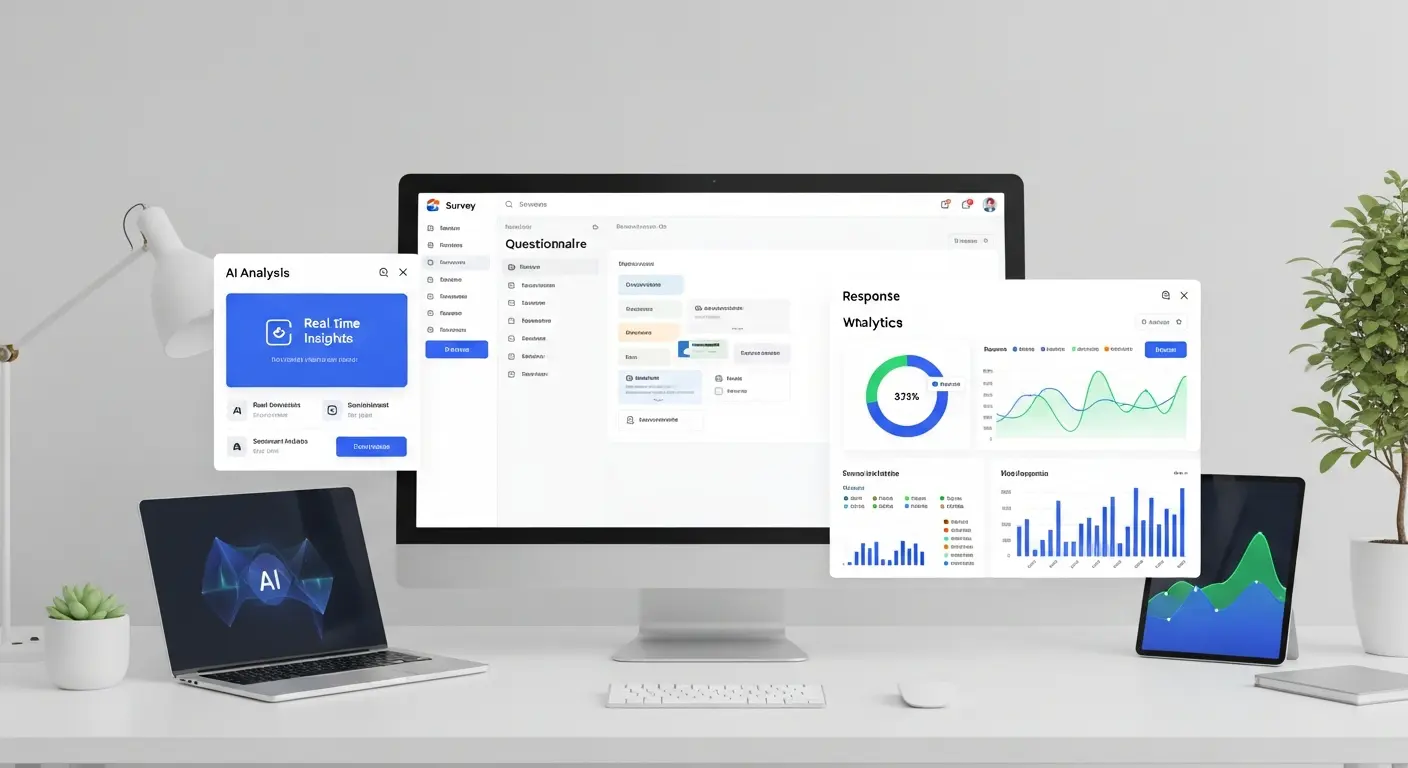
Best AI Data Analytics Tools 2025: Transform Data into Insights Instantly

AI-Powered Data Analytics Revolution
AI data analytics tools are transforming how businesses derive insights from data, reducing analysis time from days to minutes while uncovering patterns humans might miss. Organizations using AI analytics report reducing data analysis time by 70% while making more accurate predictions than traditional methods.
In 2025, AI analytics has evolved from basic automation to intelligent assistants that understand business context, ask relevant questions, and generate actionable insights automatically. Whether you're analyzing sales data, customer behavior, or operational metrics, AI tools can dramatically accelerate your analytics workflow.
Top AI Data Analytics Platforms
1. Tableau AI (Einstein AI Integration)
Price: Creator $75/month | Explorer $42/month | Viewer $15/month
Leading visualization platform enhanced with AI-powered insights, natural language queries, and automated analytics.
AI Features:
- Natural language data queries ("Show me sales trends by region")
- Automatic insight discovery
- Statistical analysis recommendations
- Anomaly detection
- Predictive forecasting
- Smart data preparation
- Explain Data feature (why metrics changed)
Best For: Enterprises, data teams, complex multi-source analysis
Time Savings: 60-80% faster from data to insights
Unique Strength: Best-in-class visualizations with powerful AI
External Resource: Tableau AI Features
2. Microsoft Power BI with AI Features
Price: Free (Desktop) | Pro $10/user/month | Premium from $20/user/month
Comprehensive BI platform with extensive AI capabilities and Microsoft ecosystem integration.
AI Features:
- Q&A natural language queries
- Key influencers visualization
- Decomposition tree analysis
- AI-powered quick insights
- Automated machine learning (AutoML)
- Integration with Azure AI services
- Smart narratives (auto-generated explanations)
Best For: Microsoft 365 users, mid-size to enterprise teams, Azure customers
Time Savings: 50-70% reduction in report creation time
Integration Advantage: Seamless with Excel, Teams, Azure
3. ThoughtSpot
Price: Custom enterprise pricing
AI-powered analytics platform with Google-like search interface for data exploration.
AI Features:
- Search-based analytics (type questions, get answers)
- SpotIQ automated insights
- AI-powered data explanations
- Natural language generation
- Predictive analytics
- Automated anomaly detection
- Personalized insights
Best For: Enterprises, self-service analytics, business users
User-Friendliness: Best for non-technical users
Speed: Answers in seconds vs minutes/hours
4. MonkeyLearn
Price: Free tier | Starter $299/month | Custom enterprise
AI text analytics platform specializing in sentiment analysis, classification, and extraction.
AI Features:
- Sentiment analysis on customer feedback
- Keyword extraction
- Topic classification
- Entity recognition
- Custom model training
- No-code interface
- API integration
Best For: Customer feedback analysis, social media monitoring, text data
Specialization: Best AI for unstructured text analysis
5. Polymer
Price: Free | Starter $20/month | Pro $45/month
AI-powered spreadsheet tool that automatically creates visualizations and insights from data.
AI Features:
- Upload data, get instant visualizations
- Automatic insight detection
- Natural language data queries
- Smart data cleaning
- Collaborative dashboards
- Presentation mode
- No technical skills required
Best For: Small businesses, marketers, quick ad-hoc analysis
Speed: Beautiful dashboards in < 5 minutes
Ease of Use: Most beginner-friendly AI analytics tool
6. Julius AI
Price: Free tier | Pro $20/month
AI data analyst that interprets data through chat interface.
AI Features:
- Chat with your data files
- Automatic chart generation
- Statistical analysis
- Data cleaning suggestions
- Export visualizations
- Python code generation
- Explain analysis steps
Best For: Students, researchers, individual analysts
Learning Advantage: Great for learning data analysis concepts
AI Analytics Capabilities Explained
Natural Language Querying
Ask questions in plain English instead of writing SQL or formulas:
Example Questions:
- "What were our top-selling products last quarter?"
- "Show me customer churn rate by region over time"
- "Which marketing channels drive the highest ROI?"
- "Find unusual patterns in website traffic this month"
How It Works: AI converts natural language to database queries, retrieves data, and visualizes results automatically.
Automated Insight Discovery
AI scans your data for:
- Significant trends and patterns
- Anomalies and outliers
- Correlations between variables
- Unexpected changes in metrics
- Hidden segments or clusters
- Predictive indicators
Value: Discover insights you didn't know to look for.
Predictive Analytics
AI forecasts future outcomes based on historical data:
- Sales forecasting
- Customer churn prediction
- Inventory demand planning
- Resource allocation optimization
- Risk assessment
Accuracy: Modern AI models achieve 80-95% forecast accuracy.
Automated Data Preparation
AI handles tedious data cleaning:
- Detect and fix data quality issues
- Merge data from multiple sources
- Handle missing values intelligently
- Standardize formats
- Remove duplicates
- Identify data types
Time Savings: 70% reduction in data preparation time
Use Cases by Industry
E-Commerce Analytics
Key AI Applications:
- Customer segmentation and personalization
- Product recommendation optimization
- Price optimization
- Inventory forecasting
- Cart abandonment analysis
- Customer lifetime value prediction
Recommended Tools: Power BI, Tableau AI
Results: 15-30% increase in conversion rates
Marketing Analytics
Key AI Applications:
- Campaign performance analysis
- Attribution modeling
- Customer journey mapping
- Sentiment analysis on social media
- Content performance prediction
- Ad spend optimization
Recommended Tools: MonkeyLearn (sentiment), Polymer (quick dashboards)
Results: 20-40% improvement in marketing ROI
Sales Analytics
Key AI Applications:
- Sales forecasting
- Lead scoring and prioritization
- Win/loss analysis
- Territory optimization
- Sales rep performance analysis
- Pipeline health monitoring
Recommended Tools: Tableau AI, Power BI, ThoughtSpot
Results: 25-35% increase in forecast accuracy
Financial Analytics
Key AI Applications:
- Fraud detection
- Risk assessment
- Expense anomaly detection
- Cash flow forecasting
- Budget variance analysis
- Financial trend prediction
Recommended Tools: Power BI, Tableau AI
Results: 60-80% faster fraud detection
Implementation Best Practices
Data Preparation
Before AI Analysis:
- ✅ Ensure data quality (accuracy, completeness)
- ✅ Establish consistent naming conventions
- ✅ Document data sources and definitions
- ✅ Set up proper data governance
- ✅ Create data dictionaries
- ✅ Define key metrics clearly
Poor data = Poor AI insights, regardless of tool sophistication.
Starting with AI Analytics
Week 1: Upload sample dataset, explore automated insights Week 2: Learn natural language querying for common questions Week 3: Build first automated dashboard Week 4: Share with stakeholders and iterate
Tip: Start with one use case, prove value, then expand.
Combining AI with Human Expertise
AI Handles:
- Data processing and cleaning
- Pattern discovery
- Statistical calculations
- Visualization generation
- Anomaly flagging
Humans Provide:
- Business context interpretation
- Strategic decision-making
- Causal relationship understanding
- Ethical considerations
- Final judgment calls
Pricing and Value Comparison
| Tool | Starting Price | Best For | ROI Timeline |
|---|---|---|---|
| Tableau AI | $15/mo (Viewer) | Enterprise | 3-6 months |
| Power BI | $10/mo | Mid-size teams | 1-3 months |
| ThoughtSpot | Enterprise | Large orgs | 6-12 months |
| MonkeyLearn | $299/mo | Text analytics | 2-4 months |
| Polymer | $20/mo | Small business | < 1 month |
| Julius AI | Free/$20 | Individuals | Immediate |
General ROI: Organizations typically see 5-10x return on AI analytics investment within first year through time savings and better decisions.
Frequently Asked Questions
Q: Do I need technical skills to use AI analytics tools? A: No. Tools like Polymer, ThoughtSpot, and Power BI's Q&A feature are designed for business users without technical backgrounds. Natural language interfaces make analytics accessible to everyone.
Q: Can AI analytics replace data analysts? A: No. AI augments analysts by handling repetitive tasks and surfacing insights quickly, but human expertise is crucial for interpretation, strategy, and contextual understanding.
Q: How accurate are AI-generated insights? A: Generally very accurate (85-95%) for pattern detection and forecasting with quality data. Always validate critical insights before major decisions.
Q: What size dataset do I need for AI analytics? A: AI tools work with datasets from hundreds to billions of rows. Even small datasets (1,000+ rows) can yield valuable insights with modern AI.
Q: Can AI analytics integrate with my existing databases? A: Yes. Enterprise tools like Tableau, Power BI, and ThoughtSpot connect to virtually all databases, data warehouses, and cloud storage platforms.
Data Security and Governance
Security Features to Verify
Essential Security:
- ✅ Encryption at rest and in transit
- ✅ Role-based access controls
- ✅ Audit logging
- ✅ Compliance certifications (SOC 2, GDPR, HIPAA)
- ✅ Data residency options
- ✅ Secure API access
Privacy Considerations
Questions to Ask Vendors:
- Where is my data processed and stored?
- Is my data used to train AI models?
- Can I use on-premise or private cloud deployment?
- What data retention policies exist?
- How are deleted data handled?
Most Secure Options: On-premise Power BI, private cloud Tableau deployments
Future Trends in AI Analytics
Conversational Analytics
Future platforms will support multi-turn conversations with data: "Show me sales" → "Now break that down by region" → "Which products drove the growth in the West region?"
Automated Decision-Making
AI will not only provide insights but take actions:
- Auto-adjust pricing based on demand
- Reorder inventory automatically
- Trigger marketing campaigns
- Escalate anomalies
Augmented Analytics for Everyone
AI analytics will become as common as spreadsheets:
- Every employee becomes a data analyst
- Insights embedded in workflow tools
- Real-time analytics everywhere
- No technical barrier to data exploration
Conclusion
AI data analytics tools have evolved from specialized enterprise software to accessible platforms that anyone can use to derive insights from data. Whether you're analyzing small business metrics or enterprise-scale data, AI can dramatically accelerate your path from data to decisions.
Your AI Analytics Journey:
- This Week: Try Polymer or Julius AI free tier with sample data
- This Month: Build first automated dashboard for key metric
- Quarter 2: Expand to team-wide usage and training
- Long-term: Integrate AI analytics into decision-making processes
The organizations succeeding in 2025 aren't hoarding data—they're using AI to transform it into actionable insights faster than competitors.
Ready to unlock insights hidden in your data? Choose an AI analytics tool and start discovering patterns in minutes, not weeks.
External Resource: Gartner's AI Analytics Guide
Tags:
Admin
Expert in AI tools and technologies. Passionate about helping others learn and master AI to boost their productivity.