Apple Reinvents Siri: Everything New in Siri AI and iOS 27
Editorial note: Some links in this article are affiliate links — we may earn a commission if you sign up, at no extra cost to you. Research guides are distinguished from documented firsthand reviews in our editorial standards. Read our editorial standards →
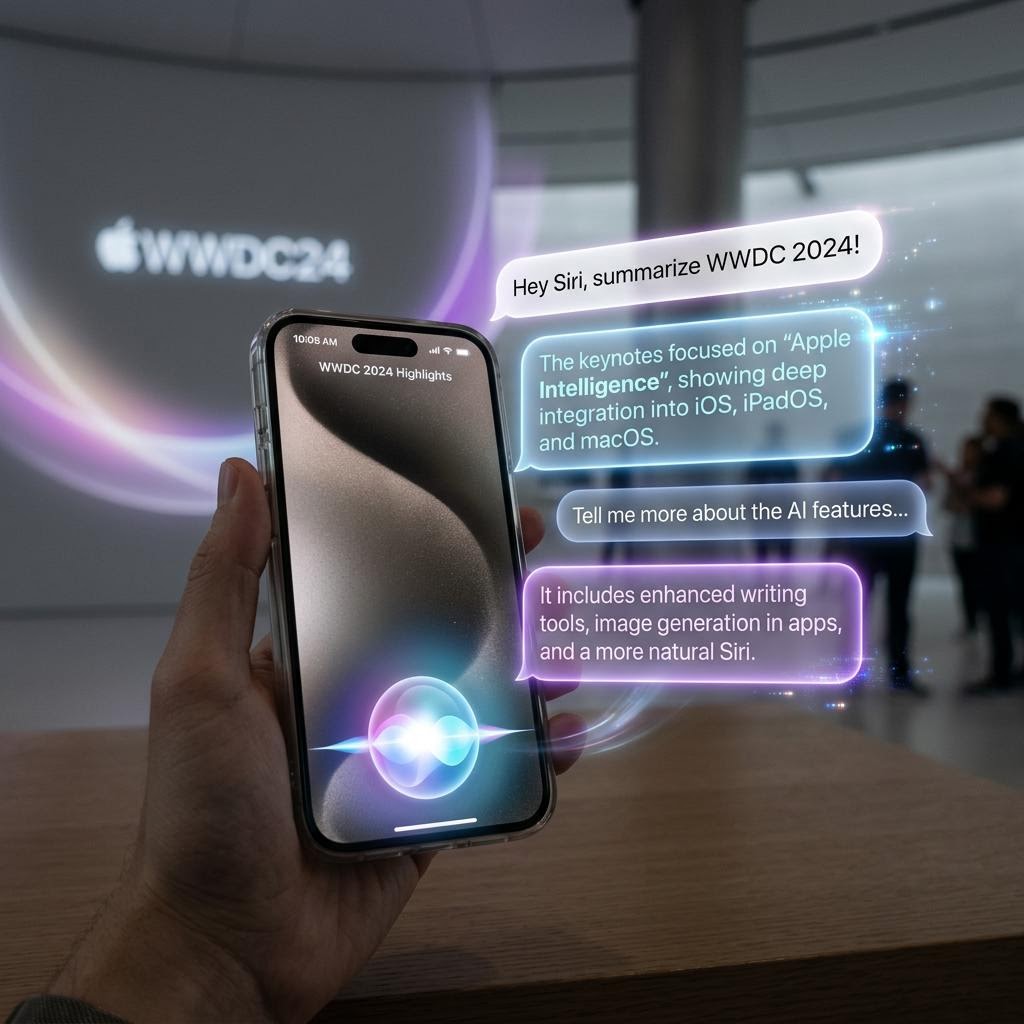
It feels like a major shift for a company that typically doubles down on its legacy tech.
Apple Reinvents Siri: Everything New in Siri AI and iOS 27
At WWDC 2026, held June 8–12 at Apple Park, Apple did something it rarely does: it admitted the old version was not good enough. Craig Federighi took the stage, acknowledged that Siri had fallen behind, and then unveiled what Apple is calling "Siri AI"—a complete, ground-up redesign of the assistant that has been Apple's most criticized product for the better part of a decade.
What emerged over five days of keynotes, sessions, and developer labs is the most ambitious software initiative Apple has undertaken since the original iPhone. Siri AI is not a feature update. It is a new product that happens to share a name with its predecessor. This article covers every major feature in depth, device compatibility, the Foundation Models framework for developers, how Siri AI compares to ChatGPT, Claude, and Gemini, and what you need to know before iOS 27 arrives in September.
The Big Picture: Three Fundamental Shifts
Siri AI represents three fundamental changes to how Apple approaches AI on its platforms:
1. A new underlying model: Siri AI runs on Apple's next-generation on-device foundation model—a significant architectural upgrade from the Apple Intelligence models shipped in iOS 18. The new model runs natively on the Neural Engine of supported devices with dramatically improved reasoning, language understanding, and instruction following.
2. A new interaction paradigm: Siri AI introduces conversational memory, multi-turn context, and deep app integration that makes it genuinely comparable to standalone AI assistants for the first time in its history.
3. A new developer platform: The Foundation Models framework gives Swift developers direct programmatic access to Apple's on-device AI for the first time—zero API costs, zero data leaving the device, native Swift integration that works offline.
Feature 1: Conversational Memory Across Apps and Sessions
The Headline Feature
Conversational memory is the most transformative change to Siri since its 2011 launch. Siri AI maintains a persistent understanding of your context across conversations, apps, sessions, and devices—not just within a single exchange.
How It Works Technically
Siri AI builds a personal context model stored in a private encrypted database on your device. This context model captures:
- Frequently discussed topics and ongoing projects you are working on
- Communication patterns from Mail and Messages (with explicit per-app permission)
- Calendar commitments, preferences, and scheduling patterns
- App usage patterns that reveal work context and routines
- Preferred formats and styles for outputs you generate
- Recurring tasks and how you typically handle them
- Relationship context (frequently contacted people and their roles)
The context model is updated continuously as you interact with Siri and use your apps. It is stored entirely on-device using Apple's proprietary graph database format. It never syncs to iCloud and is never transmitted to Apple servers.
Real-World Example
User (Tuesday morning): "Siri, continue the travel plan."
Siri AI: "Picking up from last Thursday—you were planning the Tokyo trip for October 14–21. You'd shortlisted ANA business class and the Park Hyatt in Shinjuku, and you mentioned your dietary restrictions. Want me to check current availability for both, or continue building out the first three days of the itinerary?"
Siri recalled the context, the expressed preferences, and the planning stage—without any re-establishment from the user. This is the feature that finally brings Siri into parity with ChatGPT's Memory feature—but with a crucial difference: it stays entirely on your device.
Privacy Architecture
- Entire context model stored on-device in an encrypted private database
- Never synced to Apple servers or iCloud (device-local only)
- Never used for Apple model training
- Fully viewable, editable, and deletable at Settings > Siri AI > Memory
- Individual memory items can be deleted without clearing everything
Feature 2: Deep App Integration
Native Apple App Integration
Siri AI's app integration goes far beyond previous Siri capabilities. In native Apple apps, Siri can take complex, multi-step actions that previously required extensive manual interaction:
| App | Key Siri AI Capabilities |
|---|---|
| Pages | Draft documents from descriptions; apply styles; restructure content; insert tables from verbal data |
| Calendar | Create complex recurring events with exceptions; detect and resolve scheduling conflicts; summarize upcoming week |
| Photos | Find specific photos by complex natural language descriptions; edit photos; create albums and highlight reels; generate captions |
| Draft replies in your tone and style; summarize long threads; create smart folders; priority triage | |
| Files | Organize, rename, move, and tag files based on content and established conventions |
| Notes | Synthesize across multiple notes; create structured summaries; identify related notes; extract action items |
| Safari | Research with context from your browsing history; compare articles; save and organize findings |
| Health | Answer questions about your health trends; explain workout data; summarize sleep patterns |
| Reminders | Create intelligent recurring tasks; connect reminders to calendar events; suggest optimal timing |
| Maps | Plan multi-stop trips with preferences; surface restaurant options with table availability |
SiriKit Contextual Extensions API for Third-Party Apps
The SiriKit Contextual Extensions API enables third-party apps to participate in Siri AI's deep integration. Unlike the old SiriKit intents system (which used rigid, predefined intent categories), Contextual Extensions uses a flexible natural language contract:
What developers define:
- Capabilities: What actions Siri can invoke in the app (described in natural language, not predefined categories)
- Context schema: What data the app can share with Siri's context model
- Permission model: User consent flows for each type of data sharing
Launch partners confirmed at WWDC: Spotify, Notion, Airbnb, Uber, Duolingo, Fantastical, Things 3, Bear, Carrot Weather, Streaks, and dozens of enterprise apps across productivity, finance, and health.
Example capability definition (Swift):
struct NotionContextualExtension: SiriContextualExtension {
    var displayName = "Notion"

    var capabilities: [SiriCapability] = [
        SiriCapability(
            id: "create_page",
            description: "Create a new page or document in any Notion database",
            parameters: [.title, .content, .parentDatabase, .properties]
        ),
        SiriCapability(
            id: "search_workspace",
            description: "Search pages and databases in the workspace",
            parameters: [.query, .filters, .dateRange]
        )
    ]

    var contextSchema: ContextSchema = ContextSchema(
        shared: [.recentPages, .databases, .userPreferences],
        requiresPermission: true
    )
}
Feature 3: The Dedicated Siri App with Persistent History
A First in Siri's History
For the first time, Siri has its own first-class app—findable in the App Library and pinnable to the Home Screen. The Siri app fundamentally changes the nature of AI interaction on iPhone by making it persistent and browseable rather than ephemeral and forgotten.
What the Siri App Includes
- Persistent conversation history: Every Siri interaction stored locally, fully searchable by content and date
- Multimodal input interface: Text, voice, image, and document input from a single unified interface
- Thread view: Related conversations grouped together, similar to iMessage threads
- Conversation continuity: Start on iPhone, continue on Mac, continue via voice—seamless handoff across devices
- Export and sharing: Share conversation summaries or specific responses via the standard share sheet
- Privacy transparency panel: Tap any conversation to see exactly which data was used, what stayed on-device vs. went to Private Cloud Compute
Why This Changes Everything
The Siri app transforms Siri from a stateless voice command interface into a persistent AI collaborator. Users who previously had to re-explain context at every interaction can now build on previous conversations—just like with ChatGPT or Claude. This is the single UX change that most meaningfully narrows the gap between Siri and its competitors.
Feature 4: Wake-Free Follow-Ups and Faster Voice
The Technical Achievement
Siri AI eliminates the need for "Hey Siri" or any wake word for follow-up questions within an active conversation. Once you have initiated an interaction:
- Continuous low-power audio monitoring runs on the Always-On Neural Engine without impacting battery life
- Conversational detection uses voice pattern recognition plus conversational context to distinguish directed follow-ups from ambient speech
- Latency: Under 200ms for on-device queries on A19 hardware; under 350ms on A18 Pro
- Adaptive voice recognition: The model learns your specific speech patterns and accent over time, improving accuracy continuously (all on-device)
How It Feels in Practice
In Apple's WWDC demos, the experience is noticeably different from previous Siri: conversational back-and-forth flows naturally without the interruption of repeating a wake word. Follow-up questions feel like talking to a person rather than issuing individual commands to a voice assistant.
Feature 5: Next-Gen On-Device Image Transformation
Beyond Image Playground
Siri AI introduces a new on-device diffusion model for image transformation—distinct from and more capable than the Image Playground feature introduced in iOS 18. Capabilities:
- Object removal and replacement: "Remove the person in the background and add subtle bokeh depth-of-field"
- Style transfer: "Make this look like a 1970s film photograph with grain and warm tones"
- Composition extension: "Extend this portrait to landscape format maintaining the background style"
- Document enhancement: Straighten, sharpen, and clean scanned documents and receipts
- Photo-realistic editing: Available on iPhone 17 / A19; stylistic editing on A18 Pro and above
- Batch processing: Apply transformations to multiple selected photos in a single command
No documented firsthand test record was supplied for this guide. Treat proposed workflows as examples to evaluate, rather than measured outcomes.
Privacy guarantee: All image processing happens on-device. No photos are sent to Apple servers under any circumstance.
Feature 6: Foundation Models Framework for Developers
The Most Consequential Developer Announcement of WWDC 2026
The Foundation Models framework gives Swift developers direct API access to Apple's on-device AI models—no API key, no cloud subscription, no data leaving the device, and zero marginal cost per user query. For indie developers and privacy-focused applications, this changes the economics of building AI-powered features entirely.
Core Capabilities
| Capability | Details | Minimum Device |
|---|---|---|
| Text Generation | Full generative text with temperature, top-p, max-token controls | A17 Pro |
| Structured Output | Codable-conforming Swift type generation—no JSON parsing | A17 Pro |
| Text Embeddings | Semantic embedding vectors for semantic search and RAG | A17 Pro |
| Streaming | Token-by-token streaming via AsyncSequence | A17 Pro |
| Context Length | 32K tokens (A18 Pro+); 16K tokens (A17 Pro) | Varies |
| Privacy | 100% local; zero network; zero cost | A17 Pro and above |
Code Examples
Basic text generation with structured output:
import FoundationModels

let model = FoundationModel()

// Structured response type using Codable
struct MeetingSummary: Codable {
    let title: String
    let keyDecisions: [String]
    let actionItems: [ActionItem]
    let nextMeetingDate: String?

    struct ActionItem: Codable {
        let task: String
        let owner: String
        let deadline: String?
    }
}

// Type-safe generation—no JSON parsing required
let summary: MeetingSummary = try await model.generate(
    prompt: "Summarize this meeting transcript: \(transcript)",
    responseType: MeetingSummary.self
)

print("Decisions:", summary.keyDecisions)
print("Action items:", summary.actionItems.map { "\($0.task) — \($0.owner)" })
Streaming generation for real-time UX:
// Stream tokens as they are generated
let stream = model.generateStream(
    prompt: "Explain how Foundation Models work to a non-technical user:"
)
for try await token in stream {
    await MainActor.run {
        textView.insertText(token)
    }
}
Semantic embeddings for on-device search:
// Build a fully local semantic search index
let documentTexts = notes.map { $0.content }
let embeddings = try await model.embed(texts: documentTexts)

// Query semantically—no server call
let queryEmbedding = try await model.embed(text: searchQuery)
let ranked = embeddings.enumerated()
    .map { (i, emb) in (i, cosineSimilarity(emb, queryEmbedding)) }
    .sorted { $0.1 > $1.1 }
    .prefix(5)
    .map { notes[$0.0] }
What Foundation Models Unlocks
Previously, building AI features into an iOS app required a cloud API key, adding per-user cloud costs and privacy concerns. Foundation Models eliminates this entirely:
- A smart journaling app that summarizes and finds connections across entries: zero API costs
- A private health tracking assistant that analyzes your data locally: nothing leaves the device
- An offline research tool that works on planes: no network required
- A document analyzer for sensitive business documents: no cloud exposure
Best Practices for Foundation Models
- Batch requests when processing multiple items—the Neural Engine handles batching efficiently
- Use structured output (Codable types) instead of parsing free-form text
- Check
model.contextWindowTokensbefore sending large inputs and implement chunking for documents exceeding the limit - Implement graceful degradation for devices that don't support Foundation Models (iPhone 15 and older)
- Test on real devices, not just Simulator—performance characteristics differ significantly
Device Compatibility: The Complete Table
| Feature | iPhone 17 / A19 | iPhone 16 Pro / A18 Pro | iPhone 16 / A18 | iPhone 15 Pro / A17 Pro | iPhone 15 & Older |
|---|---|---|---|---|---|
| Siri AI (core experience) | Full | Full | Full | Partial | Not supported |
| Conversational Memory | Full | Full | Full | Limited retention | Not supported |
| Deep App Integration | Full | Full | Full | Apple apps only | Not supported |
| Dedicated Siri App | Yes | Yes | Yes | Yes | Not supported |
| Wake-Free Follow-Ups | Yes | Yes | Yes | Yes | Not supported |
| Photo-Realistic Image Edits | Yes | Yes | Stylistic only | Stylistic only | Not supported |
| Foundation Models (32K context) | Yes | Yes | No | No | Not supported |
| Foundation Models (16K context) | — | — | No | Yes | Not supported |
| Private Cloud Compute fallback | Yes | Yes | Yes | Yes | Not supported |
| On-device voice latency | <200ms | <300ms | <350ms | <400ms | Not supported |
Honest Comparison: Siri AI vs. Competing Assistants
| Capability | Siri AI | ChatGPT (Plus) | Claude (Sonnet 5) | Google Gemini (Personal) |
|---|---|---|---|---|
| On-device processing | Primary | Cloud only | Cloud only | Lite version only |
| Persistent memory | Yes | Yes | Yes | Yes |
| Native app integration | Deep (Apple apps + SiriKit devs) | Limited | Limited (Computer Use) | Deep (Google apps) |
| Third-party app control | Limited to SiriKit partners | Plugins ecosystem | Computer Use | Limited |
| Privacy guarantees | Strongest (on-device first) | Cloud processed | Cloud processed | Cloud processed |
| Raw reasoning quality | Good—not frontier | Frontier (GPT-5.6) | Frontier (Sonnet 5) | Strong (Gemini 3.6) |
| Image generation | Yes (on-device diffusion) | Yes (DALL-E 4) | No | Yes (Imagen 4) |
| Real-time web search | Yes (Siri Search) | Yes | Yes | Yes (native grounding) |
| Developer API cost | Zero (Foundation Models) | Per-token | Per-token | Per-token |
| Voice quality | Excellent | Excellent | Good | Good |
| Ecosystem integration | Best on iPhone/Mac | Cross-platform | Cross-platform | Best on Android/Chrome |
What Siri AI Still Cannot Do vs. Frontier Models
Apple's candor at WWDC reflects a genuine capability gap that must be honestly stated:
- Complex multi-step mathematical reasoning: GPT-o3 and Claude Sonnet 5 are significantly more capable
- Long-form creative writing: Siri AI produces competent but not exceptional extended creative work
- Serious coding assistance: Foundation Models helps with snippets; for production development, GitHub Copilot and Claude remain superior tools
- Nuanced analysis of complex topics: Frontier models provide considerably deeper analytical capability
The value proposition of Siri AI is not raw capability—it is privacy, integration, and zero cost for on-device work.
How to Enable Each Feature
Setting Up Siri AI
- Update to iOS 27 (available September 2026; developer beta available from June 9)
- Go to Settings > Siri AI
- Enable Siri AI (requires Face ID confirmation for privacy consent)
- Select your language and region
- Review the privacy disclosure and configure Private Cloud Compute preferences
- Optionally walk through the Personalize Siri onboarding to seed initial context
Enabling Conversational Memory
- Settings > Siri AI > Memory
- Toggle Conversational Memory to On
- Under Apps with Context Access, enable each app individually
- Review Memory Contents to see what Siri has already inferred and correct anything inaccurate
Accessing the Siri App
- Find Siri in the App Library or use Spotlight search
- Add to Home Screen by long-pressing in App Library and tapping Add to Home Screen
- Optional new gesture: swipe up from the bottom-right corner (configurable in Accessibility settings)
- Or activate via voice from anywhere in iOS 27 with "Siri" followed by your request
iOS 27 Timeline
| Milestone | Target Date |
|---|---|
| WWDC 2026 Announcement | June 8–12, 2026 |
| iOS 27 Developer Beta 1 | June 9, 2026 |
| iOS 27 Public Beta | July 2026 |
| iOS 27 Release Candidate | September 2026 |
| iOS 27 Public Release + iPhone 17 | September 2026 |
| Siri AI full feature rollout (phased) | September–December 2026 |
| Foundation Models framework GA | September 2026 |
| SiriKit Contextual Extensions GA | September 2026 |
Pros and Cons of Siri AI
| Pros | Cons |
|---|---|
| On-device first—strongest privacy of any major assistant | Underlying model not at frontier capability level |
| Zero cost for developers via Foundation Models | Requires iPhone 15 Pro or newer for any Siri AI features |
| Deep native integration with Apple apps | Third-party app integration dependent on developer adoption |
| Persistent conversation history and memory | Full features require iPhone 17 / A19 |
| Works offline for core features | Weaker than ChatGPT/Claude for demanding analytical tasks |
| Dedicated Siri app closes UX gap with competitors | No third-party model options—Apple model only |
| Wake-free follow-ups are genuinely natural | Private Cloud Compute requires internet for complex queries |
| Foundation Models enables privacy-first app category | Foundation Models fine-tuning not supported at launch |
FAQ
Q1: Do I need iPhone 17 to get Siri AI? No, but features vary significantly by device. iPhone 16 Pro, 16, and 15 Pro all support Siri AI with varying capability levels (see the compatibility table above). iPhone 15 and older are not supported. iPhone 17 delivers the fullest experience including the fastest on-device processing and photo-realistic image editing.
Q2: Does Siri AI work offline? Core features work fully offline: conversational memory, native app integration, wake-free follow-ups, and Foundation Models for developers all run entirely on-device. Features requiring web search or Private Cloud Compute for complex queries need an internet connection.
Q3: How do I review and delete Siri's memory? Go to Settings > Siri AI > Memory > View Memory Contents. Delete individual items by swiping left, or clear everything with Delete All Memory. Deletion is immediate and permanent, with no recovery option.
Q4: Is Foundation Models available on iPad and Mac? Yes. Foundation Models is available on iPadOS 27 (M-series iPads and A17 Pro iPad mini) and macOS Sequoia 2 (all Apple Silicon Macs). Context window extends to 64K tokens on M4 Macs due to greater available memory, and Apple Silicon Macs run Foundation Models significantly faster than mobile chips.
Q5: Can Siri AI control third-party apps like ChatGPT plugins? Only apps that have adopted the SiriKit Contextual Extensions API. At iOS 27 launch, dozens of apps are supported including Spotify, Notion, Fantastical, and Airbnb. The ecosystem will grow as developers adopt the new API throughout 2026 and 2027.
Q6: Is Siri AI better than ChatGPT? It depends on the task. For privacy-sensitive work, device-integrated tasks, and anything that benefits from knowing your personal context, Siri AI is often the better choice. For complex reasoning, advanced coding, and demanding creative work, ChatGPT with GPT-5.6 remains significantly more capable. For most people, the optimal setup uses both for their respective strengths.
Q7: What happens to existing Siri functionality I rely on? All existing Siri features are preserved and improved within Siri AI. Timers, reminders, calls, music control, and basic searches work exactly as before but with significantly better language understanding. Nothing was removed; all new features are additive.
Q8: Does Foundation Models support custom or fine-tuned models? Not at launch. Foundation Models provides access to Apple's standard on-device model only. Custom model deployment is not currently supported. Apple has not announced plans to support custom models, though the framework architecture would technically support this in future OS releases.
Q9: How does Private Cloud Compute work and when does Siri use it? Private Cloud Compute (PCC) handles requests exceeding on-device model capabilities—typically very complex reasoning, very long document analysis, or compute-intensive tasks. PCC runs on Apple Silicon servers with cryptographic isolation: Apple cannot access request contents, and requests are not logged or retained. You can see which requests used PCC by viewing conversation details in the Siri app.
Conclusion
Apple's Siri AI announcement at WWDC 2026 is the most credible challenge to the AI assistant status quo in Siri's fifteen-year history—not because it surpasses frontier models on capability benchmarks, but because it bets on a fundamentally different value proposition: deep device integration, absolute privacy, and zero cost for on-device AI.
The Foundation Models framework is potentially the most consequential developer announcement for the Apple ecosystem since SwiftUI. The ability to build AI-powered features with zero API costs, zero network requirements, and complete privacy will unlock a generation of applications that are impossible to build on any other platform—privacy-first AI for journaling, health, legal documents, and personal finance.
The honest caveat stands: Siri AI's underlying model is not at the frontier. For demanding analytical, creative, and coding tasks, GPT-5.6 and Claude Sonnet 5 are significantly more capable. Apple knows this, and its bet is that for the hundreds of interactions in the flow of real daily life—remembering your Tokyo trip, acting inside your apps, understanding your context—what matters most is not raw reasoning power but privacy, integration, and reliability.
iOS 27 and the iPhone 17 arrive in September 2026. After years of watching Siri fall further behind, Apple's ground-up redesign is finally, genuinely competitive. The question is whether users will give it the chance it has now earned.
This update finally brings Siri into the modern era, making it a genuinely useful tool rather than just a voice-controlled timer.
Tags
Written by

Sourabh Gupta
Author at Teach AI Tools
Sourabh Gupta is responsible for Teach AI Tools. Research guides and documented firsthand reviews are identified separately. An author profile is not evidence of testing; look for sources, test records, and limitations in the article.
Full bio & editorial process →