Perplexity's Computer Gets a Brain: Self-Improving Memory That Learns From Every Task
Editorial note: Some links in this article are affiliate links — we may earn a commission if you sign up, at no extra cost to you. Research guides are distinguished from documented firsthand reviews in our editorial standards. Read our editorial standards →
It feels like a significant shift toward having a digital assistant that actually remembers your preferences over time.
Perplexity's Computer Gets a Brain: Self-Improving Memory That Learns From Every Task
On July 13, 2026, Perplexity AI shipped what may be its most consequential product update since launching the AI search engine that disrupted Google's decade of dominance: Brain—a persistent, self-improving memory system for Perplexity Computer that learns from every task you complete, adapts to how you work, and makes the AI increasingly useful the more you use it.
Alongside Brain, the July 13 update delivered 40% faster model performance via an intelligent multi-model routing layer, a full website publishing platform that competes with Bolt.new and Vercel's v0.dev, and four major new connectors—Figma, Jira, Salesforce, and Slack. For professionals building AI-powered workflows in 2026, this update changes what is possible in a single platform.
What Is Perplexity Computer?
Perplexity Computer is Perplexity's agentic computing platform, launched in early 2026, that enables users to delegate complex multi-step tasks to AI agents working across connected apps, the web, and uploaded documents. The platform handles research, analysis, writing, coding, data processing, and web browsing—autonomously, in sequence, and increasingly in parallel.
Brain is the update that gives this agentic platform persistent memory—transforming it from a capable but forgetful assistant into one that learns and adapts over time.
Brain: How the Self-Improving Context Graph Works
The Core Concept
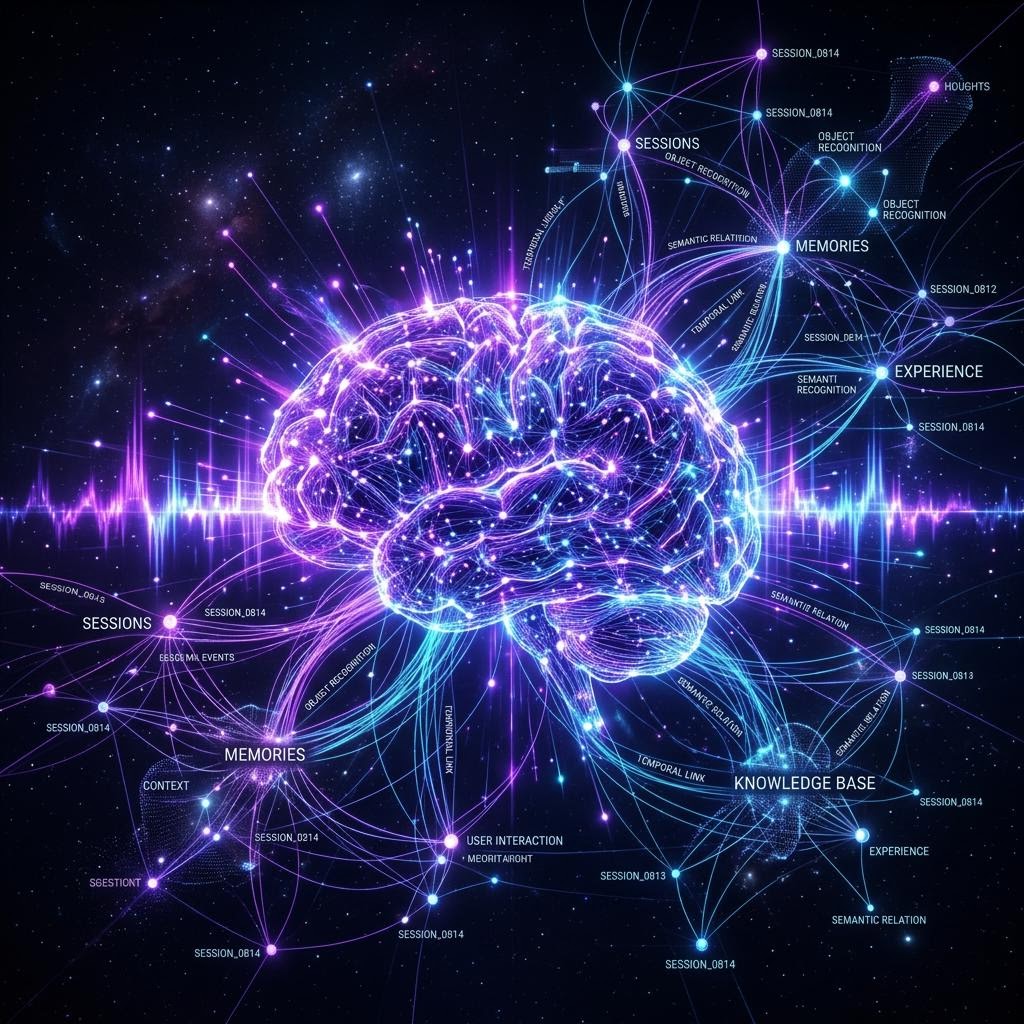
Brain builds a private context graph—a structured, persistent knowledge base about how you work, what you prefer, and the patterns that define your professional workflows. Unlike a simple conversation history or a list of saved facts, the context graph is:
- Structured as a property graph: Nodes represent entities (projects, preferences, patterns, relationships); edges represent how they connect to each other
- Inferred from behavior: Preferences are extracted from how you interact with outputs, not just from explicit statements
- Continuously refined: Every task updates the graph with new observations and adjustments to existing nodes
- Integrated with routing: The graph is read by the model selection layer before computation begins, personalizing every response
The Seven Categories Brain Tracks
| Category | What Brain Learns | Concrete Example |
|---|---|---|
| Output Format Preferences | Structure, length, visual presentation style | Always use H2 headers; bullet lists not paragraphs; comparison tables |
| Recurring Tasks | Tasks done regularly with consistent structure | Weekly competitive analysis; monthly board report template |
| Connector Relationships | How data flows between your connected tools | GitHub issue closed > Linear ticket created > Slack summary posted |
| Naming Conventions | How you name files, projects, and documents | Client projects: YYYY-ClientName-Code; drafts: [date]-[type]-[version] |
| File Organization Patterns | Where outputs go and how they are organized | Research PDFs to Notion DB; final deliverables to GDrive/Clients/[Client] |
| Communication Style | Tone, formality, vocabulary, and spelling preferences | Professional but direct; no buzzwords; British spelling; active voice |
| Task Decomposition | How you prefer complex work structured and executed | Show sub-tasks first; ask before irreversible actions; batch similar work |
Technical Architecture: The Property Graph Database
Brain's context graph is implemented as a property graph database stored server-side in your Perplexity account. Each node has:
- Type: (Preference | Pattern | Convention | Relationship | Project)
- Confidence score: 0.0–1.0; higher for explicit statements and consistently repeated behaviors
- Source: Which task(s) created or updated this node
- Timestamp: When created and last updated
- Recency weight: Recent behaviors weighted higher in routing decisions
When you complete a task, Perplexity's inference layer runs a post-processing pass that:
- Extracts structured information signals from the task interaction
- Compares signals against existing graph nodes for matches, updates, or contradictions
- Updates node confidence scores (positive reinforcement on matching behavior; negative adjustment on corrections)
- Creates new nodes for novel preferences or patterns not previously observed
- Tags each update with the source task ID for full auditability and deletion
The Compound Learning Effect
The most important property of Brain is its compounding nature: each task makes the assistant slightly more personalized, and because personalization improves subsequent task quality, the value curve accelerates over time.
- After 20 tasks: Perplexity starts anticipating your preferred output format
- After 100 tasks: It understands your project context without re-explanation
- After 500 tasks: It operates with the familiarity of a long-term assistant
Privacy Architecture
| Property | Implementation |
|---|---|
| Storage location | Server-side in your Perplexity account, encrypted at rest |
| Model training | Explicitly excluded—your graph never influences model weights |
| Auditability | Full node-by-node visibility in Settings > Brain > View Context Graph |
| Deletion | Per-node deletion or full erasure; immediate and permanent |
| Third-party access | Not shared with connector providers or any third parties |
| Data retention on cancellation | Graph deleted on account closure per Perplexity's data policy |
Note: Unlike Apple's Siri AI (fully on-device), Brain is stored server-side. Users with strict data residency requirements or highly sensitive professional contexts should review Perplexity's privacy policy and Data Processing Agreement before enabling.
Setting Up and Using Brain: Step-by-Step Guide
Step 1: Open Perplexity on web, iOS, Android, or desktop and confirm you are on version 3.12.0 or later (July 2026 release).
Step 2: Navigate to Settings > Brain. Brain is enabled by default for Pro and Max subscribers.
Step 3: Complete your first few tasks normally. Brain begins learning immediately.
Step 4: After 10–15 tasks, navigate to Settings > Brain > View Context Graph to see what has been inferred. Review for accuracy and make corrections where needed.
Step 5: Explicitly state your most important preferences to seed high-confidence nodes immediately. Example: "For all my reports, use markdown with H2 headers, supporting evidence as bullet points, and a summary table at the top. Always show me sub-tasks before executing. Ask before sending any messages or emails on my behalf."
Step 6: Set a monthly calendar reminder to audit and prune your graph. Remove nodes for completed projects, correct any persistent misidentifications, and add explicit overrides for preferences Brain has gotten consistently wrong.
40% Faster Models: The Intelligent Routing Layer
How Multi-Model Routing Works
The routing layer is a task-decomposition and model-selection engine that runs before any generation begins:
- Decompose: Your task is broken into typed sub-tasks (web search, analysis, writing, code generation, data extraction, formatting, communication)
- Profile: Each sub-task is characterized by complexity, required context length, quality requirements, and latency sensitivity
- Select: The routing layer picks the lowest-latency capable model from its pool for each sub-task
- Execute: Sub-tasks run in parallel where possible; sequentially where dependencies require it
- Synthesize: Outputs from multiple models are assembled into a coherent final result by an orchestration layer
The 40% speed improvement comes primarily from two sources: parallel execution of independent sub-tasks, and eliminating over-provisioning (not routing a trivial retrieval step to a heavyweight reasoning model).
The Model Pool (July 2026)
| Model | Best Used For | Relative Cost |
|---|---|---|
| Perplexity proprietary search models | Web retrieval, citation, real-time lookup | Low |
| Gemini 3.5 Flash-Lite | Simple extraction, short-form classification | Very low |
| Gemini 3.6 Flash | Multi-step reasoning, structured analysis | Medium |
| Claude Sonnet 5 | Long-form writing, nuanced analysis | Medium-high |
| GPT-5.6 | Complex reasoning, code, math | High |
Routing Transparency
Click Task Details > Model Routing on any completed task to see which model handled each sub-task and why the routing decision was made. This transparency helps you optimize how you phrase tasks—you can see when Perplexity is using a lightweight model for a step that might benefit from a heavier one, and adjust your instructions accordingly.
Website Publishing: A Competitive New Front
The Full Feature Set
Perplexity Computer's website publishing includes:
- Natural language site generation: Describe a website and Perplexity builds it as HTML/CSS/JS or React components
- Document-to-site conversion: Convert Word, Google Docs, Notion pages, PDFs, or Markdown files into websites instantly
- Free hosting: Publish to
yourname.perplexity.siteinstantly with no configuration - Custom domain connection: Connect your own domain via Perplexity's DNS configuration panel (Pro and above)
- Natural language updates: Modify published sites with plain English instructions applied in real time
- Full code export: Download the generated code at any time for self-hosting or further development
Complete Publishing Walkthrough
Task: "Create a professional portfolio website for a UX designer specializing in fintech products. Include: a hero section with name and tagline, an About section with 3 key differentiators, a case studies grid with 4 placeholder cards (each with image, title, tags, and brief description), a skills section with icons for Figma, Prototyping, User Research, and Data Analysis, and a contact form. Use a clean minimal design with a navy and white color scheme."
Perplexity's process:
- Generates complete HTML/CSS/JS (or React component tree—selectable in Output Settings)
- Renders a live preview in the Perplexity workspace with device viewport toggles
- Opens an iterative refinement chat alongside the preview
- Applying changes: "Change the primary color to deep forest green" → live preview updates in under 3 seconds
- Publish button deploys to
yourname.perplexity.sitewith SSL, CDN, and mobile responsiveness included - Domain panel provides guided DNS configuration for custom domains
Natural language update examples after publishing:
- "Add a testimonials section after the case studies with three quotes, dark background, and italic typography"
- "Make the hero section taller and add a subtle animated gradient background"
- "Add a cookie consent banner in the bottom-left corner with a minimal style"
- "Restructure the navigation to have About, Work, Skills, and Contact as the four items"
No documented firsthand test record was supplied for this guide. Treat proposed workflows as examples to evaluate, rather than measured outcomes.
Detailed Competitive Comparison
| Feature | Perplexity Websites | Bolt.new | Vercel v0.dev | Framer AI | Webflow AI |
|---|---|---|---|---|---|
| Natural language generation | Yes | Yes | Yes | Yes | Yes |
| Natural language updates | Yes | Yes | Limited | Yes | Limited |
| Document-to-site conversion | Yes | No | No | No | No |
| Free hosting subdomain | Yes | Yes | Yes | No (trial only) | No |
| Custom domain | Yes (Pro) | Yes (Paid) | Yes (Paid) | Yes (Paid) | Yes (Paid) |
| Full code export | Yes | Yes | Yes | Yes | Yes |
| Backend / API / database | No | Yes | Yes | No | Partial |
| E-commerce | No | Partial | No | No | Yes |
| Integrated with AI research workflow | Yes (native) | No | No | No | No |
| CMS and content management | No | No | No | Yes | Yes |
Perplexity's key advantage: Sites can be generated as part of a larger workflow—research a topic, draft a report, publish it as a website—all in one continuous Perplexity task chain. No other tool offers this end-to-end integration.
Perplexity's key limitation: No backend, no database, no dynamic content beyond simple form integrations. For web applications with user authentication, real-time data, or e-commerce, Bolt.new remains the stronger choice.
Connectors: The Full Ecosystem Explained
New in July 2026: Figma
Setup: OAuth authorization to your Figma account; read access to files you specify.
Key capabilities:
- Read and analyze design files, component libraries, and interactive prototypes
- Extract design tokens (colors, typography, spacing, border radius) in structured JSON or CSS formats
- Generate developer handoff documentation from Figma files
- Create Tailwind configuration files or CSS custom properties from Figma design systems
- Describe design decisions and create specification documents in plain language
Best use case: "Analyze our Figma design system and generate a complete developer handoff document including all component specs, usage guidelines, color tokens in HEX/HSL/RGB, and typography scale in a Markdown format ready for our GitHub wiki."
New in July 2026: Jira
Setup: OAuth authorization to your Jira workspace; read/write access to projects you specify.
Key capabilities:
- Query issues, epics, sprints, and project status with natural language filters
- Create and update issues with rich descriptions, labels, and assignments
- Generate sprint reports, release notes, and retrospective data
- Identify velocity trends, blockers, and workload distribution
- Track team capacity and flag at-risk sprint commitments
Best use case: "Summarize all P1 and P2 bugs reported in the last 30 days, group by component, identify which components have the highest defect density, and create a triage priority recommendation for next sprint planning."
New in July 2026: Salesforce
Setup: OAuth authorization to your Salesforce org; read/write access to objects you specify.
Key capabilities:
- Query opportunities, leads, accounts, contacts, and activity history
- Generate pipeline reports and quarterly revenue forecasts
- Draft personalized follow-up communications based on opportunity and account context
- Track activity gaps and flag accounts at risk of churn or stall
- Create and update records including activities, tasks, and notes
Best use case: "Find all opportunities closing this quarter over $50,000 with no logged activity in the past 14 days. For each, draft a personalized re-engagement email using context from their account history and the most recent interaction note."
New in July 2026: Slack
Setup: OAuth authorization; read access to specific channels you designate; write access to channels where you want Perplexity to post.
Key capabilities:
- Read channel histories and threads within permissions you grant
- Post messages and structured summaries to channels
- Summarize conversations, identify decisions, and extract action items
- Create structured digests across multiple channels
- Trigger information gathering from Slack context
Best use case: "Every Monday morning, summarize the previous week of discussion in #product-roadmap and #engineering-updates. Extract key decisions, open questions, and blockers. Post a formatted digest to #weekly-summary with links back to the relevant threads."
Full Connector Catalog (July 2026)
| Connector | Category | Read | Write | Top Use Case |
|---|---|---|---|---|
| Gmail | Communication | Yes | Yes | Draft, send, categorize, summarize threads |
| Google Workspace | Productivity | Yes | Yes | Docs, Sheets, Slides, Drive operations |
| Notion | Knowledge Base | Yes | Yes | Pages, databases, templates, properties |
| GitHub | Development | Yes | Yes | Issues, PRs, commits, code review |
| Linear | Development | Yes | Yes | Issues, projects, cycles, roadmaps |
| Figma | Design | Yes | No | Files, components, design tokens, specs |
| Jira | Project Management | Yes | Yes | Issues, sprints, epics, velocity |
| Salesforce | CRM | Yes | Yes | Opportunities, contacts, pipeline, emails |
| Slack | Communication | Yes | Yes | Channels, threads, digests, summaries |
Pricing
| Plan | Price | Brain | Connectors | Website Hosting | Monthly Tasks | Notes |
|---|---|---|---|---|---|---|
| Free | $0 | No | 2 connectors | Limited subdomain, no custom domain | 10 | Basic capabilities only |
| Pro | $20/month | Yes—individual graph | All 9 connectors | Yes—custom domain included | Unlimited | Best for individual professionals |
| Max (Enterprise) | Custom | Yes—team + individual | All + custom API connectors | Yes + priority infrastructure | Unlimited | SSO, admin console, audit log, DPA |
Team Brain in the Max Plan
Max plan organizations get Team Brain—a shared organizational context graph that is distinct from individual user graphs:
- Shared organizational knowledge: Naming conventions, file structures, output standards captured once, applied across all team members
- Onboarding acceleration: New team members immediately benefit from accumulated organizational context without weeks of ramp-up
- Admin controls: Define which graph nodes are read-only vs. editable by different roles
- Audit log: Full history of graph updates with timestamps and user attribution
- Inheritance model: Individual graphs can inherit defaults from Team Brain while maintaining personal preferences
Perplexity Computer vs. AI Agent Competitors
| Capability | Perplexity Computer | OpenAI Operator | Claude Computer Use | Google Project Mariner |
|---|---|---|---|---|
| Persistent memory | Yes—Brain context graph | Limited | Limited | Beta |
| Self-improving from tasks | Yes | No | No | No |
| Native app connectors | 9 built-in | Via custom actions | Via tools/plugins | Via extensions |
| Web browsing | Yes | Yes | Yes | Yes |
| Website publishing | Yes | No | No | No |
| Multi-model routing | Yes—5-model pool | No (GPT-5.6 only) | No (Claude only) | No (Gemini only) |
| Graph transparency and auditability | Yes—per-node visibility | No | No | No |
| Not used for training (explicit guarantee) | Yes | Not guaranteed | Not guaranteed | Not guaranteed |
| Team and enterprise features | Yes—Team Brain | Limited | Limited | Limited |
| Pricing entry point | $20/month | $200/month | $20/month | Bundled with Workspace |
10 Power User Tips
-
Explicitly state your top 5 preferences on day one. Don't wait for Brain to infer them through behavior—spend 10 minutes writing them out. You get high-confidence nodes immediately instead of waiting for inference to accumulate.
-
Chain all four new connectors for a complete sales workflow. "Review all Salesforce opportunities closing this quarter, check GitHub repos for recent commit activity, create Jira tickets for any technical blockers you find, and post a pipeline summary to #sales in Slack" is now a single Perplexity task.
-
Use Figma + GitHub for design-to-code. "Extract all component specifications from our Figma design system and scaffold a corresponding TypeScript component library with proper types, props documentation, and Storybook stories" is now possible end-to-end.
-
Schedule your recurring tasks as Brain-aware templates. Once Brain understands the expected output format from previous iterations, recurring task quality improves noticeably because it doesn't have to infer structure from scratch.
-
Use the Jira connector for engineering retrospectives. "Calculate average time-to-close for P1 bugs over the past two quarters, identify which components take longest to fix and why, and generate a retrospective data deck with charts for our quarterly review" replaces hours of Jira report work.
-
Leverage Salesforce for account-level intelligence at scale. "Identify our top 15 accounts by ARR where we have no documented executive-level relationship, then draft a stakeholder mapping email for each account executive to send to their counterpart" is personalized, scalable, and actionable.
-
Use the Slack connector for async stand-up automation. "Every weekday at 9am, read the last 24 hours of #engineering, extract what each team member mentioned working on, and post a formatted async stand-up summary to #daily-standup" saves 15 minutes daily for every team member.
-
Combine website publishing with research workflows. A single task: "Research the top 5 trends in enterprise software pricing for 2026, write a 2,000-word strategic analysis, and publish it to pricing-trends.mysite.com with proper metadata." Research, writing, and publishing in one step.
-
Check model routing on tasks that feel slow. View Task Details > Model Routing to see if any sub-task is being routed to a heavier model than necessary. You can instruct Perplexity to use a specific model for a task type: "Use Gemini 3.5 Flash-Lite for all retrieval steps in this workflow."
-
Audit your context graph monthly and prune aggressively. Outdated project nodes, completed client work, and old preferences reduce routing relevance. A 5-minute monthly graph review keeps Brain accurate and prevents old context from polluting current work.
FAQ
Q1: Is Brain the same as Perplexity's existing memory feature? No. Brain is an entirely new system. Previous Perplexity memory stored a simple list of facts you explicitly told it. Brain uses a structured property graph that infers preferences from behavior, stores relationship information between entities, tracks organizational conventions, and integrates directly with model routing to personalize every response before generation begins.
Q2: Can I use Brain on the free plan? Brain requires a Pro ($20/month) or Max (enterprise) subscription. Free users have 10 Computer tasks per month with 2 connectors and no Brain personalization.
Q3: Is my Brain data used to train Perplexity's models? Perplexity has explicitly stated that Brain context graph data is excluded from model training. Your personal context is private to your account. Review Perplexity's privacy policy and, for enterprise use, request their Data Processing Agreement (DPA).
Q4: How does the 40% speed improvement affect output quality? Quality is maintained or improved in most cases because specialized models outperform generalists on specific sub-tasks. The routing layer doesn't sacrifice quality for speed—it achieves speed by eliminating over-provisioning and running parallelizable sub-tasks simultaneously rather than sequentially.
Q5: Can the Perplexity website builder create e-commerce stores? Not natively. Perplexity sites are static with optional simple form integrations such as Formspree or embedded Stripe Payment Links. For full shopping cart functionality and inventory management, Bolt.new or dedicated platforms like Shopify are better suited.
Q6: How does Team Brain work for organizations? Team Brain is a shared organizational context graph in the Max enterprise plan. Administrators define what organizational knowledge is captured, which nodes team members can edit, and how individual graphs inherit from the team graph. It accelerates onboarding by giving new team members immediate access to accumulated organizational preferences from day one.
Q7: What permissions does the Slack connector require? The Slack connector uses OAuth and requests read access to specific channels you designate during setup (not all channels by default) and write access to channels where you want Perplexity to post. Your Slack workspace administrator may need to approve the app installation for your workspace. DMs and private channels require additional explicit permissions.
Q8: Can Brain learn from mistakes and incorrect outputs? Yes. Use the thumbs-down feedback button on any output and optionally add a correction note ("I prefer tables over bullet lists for comparisons"). Negative signals lower the confidence score of the inferred preference. Explicit corrections create high-confidence corrective nodes that immediately override prior inferences.
Conclusion
The July 13, 2026 Perplexity Computer update represents a meaningful and genuine leap forward in what AI agent platforms can do in practice. Brain addresses the most fundamental limitation of every AI agent built before it: they forget everything the moment a session ends. By building a persistent, self-improving context graph, Perplexity has created the first AI work assistant that gets meaningfully better the more you use it—not through retraining, but through structured personalization that compounds over time.
The 40% speed improvement and expanded connector library—particularly Salesforce and Jira for enterprise workflows—make the platform dramatically more practical for daily professional use. The website publishing feature intelligently collapses the research-to-publication workflow into a single unified tool that no competitor currently matches.
Against OpenAI Operator ($200/month), Claude Computer Use ($20/month), and Google Project Mariner (bundled), Perplexity's strongest differentiators are multi-model routing, Brain's self-improving personalization, the growing native connector library, and Pro pricing at $20/month. For individual professionals and teams who need an AI computer that learns to think like they do—and gets better at it every week—Perplexity Computer with Brain is the most compelling option in the category as of July 2026.
The promise of AI agents has always been automation that gets smarter over time. Brain is the most credible implementation of that promise yet delivered at production scale.
This update transforms Perplexity from a simple search tool into a comprehensive workspace that evolves alongside your daily habits.
Tags
Written by

Sourabh Gupta
Author at Teach AI Tools
Sourabh Gupta is responsible for Teach AI Tools. Research guides and documented firsthand reviews are identified separately. An author profile is not evidence of testing; look for sources, test records, and limitations in the article.
Full bio & editorial process →