Best AI Podcast Editing Software 2026
Editorial note: Some links in this article are affiliate links — we may earn a commission if you sign up, at no extra cost to you. Every tool is independently tested by our team before being recommended. Read our editorial standards →
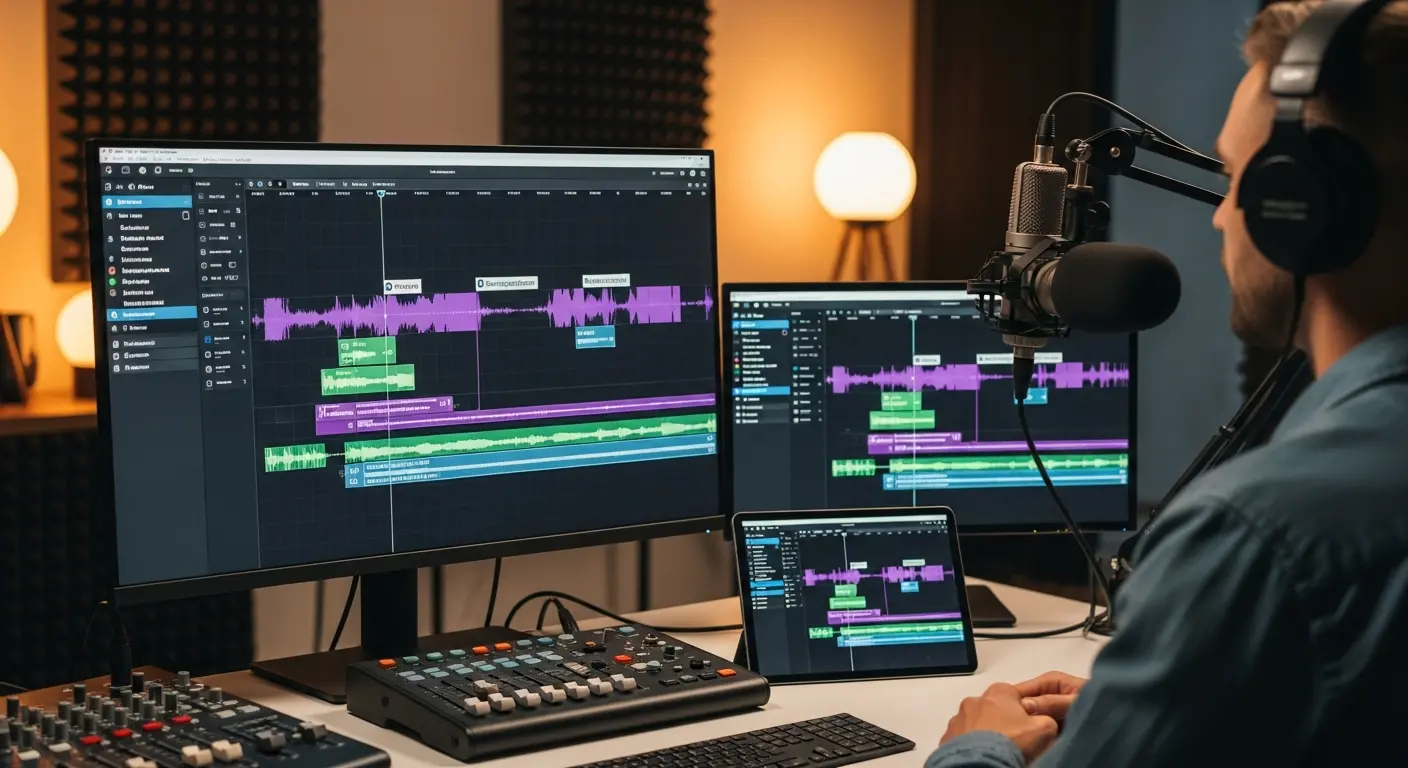
Podcast editing is not only about removing filler words. A good episode still needs pacing, clear audio, and choices about what the audience should hear. AI can make the mechanical parts of that process much quicker, especially for cleanup, transcription, and rough cuts.
This guide compares the tools by how they fit into a real production workflow, from a solo show to a team publishing several episodes each week.
How AI Transforms Podcast Editing
Automated Audio Enhancement
AI automatically improves audio quality without manual tweaking:
What AI Fixes:
- Background noise removal (HVAC, traffic, computer fans)
- Mouth clicks and pops elimination
- Echo and reverb reduction for room acoustics
- Volume normalization across speakers and episodes
- Equalization optimization for voice clarity
- Loudness standards (LUFS targeting for platforms)
Result: Professional studio-quality sound from home recordings using basic microphones.
Intelligent Editing
AI understands speech and automates editing decisions:
Text-Based Editing:
- Edit podcast by editing transcript (delete words, AI removes corresponding audio)
- Remove filler words ("um," "uh," "like") automatically
- Delete long pauses and dead air
- Identify and remove retakes and false starts
- Smooth transitions between edited sections
Speed: What takes 2 hours manually takes 10 minutes with AI text-based editing.
Transcription and Show Notes
AI generates transcripts and supporting content:
- Accurate transcription with speaker labels (95-99% accuracy)
- Automated show notes generation
- Key topic and timestamp identification
- SEO-optimized episode descriptions
- Social media clip suggestions with timestamps
Top AI Podcast Editing Tools
1. Descript - Revolutionary Text-Based Editor
Price: Free (limited) | Creator at $12/month | Pro at $24/month
Descript pioneered text-based audio/video editing and remains the industry leader for podcast production with AI assistance.
Best For: All podcasters, text-based editing, video podcasts Learning Curve: Easy (2-3 hours to proficiency)
Key Features:
- Edit audio by editing transcript (revolutionary approach)
- AI removes filler words in one click
- Studio Sound AI enhances audio quality instantly
- Automatic transcription with speaker labels
- Overdub AI voice cloning for corrections
- Multi-track editing
- Video podcast editing
- Screen recording
- Remote recording (SquadCast integration)
- Publish directly to podcast platforms
Standout Feature: Edit podcast by editing text—delete a sentence from the transcript, and the corresponding audio disappears. This alone reduces editing time by 60-70%.
Creator Testimonial: "Descript reduced my editing time from 4 hours to 45 minutes per episode. Text-based editing changed my life." - Sarah, True Crime Podcast Host
2. Adobe Podcast (Project Shasta) - AI Audio Enhancement
Price: Free during beta | Future pricing TBD
Adobe's AI-powered podcast tool provides studio-quality audio enhancement from any recording environment using advanced AI algorithms.
Best For: Audio quality improvement, beginners, budget-conscious creators Learning Curve: Very Easy (15 minutes)
Key Features:
- One-click studio-quality audio enhancement
- AI removes background noise, echo, and reverb
- Voice isolation and enhancement
- Automatic volume leveling
- Transcript generation
- Browser-based (no software installation)
- Simple, intuitive interface
Standout Feature: "Enhance Speech" AI makes audio recorded in noisy environments sound like professional studio recordings—almost magical results.
Solo Podcaster: "I record in my noisy apartment. Adobe Podcast's AI makes it sound like I'm in a $10,000 studio. Game-changer for home podcasters." - Mike, Business Podcast Host
3. Auphonic - Intelligent Audio Post-Production
Price: Free (2 hours/month) | $11/month (9 hours) | $89/month (90 hours)
Auphonic automates technical audio post-production with AI, optimizing levels, removing noise, and ensuring broadcast-quality output.
Best For: Automated workflows, multi-platform publishing, audio engineers Learning Curve: Moderate (1-2 hours)
Key Features:
- Intelligent loudness normalization (LUFS-compliant)
- AI-powered noise and reverb reduction
- Automatic leveling across speakers
- Audio restoration for poor recordings
- Automated chapter marks and show notes
- Cross-gate to remove crosstalk
- Multi-platform publishing automation
- API for custom workflows
Standout Feature: Fully automated audio post-production pipeline—upload raw audio, receive broadcast-ready file with zero manual editing.
Production Company: "We process 50+ podcast episodes weekly through Auphonic. Automates 80% of our audio engineering work." - Audio Production Manager
4. Cleanvoice AI - Filler Word and Noise Removal
Price: $10 for 10 hours | Pay-as-you-go
Cleanvoice specializes in removing filler words, mouth sounds, stuttering, and dead air using advanced AI algorithms.
Best For: Removing fillers, mouth sounds, and dead air; complementing other editors Learning Curve: Very Easy (5 minutes)
Key Features:
- Removes filler words (um, uh, like, you know)
- Eliminates mouth clicks, lip smacks
- Deletes stuttering and repeated words
- Removes long silences
- Reduces background noise
- Timeline export for other DAWs
- Multiple language support
Standout Feature: Best-in-class filler word removal with natural-sounding results (competitors often leave awkward gaps or cut too aggressively).
Professional Podcaster: "Cleanvoice removes 10-15 minutes of filler words from my hour-long interviews automatically. Saves massive editing time." - Rachel, Interview Podcast
5. Alitu - Podcast Maker for Beginners
Price: $38/month
Alitu is an all-in-one podcast creation platform designed for beginners, automating editing, music addition, and publishing with minimal learning curve.
Best For: Complete beginners, non-technical podcasters, quick production Learning Curve: Very Easy (30 minutes)
Key Features:
- Automated audio cleanup and enhancement
- Drag-and-drop episode builder
- Automatic music and intro/outro insertion
- Volume normalization across segments
- Podcast hosting included
- One-click publishing to platforms
- Call recording for interviews
- Show notes templates
Standout Feature: Most beginner-friendly option—record, upload, add music, publish in under 15 minutes with zero editing experience.
New Podcaster: "I'm not technical at all. Alitu lets me produce professional podcasts without learning complex software. Worth every penny." - Tom, Educational Podcast
6. Riverside.fm - AI-Enhanced Remote Recording
Price: Free (limited) | Standard at $15/month | Pro at $24/month
Riverside combines high-quality remote recording with AI editing tools for video and audio podcasts.
Best For: Remote interviews, video podcasts, high-quality recordings Learning Curve: Easy (1 hour)
Key Features:
- Local recording (4K video, 48kHz audio)
- Automatic transcription with AI
- AI audio/video editor with text-based editing
- Magic clips (AI suggests highlight clips)
- Automatic show notes generation
- Multi-track recording
- Live streaming capability
- Mobile recording apps
Standout Feature: Records locally on each participant's device (not through internet), then uploads—guarantees studio-quality audio/video even with poor internet.
Video Podcaster: "Riverside's local recording saves us from internet dropouts ruining episodes. The AI editor is bonus convenience." - Alex, Business Interview Podcast
Feature Comparison Matrix
| Feature | Descript | Adobe Podcast | Auphonic | Cleanvoice | Alitu | Riverside |
|---|---|---|---|---|---|---|
| Price/Month | $12-24 | Free (beta) | $11-89 | Pay/use | $38 | $15-24 |
| Text Editing | ⭐⭐⭐⭐⭐ | ❌ | ❌ | ❌ | ❌ | ⭐⭐⭐⭐ |
| Audio Enhancement | ⭐⭐⭐⭐⭐ | ⭐⭐⭐⭐⭐ | ⭐⭐⭐⭐⭐ | ⭐⭐⭐ | ⭐⭐⭐⭐ | ⭐⭐⭐⭐ |
| Filler Removal | ⭐⭐⭐⭐⭐ | ❌ | ❌ | ⭐⭐⭐⭐⭐ | ⭐⭐⭐ | ⭐⭐⭐ |
| Remote Recording | Integration | ❌ | ❌ | ❌ | ✅ | ⭐⭐⭐⭐⭐ |
| Video Editing | ⭐⭐⭐⭐⭐ | ❌ | ❌ | ❌ | ❌ | ⭐⭐⭐⭐ |
| Beginner Friendly | ⭐⭐⭐⭐ | ⭐⭐⭐⭐⭐ | ⭐⭐⭐ | ⭐⭐⭐⭐⭐ | ⭐⭐⭐⭐⭐ | ⭐⭐⭐⭐ |
Choosing the Right AI Podcast Editor
By Experience Level
Complete Beginner:
- Best: Alitu ($38/month) - All-in-one simplicity
- Budget Option: Adobe Podcast (free) + Cleanvoice ($10/10 hours)
Intermediate Creator:
- Best: Descript Creator ($12/month) - Professional features, easy learning
- Alternative: Riverside Standard ($15/month) if doing remote interviews
Advanced Producer:
- Best: Descript Pro ($24/month) + Auphonic for automation
- Budget: Auphonic ($11/month) + traditional DAW (Audacity, GarageBand)
By Podcast Type
Solo Commentary/Storytelling:
- Best: Descript (text-based editing perfect for solo content)
Remote Interviews:
- Best: Riverside (high-quality remote recording + AI editing)
- Budget: Zencastr + Descript for editing
Video Podcasts (YouTube):
- Best: Descript (video + audio text-based editing)
- Alternative: Riverside (great video quality + AI tools)
High-Volume Production (multiple weekly episodes):
- Best: Auphonic (automated workflow) + Descript
- Team Solution: Descript Pro with collaboration features
By Budget
$0-15/month:
- Adobe Podcast (free) + Cleanvoice (pay-per-use)
- Descript Free tier (limited but functional)
$15-25/month:
- Descript Creator ($12) or Pro ($24)
- Riverside Standard ($15)
$25-50/month:
- Descript Pro ($24) + Cleanvoice credits
- Alitu ($38) all-in-one solution
- Auphonic ($11-89) for automation
Maximizing AI Editing Efficiency
Pre-Production Best Practices
Set yourself up for easy editing:
- Use good microphones (reduces AI's workload)
- Record in quiet environments when possible
- Use pop filters to minimize mouth sounds
- Record separate tracks for each speaker
- Mark errors during recording ("Let me restart that")
Result: Better raw audio = better AI results = less manual cleanup.
Workflow Optimization
Efficient AI-Assisted Workflow:
Step 1: Recording (60 minutes)
- Conduct interview or solo recording
Step 2: AI Auto-Processing (5 minutes)
- Upload to Descript or Auphonic
- Run filler word removal
- Apply Studio Sound / audio enhancement
- Generate transcription
Step 3: Quick Edit (20-30 minutes)
- Review transcript, delete off-topic tangents
- Remove any remaining awkward moments
- Add intro/outro music
- Export final audio
Total Time: 90 minutes vs 5-6 hours traditional editing (85% time savings)
Combining Tools for Best Results
Power User Stack:
- Riverside - Record high-quality remote interview
- Cleanvoice - Remove fillers and mouth sounds
- Descript - Text-based editing and final polish
- Auphonic - Final loudness normalization and publishing
Total Cost: ~$35-40/month for professional-grade workflow
Common Mistakes to Avoid
Over-relying on AI: AI handles 80% of work brilliantly, but human review is essential for context, humor timing, and narrative flow.
Removing too many filler words: Some "ums" are natural—removing all filler words can sound robotic. Aim for 60-70% removal, not 100%.
Skipping audio enhancement: Even great microphones benefit from AI enhancement. Always run enhancement AI before editing.
Not backing up files: Save original recordings separately before AI processing in case you need to revert.
Using multiple AI enhancers: Don't stack enhancement AI from multiple tools—causes over-processing and unnatural sound.
Frequently Asked Questions
Q: Does AI podcast editing sound natural? A: Yes, when used properly. Modern AI (Descript, Adobe Podcast) produces natural-sounding results. The key is not over-processing—remove 70% of fillers, not 100%, and use enhancement judiciously.
Q: Can AI replace human podcast editors entirely? A: For simple podcasts (solo commentary, straightforward interviews), AI handles 90% of editing. Complex narrative podcasts with music, sound design, and intricate storytelling still benefit from human editors for creative decisions.
Q: Which tool is best for beginners? A: Alitu for absolute beginners wanting all-in-one simplicity, or Adobe Podcast + Cleanvoice for budget-conscious beginners comfortable with multiple tools.
Q: Can I edit video podcasts with AI? A: Yes. Descript and Riverside both offer text-based video editing with AI enhancement, making video podcasts nearly as easy as audio-only.
Q: How accurate is AI transcription? A: 95-99% accuracy for clear audio with native English speakers. Accuracy drops with heavy accents, technical jargon, or poor audio quality. Always review transcripts for critical content (names, statistics, quotes).
Q: Is it worth paying for AI editing tools? A: Absolutely. If you value your time at $20/hour and save 3 hours per episode, a $12-24/month tool pays for itself after editing just 1-2 episodes monthly.
Conclusion
AI podcast editing tools have democratized podcast production, enabling anyone to create professional-quality shows without years of audio engineering experience or expensive studios. Whether you're launching your first podcast or producing your 500th episode, AI editing saves time, improves quality, and lets you focus on what matters most—creating engaging content.
Your Action Plan:
- This Week: Try free tiers of Descript and Adobe Podcast on existing audio
- This Month: Choose your primary tool and edit 2-3 episodes to build proficiency
- Quarter 1: Optimize your workflow and measure time savings
- Ongoing: Stay current with AI updates—tools improve monthly
The podcasters succeeding in 2026 aren't spending hours on tedious editing—they're leveraging AI to produce more content, grow their audiences faster, and maintain quality without burnout.
Ready to transform your podcast editing? Choose your AI tool today and reclaim hours every week.
External Resources:
Tags
Written by

Sourabh Gupta
Founder & Data Scientist, AI Tools Specialist · 2+ years in AI/ML
Sourabh tests every AI tool he writes about — hands-on, with real use cases. His background in data science means he goes beyond marketing claims to benchmark actual performance, cost, and reliability for developers and creators.
Full bio & editorial process →