7 Best Cursor AI Alternatives for Local & Offline Coding in 2026
Editorial note: Some links in this article are affiliate links — we may earn a commission if you sign up, at no extra cost to you. Research guides are distinguished from documented firsthand reviews in our editorial standards. Read our editorial standards →
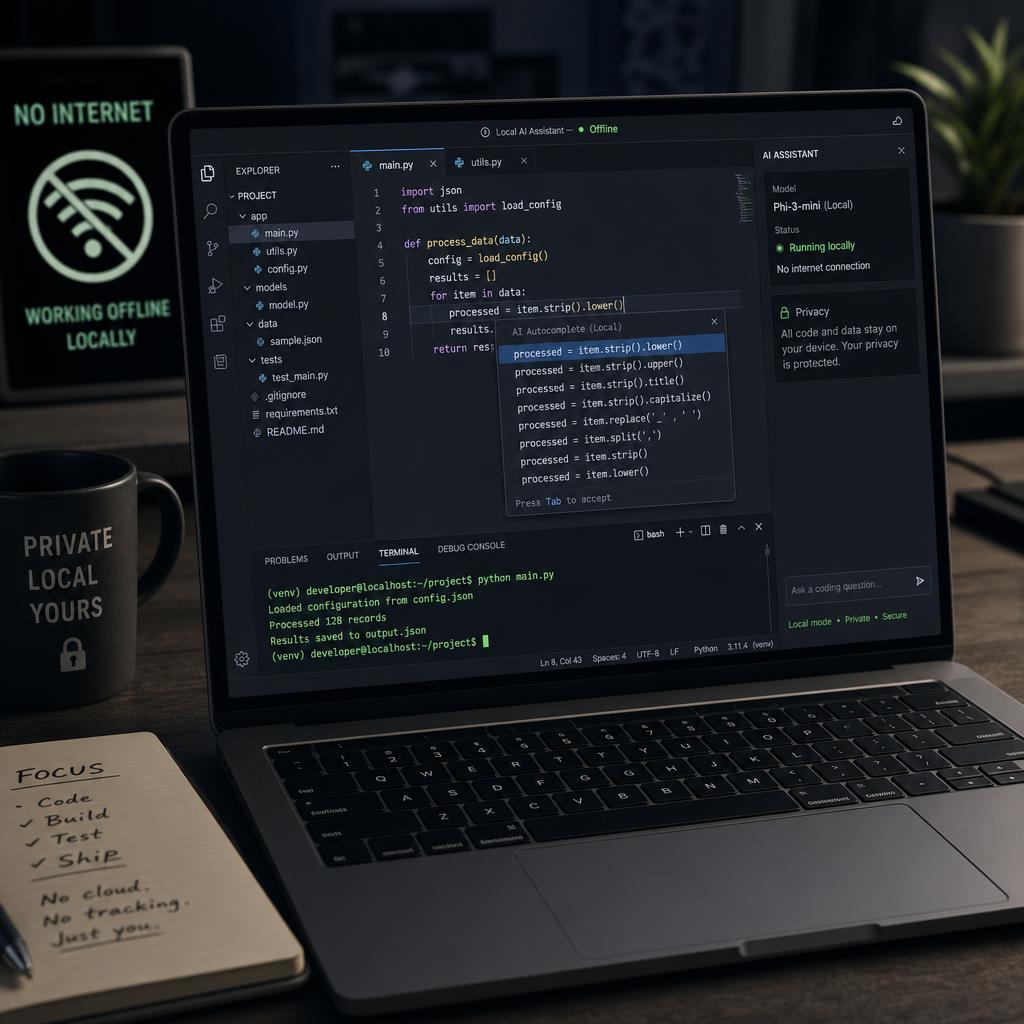
Cursor AI is one of the most popular AI coding assistants, but it requires a cloud connection and charges $20/month for its Pro plan — making it a poor fit for developers who need offline capability, local model support, or tighter privacy controls. The best Cursor AI alternatives for local and offline coding in 2026 are Continue.dev, Aider, and Windsurf — each offering strong AI features with support for locally-run models like Llama 3, DeepSeek Coder, and Mistral.
Best Cursor AI Alternatives for Offline & Local Coding (2026)
The best Cursor AI alternatives for local and offline coding in 2026 are Continue.dev, Aider, and Windsurf — each offering strong AI features with support for locally-run models like Llama 3, DeepSeek Coder, and Mistral.
Why Developers Look for Cursor Alternatives
Cursor's primary limitations for privacy-conscious or offline-first developers:
- Requires cloud connection — code is sent to OpenAI/Anthropic servers
- No local model support by default (no Ollama, LM Studio integration)
- $20/month Pro subscription to unlock full context and fast models
- VS Code fork only — no native JetBrains or Neovim support
Top 7 Cursor AI Alternatives (Offline & Local Focus)
1. Continue.dev — Best Overall Open-Source Alternative
What it is: An open-source AI coding assistant that runs as a VS Code or JetBrains extension and connects to any model — including local ones via Ollama or LM Studio.
Why it beats Cursor for offline use:
- 100% local model support (Llama 3, CodeLlama, DeepSeek Coder, Mistral)
- Runs entirely offline with no data leaving your machine
- Free and open source (Apache 2.0 license)
- Supports tab completion, chat, and refactoring in both VS Code and JetBrains
Best for: Developers who want full privacy with enterprise-grade models.
| Feature | Continue.dev | Cursor |
|---|---|---|
| Local model support | ✅ Yes (Ollama, LM Studio) | ❌ No |
| Offline mode | ✅ Full | ❌ No |
| VS Code support | ✅ Yes | ✅ Yes |
| JetBrains support | ✅ Yes | ❌ No |
| Price | Free | $20/month |
| Open source | ✅ Yes | ❌ No |
2. Aider — Best for Terminal-Based Offline Coding
What it is: A command-line AI coding assistant that pairs with Git and supports local models via Ollama.
Key features:
- Works entirely offline with local models
- Direct Git integration — auto-commits changes with clear messages
- Multi-file editing in a single prompt
- Supports GPT-4, Claude, Gemini, and local models interchangeably
Install in 30 seconds:
- Install:
pip install aider-chat - Point to a local model:
aider --model ollama/deepseek-coder:6.7b - Start coding:
aider myfile.pyand describe changes in plain English
Best for: Backend engineers and CLI-first developers who prefer terminal workflows.
3. Windsurf (by Codeium) — Best Free Cloud Alternative
What it is: A full VS Code fork by Codeium with a generous free tier and "Cascade" agent that rivals Cursor's Composer.
Why developers switch from Cursor to Windsurf:
- Free tier includes unlimited completions and 10 Cascade agent uses/day
- Cascade agent handles multi-file refactors natively
- Built-in web search for context-aware suggestions
- No usage caps on autocomplete (Cursor limits free tier)
Offline limitation: Windsurf still requires cloud connection for AI features, but it's free where Cursor charges $20/month.
4. Void IDE — Best Open-Source Cursor Clone
What it is: An open-source VS Code fork built specifically as a Cursor replacement, with local model support baked in.
Standout features:
- Native Ollama and LM Studio integration
- Checkpoint system to roll back AI-generated changes
- Linear task integration for project-level coding agents
- Apache 2.0 license — fully auditable code
Best for: Teams wanting a Cursor-like experience with zero vendor lock-in.
5. Zed Editor — Best for Speed + AI
What it is: A blazing-fast code editor built in Rust with built-in AI features via its LLM integration system.
Why it's different:
- 10x faster than VS Code for large codebases
- Supports Anthropic, OpenAI, and local models (Ollama)
- Real-time collaborative coding with AI assistance
- Available for macOS and Linux
6. PearAI — Best for Students and Open-Source Contributors
What it is: An open-source VS Code fork with a built-in AI chat, file search, and a community-driven plugin system.
Key advantage: Fully open source with an active community contributing new model integrations weekly. Connects to local models, DeepSeek, and all major cloud APIs.
7. Neovim + Avante.nvim — Best for Power Users
What it is: The Avante.nvim plugin turns Neovim into a fully offline AI coding environment.
Setup:
- Install Neovim 0.10+
- Add
avante.nvimvia your plugin manager - Configure to use Ollama:
provider = "ollama",model = "deepseek-coder:6.7b" - Use
<leader>aato open the AI panel inside any file
Best for: Developers who live in the terminal and want maximum performance.
Comparison Table: All 7 Cursor Alternatives
| Tool | Offline | Local Models | Free Tier | VS Code | JetBrains |
|---|---|---|---|---|---|
| Continue.dev | ✅ | ✅ | ✅ Free | ✅ | ✅ |
| Aider | ✅ | ✅ | ✅ Free | ❌ (CLI) | ❌ (CLI) |
| Windsurf | ❌ | ❌ | ✅ Generous | ✅ | ❌ |
| Void IDE | ✅ | ✅ | ✅ Free | ✅ (fork) | ❌ |
| Zed | ✅ (partial) | ✅ | ✅ Free | ❌ | ❌ |
| PearAI | ✅ | ✅ | ✅ Free | ✅ (fork) | ❌ |
| Neovim+Avante | ✅ | ✅ | ✅ Free | ❌ | ❌ |
Which Should You Choose?
- Privacy-first enterprise developer? → Continue.dev + DeepSeek Coder via Ollama
- Terminal-only workflow? → Aider
- Want Cursor features for free (cloud OK)? → Windsurf
- Full open-source Cursor clone? → Void IDE
- Maximum editor speed? → Zed
Related Resources
- LLM Pulse Leaderboard — Compare 400+ AI models by speed, quality, and price
- AI Development Tools Dashboard — Curated MLOps and coding infrastructure tools
Tags
Written by

Sourabh Gupta
Author at Teach AI Tools
Sourabh tests every AI tool he writes about — hands-on, with real use cases. His background in data science means he goes beyond marketing claims to benchmark actual performance, cost, and reliability for developers and creators.
Full bio & editorial process →