How to Cut Your Claude API Bills by 40% Using Prompt Caching (2026)
Editorial note: Some links in this article are affiliate links — we may earn a commission if you sign up, at no extra cost to you. Research guides are distinguished from documented firsthand reviews in our editorial standards. Read our editorial standards →
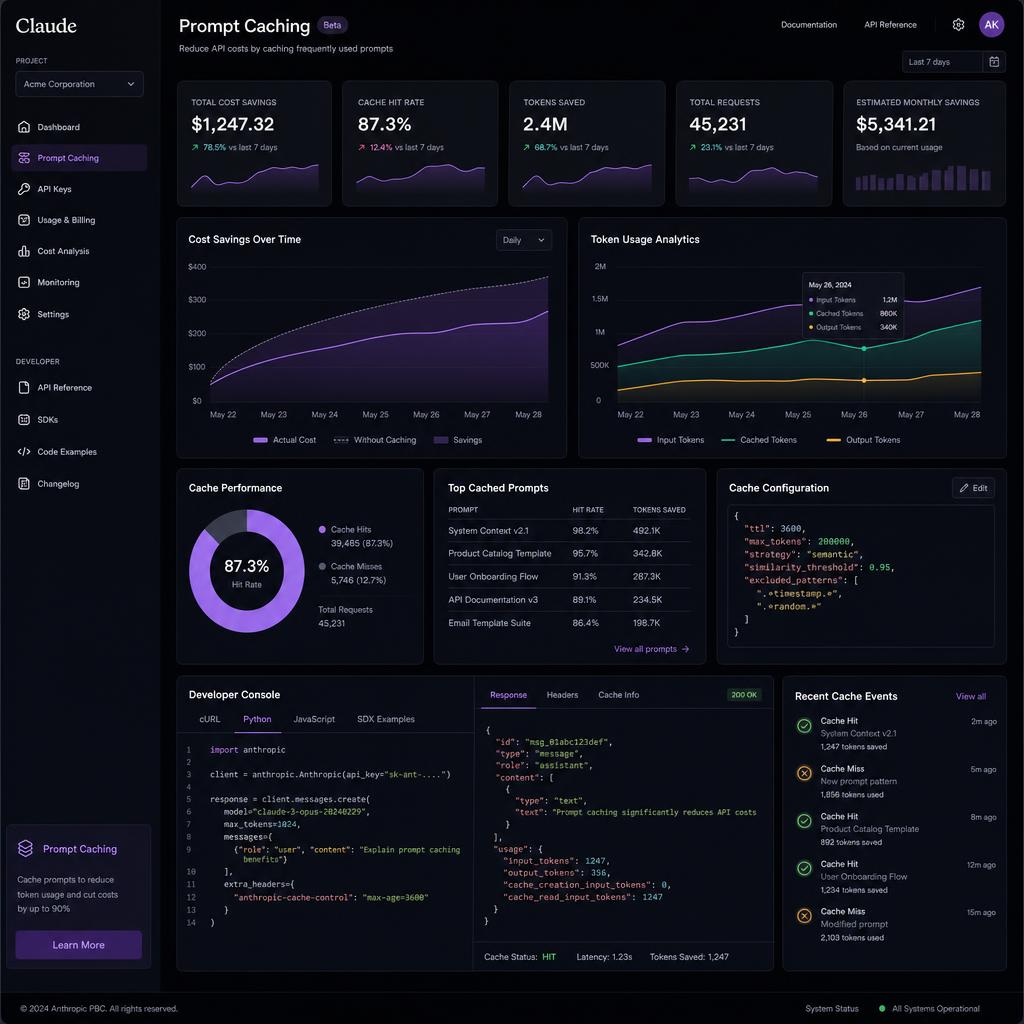
Anthropic's prompt caching reduces the cost of repeated context — like system prompts, documents, and tool definitions — by up to 90% on cached tokens. For production applications that send the same system prompt with every request, enabling prompt caching can cut your total Claude API bill by 30-50% with zero change to output quality.
How to Cut Your Claude API Bills by 40% Using Prompt Caching
Here is how to implement it in under 15 minutes.
What Is Prompt Caching?
When you make multiple API calls with the same large prefix (system prompt, document context, tool definitions), Claude normally charges full price for those input tokens on every request. Prompt caching tells Claude to reuse a previously processed version of that prefix.
Cost comparison (Claude 3.5 Sonnet):
| Token Type | Standard Price | Cached Price | Savings |
|---|---|---|---|
| Input tokens (cache write) | $3.00/M | $3.75/M | — (one-time) |
| Input tokens (cache read) | $3.00/M | $0.30/M | 90% cheaper |
| Output tokens | $15.00/M | $15.00/M | No change |
The first request that writes to the cache costs slightly more ($3.75/M vs $3.00/M). Every subsequent request that hits the cache costs $0.30/M — a 90% reduction.
Cache lifetime: 5 minutes of inactivity resets the cache. Under normal production load, the cache stays warm continuously.
When Prompt Caching Saves You Money
Prompt caching is most effective when:
- Large, repeated system prompts — Instructions, persona descriptions, formatting rules that don't change per user
- Document Q&A — The same document (contract, manual, codebase) is queried multiple times
- Tool-heavy applications — Long tool definitions sent with every request
- RAG with fixed context — Retrieved documents that are the same across multiple follow-up questions
Estimated savings by use case:
| Use Case | System Prompt Size | Cache Hit Rate | Monthly Savings* |
|---|---|---|---|
| Chatbot with long persona | 500 tokens | 95% | ~$1,330 |
| Legal document Q&A | 10,000 tokens | 85% | ~$22,000 |
| Code review tool | 2,000 tokens | 90% | ~$5,000 |
| RAG pipeline | 5,000 tokens | 75% | ~$9,000 |
At 10M requests/month. Your savings scale linearly with request volume.
How to Implement Prompt Caching (Step by Step)
Step 1: Identify What to Cache
Review your API calls and find content that:
- Appears in every request (or most requests)
- Is larger than ~1,024 tokens (minimum cache size)
- Doesn't change between requests
Common candidates:
- System prompts longer than 500 words
- Pasted documents or codebases in context
- Tool/function definitions
- Few-shot examples
Step 2: Add the cache_control Parameter
Mark the content you want cached by adding "cache_control": {"type": "ephemeral"} to the message block.
Python example — caching a system prompt:
import anthropic

client = anthropic.Anthropic()

response = client.messages.create(
    model="claude-3-5-sonnet-20241022",
    max_tokens=1024,
    system=[
        {
            "type": "text",
            "text": "You are a helpful assistant for a legal firm...

[Your long system prompt here — 1000+ tokens]",
            "cache_control": {"type": "ephemeral"}
        }
    ],
    messages=[
        {"role": "user", "content": "Summarize the liability clauses in section 4."}
    ]
)

print(response.usage)
# {'input_tokens': 15, 'cache_creation_input_tokens': 1200, 'cache_read_input_tokens': 0, ...}
# On second request:
# {'input_tokens': 15, 'cache_creation_input_tokens': 0, 'cache_read_input_tokens': 1200, ...}
Step 3: Cache Documents in User Messages
For document Q&A where the same document is queried multiple times in a session:
# First message — document gets cached
response = client.messages.create(
    model="claude-3-5-sonnet-20241022",
    max_tokens=1024,
    messages=[
        {
            "role": "user",
            "content": [
                {
                    "type": "text",
                    "text": "[Full contract text — 8,000 tokens]",
                    "cache_control": {"type": "ephemeral"}
                },
                {
                    "type": "text",
                    "text": "What are the termination clauses?"
                }
            ]
        }
    ]
)

# Second message — document is served from cache (90% cheaper)
response2 = client.messages.create(
    model="claude-3-5-sonnet-20241022",
    max_tokens=1024,
    messages=[
        {
            "role": "user",
            "content": [
                {
                    "type": "text",
                    "text": "[Same full contract text]",
                    "cache_control": {"type": "ephemeral"}
                },
                {
                    "type": "text",
                    "text": "What is the governing law jurisdiction?"
                }
            ]
        }
    ]
)
Step 4: Monitor Cache Usage in API Responses
The API response includes cache statistics in usage:
{
  "usage": {
    "input_tokens": 25,
    "cache_creation_input_tokens": 0,
    "cache_read_input_tokens": 8432,
    "output_tokens": 312
  }
}
Calculate your cache hit rate: cache_read / (cache_read + cache_creation + input_tokens)
Target: A healthy production app should see >70% cache hit rates for system prompts.
Step 5: Calculate Your Actual Savings
Use this formula:
Monthly savings = (cache_read_tokens_per_month × $2.70/M)
The $2.70 is the difference between standard input price ($3.00/M) and cache read price ($0.30/M).
If you read 50M cached tokens/month: 50 × $2.70 = $135/month saved.
Advanced Caching Strategies
Cache Tool Definitions
If your app uses tools/function-calling, the tool schemas are usually 500-2,000 tokens sent with every request. Cache them:
tools = [
    {
        "name": "search_database",
        "description": "...",
        "input_schema": {...},
        "cache_control": {"type": "ephemeral"}  # Cache the tool definitions
    }
]
Multi-Turn Conversation Caching
For long conversations, cache the conversation history up to the last assistant turn:
# Mark the accumulated conversation history for caching
messages = [
    # Previous turns...
    {
        "role": "assistant",
        "content": [
            {
                "type": "text",
                "text": "Previous long response...",
                "cache_control": {"type": "ephemeral"}  # Cache history here
            }
        ]
    },
    {
        "role": "user",
        "content": "Follow-up question"  # Only new content is uncached
    }
]
Combining Caching with Other Cost Optimizations
| Strategy | Additional Savings | Effort |
|---|---|---|
| Prompt caching | 30-50% | Low |
| Batch API (50% off all tokens) | 50% | Low |
| Shorter prompts (reduce tokens) | 10-30% | Medium |
| Model downgrade (Haiku for simple tasks) | 60-80% | Medium |
| Combined | Up to 90% | Medium |
The highest-ROI combination: prompt caching + Batch API + task-based model routing can reduce your Claude API bill by 85-90% for most production workloads.
Anthropic Model Pricing Quick Reference (2026)
| Model | Input | Cache Read | Output | Best For |
|---|---|---|---|---|
| Claude 3.5 Sonnet | $3.00/M | $0.30/M | $15.00/M | General production |
| Claude 3.5 Haiku | $0.80/M | $0.08/M | $4.00/M | High-volume, simple tasks |
| Claude 3 Opus | $15.00/M | $1.50/M | $75.00/M | Complex reasoning only |
Compare Claude to Cheaper Alternatives
If prompt caching still isn't cheap enough for your use case, compare Claude's cached rates against alternatives on our LLM Pulse Leaderboard — which tracks real-time pricing for 400+ models including DeepSeek, Groq, and Mistral APIs.
Tags
Written by

Sourabh Gupta
Author at Teach AI Tools
Sourabh tests every AI tool he writes about — hands-on, with real use cases. His background in data science means he goes beyond marketing claims to benchmark actual performance, cost, and reliability for developers and creators.
Full bio & editorial process →