Best v0.dev Alternatives for Open-Source UI Generation in 2026
Editorial note: Some links in this article are affiliate links — we may earn a commission if you sign up, at no extra cost to you. Research guides are distinguished from documented firsthand reviews in our editorial standards. Read our editorial standards →
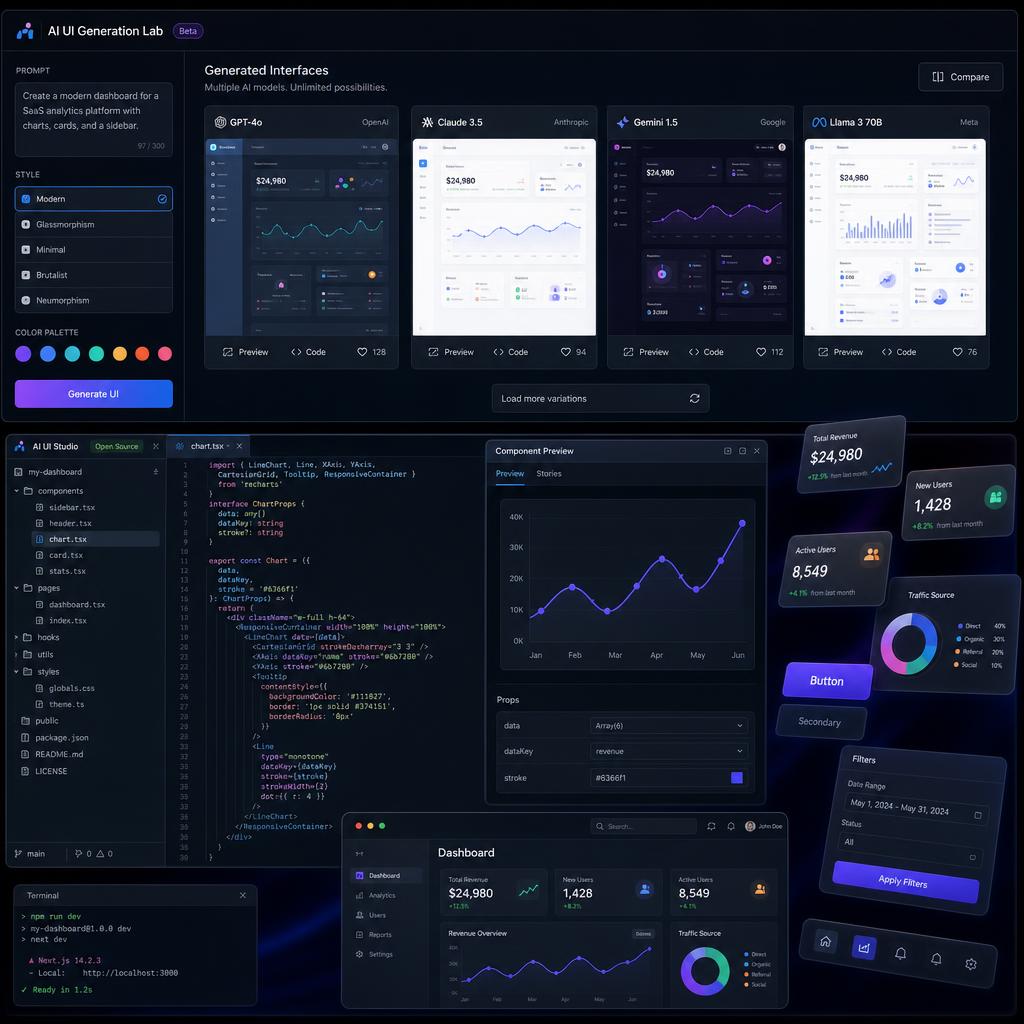
v0.dev by Vercel generates React components from text prompts, but it costs $20/month for unlimited usage and outputs only Vercel-optimized code. The best v0.dev alternatives for open-source UI generation in 2026 are Bolt.new, OpenUI, and Lovable — offering faster iteration, lower costs, and in some cases fully open-source codebases you can self-host.
Best v0.dev Alternatives for Open-Source UI Generation (2026)
The best v0.dev alternatives for open-source UI generation in 2026 are Bolt.new, OpenUI, and Lovable — offering faster iteration, lower costs, and in some cases fully open-source codebases you can self-host.
What v0.dev Does Well (and Where It Falls Short)
v0.dev strengths:
- High-quality Tailwind + shadcn/ui component output
- Tight Vercel/Next.js integration
- Good for rapid prototyping
v0.dev limitations:
- $20/month for unlimited use (200 credits on free tier goes fast)
- Outputs Next.js-optimized code — not framework-agnostic
- Closed source — no self-hosting option
- No backend logic generation
6 Best v0.dev Alternatives
1. Bolt.new (StackBlitz) — Best Full-Stack Alternative
What it is: Bolt.new generates complete full-stack apps — not just UI components — from a single prompt. It runs entirely in the browser using WebContainers technology.
Why it's better than v0.dev for many use cases:
- Generates full apps with routing, state management, and backend logic
- Supports React, Vue, Svelte, Astro, and vanilla HTML
- Runs and previews the app live in-browser with zero setup
- Free tier: 1M tokens/month (roughly 50-100 full app generations)
Example prompt that works well:
"Build a SaaS dashboard with a sidebar, data table showing monthly revenue, and a chart using recharts. Include dark mode toggle."
Best for: Founders and indie developers building MVPs fast.
2. OpenUI — Best True Open-Source Alternative
What it is: An open-source v0.dev clone you can self-host, built by the Weights & Biases team. Generates HTML/CSS/JS UI from prompts using any LLM backend.
Key advantages:
- Fully open source (Apache 2.0) — self-hostable on your own infrastructure
- Framework-agnostic — outputs plain HTML, React, or Vue
- Use your own OpenAI/Anthropic key — pay only for tokens used
- Community library of shared UI components
Self-host in 5 steps:
git clone https://github.com/wandb/openuicd openui && cp .env.example .env- Add your
OPENAI_API_KEYto.env docker compose up- Open
localhost:7878in your browser
Cost: Only your API token usage — roughly $0.01-0.05 per component with GPT-4o.
Best for: Privacy-conscious teams wanting full control over generated code.
3. Lovable (formerly GPT Engineer) — Best for Non-Developers
What it is: A no-code platform where non-technical founders describe their app in plain English and get a fully functional React app with Supabase backend.
Pricing vs v0.dev:
| Plan | Lovable | v0.dev |
|---|---|---|
| Free | 5 projects | 200 credits |
| Starter | $20/month | $20/month |
| Pro | $50/month | Not available |
Unique features:
- One-click GitHub sync and Netlify deployment
- Supabase integration for auth and database — out of the box
- Visual editor for non-coders to tweak generated UI
Best for: Non-technical founders building SaaS products without a developer.
4. Galileo AI — Best for Figma-First Teams
What it is: Generates high-fidelity Figma designs from text prompts — the design-side equivalent of v0.dev.
Why designers prefer it over v0.dev:
- Outputs Figma frames, not code — designers stay in their native tool
- Auto-generates component variants (hover, disabled, active states)
- Populates designs with realistic AI-generated content (copy, images, data)
Best for: Design teams who prototype in Figma before handing off to developers.
5. Create.xyz — Best for Zero-Code Apps
What it is: A platform that turns natural language prompts into deployable web apps with no coding required, similar to Lovable but with a stronger focus on speed.
Key feature: Apps are live and shareable within 60 seconds of prompting.
Free tier: 10 app generations per month.
Best for: Business users who need internal tools and dashboards quickly.
6. Anima AI — Best for Design-to-Code
What it is: Converts Figma designs into production-ready React/Vue/HTML code — the reverse direction from v0.dev (design → code, not prompt → design → code).
Workflow:
- Design in Figma as normal
- Run Anima plugin
- Export clean React/Vue code with proper component structure
Pricing: Free for 3 projects, $39/month for unlimited.
Best for: Development teams who already have designs and need accurate code output.
Full Comparison: v0.dev vs Alternatives
| Tool | Open Source | Full-Stack | Free Tier | Self-Hostable | Frameworks |
|---|---|---|---|---|---|
| v0.dev | ❌ | ❌ | 200 credits | ❌ | Next.js |
| Bolt.new | ❌ | ✅ | 1M tokens | ❌ | React, Vue, Svelte |
| OpenUI | ✅ | ❌ | ✅ (self-host) | ✅ | Any |
| Lovable | ❌ | ✅ | 5 projects | ❌ | React + Supabase |
| Galileo AI | ❌ | ❌ (design only) | Limited | ❌ | Figma |
| Create.xyz | ❌ | ✅ | 10 apps | ❌ | Any |
| Anima | ❌ | ❌ (code export) | 3 projects | ❌ | React, Vue, HTML |
Recommendation by Use Case
- Building a full SaaS MVP fast? → Bolt.new or Lovable
- Need self-hosted, privacy-first solution? → OpenUI
- Design-first workflow in Figma? → Galileo AI → Anima
- Non-technical founder? → Lovable or Create.xyz
Related Resources
- AI Development Tools Dashboard — MLOps and dev tools ranked
- LLM Pulse Leaderboard — Compare the AI models powering these tools
Tags
Written by

Sourabh Gupta
Author at Teach AI Tools
Sourabh tests every AI tool he writes about — hands-on, with real use cases. His background in data science means he goes beyond marketing claims to benchmark actual performance, cost, and reliability for developers and creators.
Full bio & editorial process →