AI Game Development Tools: Build Games Faster in 2026
Editorial note: Some links in this article are affiliate links — we may earn a commission if you sign up, at no extra cost to you. Every tool is independently tested by our team before being recommended. Read our editorial standards →
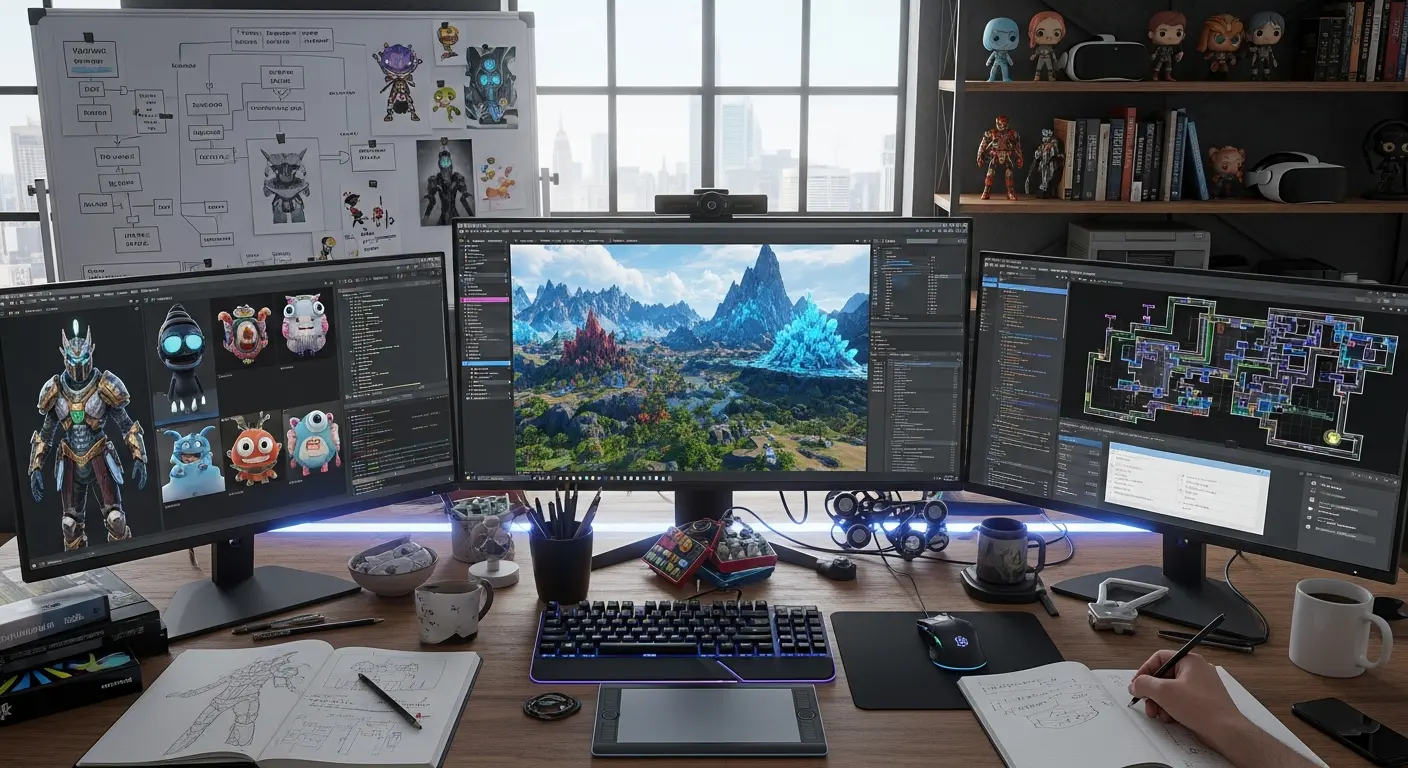
Game development has traditionally been a time-consuming, resource-intensive process requiring teams of programmers, artists, designers, and musicians. AI is changing this landscape dramatically, enabling indie developers and small teams to create professional-quality games in a fraction of the time.
The AI Revolution in Game Development
AI is changing this landscape dramatically, enabling indie developers and small teams to create professional-quality games in a fraction of the time.
In 2026, game developers using AI tools report reducing development time by 40-60% while maintaining or improving game quality. From procedural content generation to automated testing and AI-powered NPC behavior, these tools are transforming every aspect of game creation.
Reality Check: A solo developer using modern AI tools can now accomplish what previously required a team of 5-10 people. Game development is more accessible than ever before.
Top AI Game Development Tools
1. Unity Muse & Unity Sentis
What It Does: Unity's AI suite includes Muse (AI-powered creation tools) and Sentis (runtime neural network inference for Unity).
Key Features:
- AI-assisted code generation and debugging
- Automated texture and material creation
- Intelligent sprite animation
- Natural language to behavior trees
- Real-time AI character behavior
Best For: Professional game developers, indie teams using Unity Pricing: Included with Unity Pro ($185/month) or free with personal license Time Saved: 5-10 hours/week on routine coding and asset creation
Pro Tip: Use Unity Muse to prototype game mechanics quickly, then refine manually for production quality.
2. Scenario (AI Game Art Generator)
What It Does: Specialized AI tool for generating game-ready assets including characters, environments, props, and textures with consistent art styles.
Key Features:
- Train custom models on your art style
- Generate infinite asset variations
- Maintain visual consistency across assets
- Support for 2D and 3D concept art
- Batch generation for large asset libraries
Best For: 2D game developers, concept artists, indie studios Pricing: Free tier | Pro at $29/month | Studio plans available Time Saved: 15-20 hours/week vs commissioning or creating art manually
Success Story: "We generated 500+ unique enemy variations in 2 hours that would have taken our artist 2 months." - Alex, Indie Game Developer
3. Leonardo.AI for Game Assets
What It Does: AI image generation platform optimized for game asset creation with game-specific models and features.
Key Features:
- Game-specific AI models (pixel art, isometric, fantasy, sci-fi)
- Consistent character generation across poses
- Tileset and texture generation
- Background and environment creation
- Seamless texture patterns
Best For: 2D games, concept art, marketing materials Pricing: Free tier (150 tokens/day) | Paid plans from $12/month Time Saved: 10-15 hours/week on asset creation
4. Ludo.AI
What It Does: AI-powered game design assistant that helps with game ideation, trend analysis, and competitive research.
Key Features:
- Game concept generation from prompts
- Market trend analysis
- Competitor research automation
- Game design document generation
- Mechanic suggestions and balancing
Best For: Game designers, producers, early-stage development Pricing: Free basic | Pro at $19/month | Studio at $49/month Time Saved: 5-8 hours/week on research and documentation
Use Case: Input "roguelike deck-building game" and get complete game concept with mechanics, target audience, monetization strategy, and similar games analysis.
5. AIVA & Soundraw (AI Music Generation)
What It Does: AI music composition tools that create original, royalty-free soundtracks and sound effects for games.
AIVA Features:
- Genre-specific composition (orchestral, electronic, fantasy, etc.)
- Dynamic music that adapts to gameplay
- Customizable length and intensity
- Commercial licensing available
Soundraw Features:
- Game-specific music templates
- Mood and energy customization
- Seamless loop creation
- Beat and BPM control
Best For: Indie developers, studios without dedicated composers Pricing: AIVA from €15/month | Soundraw from $16.99/month Time Saved: 8-12 hours/week plus thousands in composer fees
6. ChatGPT & GitHub Copilot for Game Programming
What It Does: AI coding assistants that help write game logic, debug code, and implement complex systems.
Key Applications:
- Generate boilerplate game systems (inventory, dialogue, quest systems)
- Debug difficult-to-find bugs
- Optimize performance-critical code
- Write shader code and scripts
- Create unit tests automatically
Best For: Programmers at all skill levels Pricing: ChatGPT Plus $20/month | GitHub Copilot $10/month Time Saved: 10-15 hours/week on coding tasks
Pro Tip: Use ChatGPT to explain unfamiliar code patterns in your engine. Ask: "Explain this Unity coroutine in simple terms and suggest optimizations."
7. Inworld AI (NPC Behavior & Dialogue)
What It Does: Creates AI-powered NPCs with realistic dialogue, emotions, and behavior without extensive scripting.
Key Features:
- Natural language dialogue generation
- Emotional intelligence for NPCs
- Dynamic conversation trees
- Memory system for NPCs
- Integration with Unity and Unreal
Best For: RPGs, narrative games, open-world titles Pricing: Contact for pricing (enterprise-focused) Time Saved: 20-30 hours/week on dialogue writing and NPC scripting
Game-Changer: NPCs that remember previous conversations and react authentically to player actions without pre-scripted responses.
8. Promethean AI (Environment Design)
What It Does: AI assistant that helps build 3D game environments faster by intelligently placing assets and suggesting layouts.
Key Features:
- Automated asset placement following design rules
- Environment layout suggestions
- Style consistency enforcement
- Terrain generation and modification
- Works with Unreal Engine
Best For: 3D environment artists, level designers Pricing: Free for individuals | Commercial licensing available Time Saved: 15-25 hours/week on environment building
AI Applications by Game Development Stage
Pre-Production (Concept & Planning)
Tools to Use:
- Ludo.AI: Game concept and market research
- ChatGPT: Game design document creation
- Midjourney/Leonardo.AI: Concept art and mood boards
Time Saved: 2-3 weeks of pre-production compressed into 3-5 days
Production (Asset Creation)
For 2D Games:
- Scenario/Leonardo.AI: Sprite and environment art
- Aseprite + AI plugins: Pixel art generation and animation
- Remove.bg AI: Sprite sheet preparation
For 3D Games:
- Promethean AI: Environment design
- Kaedim AI: 2D to 3D model conversion
- Meshy.AI: AI 3D model generation
Time Saved: 40-60% reduction in asset creation time
Programming & Implementation
Essential Tools:
- GitHub Copilot: Code generation and completion
- ChatGPT: Complex system implementation
- Unity Muse: Unity-specific code assistance
- Tabnine: Multi-language code completion
Common AI-Assisted Tasks:
- Inventory systems (2 hours vs 2 days traditionally)
- Save/load systems (3 hours vs 5 days)
- Dialogue systems (5 hours vs 2 weeks)
- AI pathfinding (4 hours vs 1 week)
Audio Production
Tools:
- AIVA/Soundraw: Background music and themes
- ElevenLabs/Replica: Voice acting and character voices
- Adobe Podcast AI: Audio cleanup and enhancement
- Mubert: Adaptive game music
Time Saved: 50-70% reduction in audio production costs and time
Testing & QA
AI Testing Tools:
- Modl.ai: Automated game testing
- AI Playtesters: Simulated player behavior analysis
- Unity ML-Agents: Automated balance testing
Time Saved: 30-50% reduction in QA time
Practical Workflows
Indie Solo Developer Workflow
Week 1-2: Concept & Planning
- Use Ludo.AI for game concept (2 hours)
- Generate concept art with Leonardo.AI (4 hours)
- Create GDD with ChatGPT assistance (8 hours)
Week 3-8: Production
- Generate all 2D assets with Scenario (20 hours total vs 120 hours)
- Code core systems with GitHub Copilot (40 hours vs 80 hours)
- Create music with AIVA (4 hours vs 40 hours + $2000 composer fee)
Week 9-10: Polish & Testing
- AI-assisted bug fixing (10 hours vs 30 hours)
- Generate marketing materials with AI (5 hours vs 20 hours)
Total Time: 10 weeks vs 6+ months traditionally
Small Studio Workflow
Artists:
- Scenario for rapid prototyping and variations
- Manual refinement of AI-generated assets
- Leonardo.AI for marketing and promotional art
Programmers:
- GitHub Copilot for all coding tasks
- ChatGPT for complex system design
- AI-assisted code reviews
Designers:
- Ludo.AI for competitive analysis
- ChatGPT for balancing calculations
- Inworld AI for NPC dialogue
Musicians/Audio:
- AIVA for adaptive music systems
- ElevenLabs for placeholder voiceover
- Professional voice actors for final production
Frequently Asked Questions
Q: Will AI-generated game assets look generic or low-quality? A: Not if used correctly. The key is training custom models on your art style and using AI for rapid iteration, then refining manually. Most successful games use AI for 60-80% of asset creation, then add unique human touches for the final 20-40%.
Q: Can I legally use AI-generated content in commercial games? A: It depends on the tool. Most tools (Scenario, Leonardo.AI, AIVA) explicitly allow commercial use. Always check the specific tool's license. For maximum safety, use AI for inspiration and base assets, then modify them.
Q: Do I still need artists/programmers if I use AI tools? A: Yes, but your team can be smaller or you can accomplish more with the same team size. AI handles repetitive tasks, freeing creatives for high-value work like art direction, unique mechanics, and polish.
Q: How much can AI tools really reduce development time? A: Realistically, 30-50% time reduction with proper integration. Some tasks see 70-80% reduction (like generating asset variations or boilerplate code), while creative work sees less impact.
Q: Which AI tool should I start with as a beginner? A: ChatGPT Plus - most versatile for coding help, game design, and learning. Then add Leonardo.AI for art and AIVA for music as your project needs grow.
Best Practices
Do's
- ✅ Use AI for rapid prototyping and iteration
- ✅ Train custom models on your specific art style
- ✅ Combine multiple AI tools for complete workflows
- ✅ Always refine and add human creativity to AI outputs
- ✅ Use AI to handle repetitive, time-consuming tasks
- ✅ Keep learning new AI tools as they emerge
Don'ts
- ❌ Rely 100% on AI without human refinement
- ❌ Use generic AI outputs without customization
- ❌ Ignore licensing and commercial use terms
- ❌ Expect AI to replace creative vision and design skills
- ❌ Skip the learning curve - invest time to master tools
Cost Savings Analysis
Traditional Solo Game Development Budget:
- Artist (freelance): $5,000-15,000
- Composer: $2,000-5,000
- Additional programming help: $3,000-8,000
- Total: $10,000-28,000
AI-Assisted Solo Development Budget:
- AI tool subscriptions (6 months): $500-1,000
- Asset refinement (freelance): $1,000-2,000
- Professional voice acting: $500-1,000
- Total: $2,000-4,000
Savings: $8,000-24,000 (70-85% cost reduction)
Conclusion
AI game development tools have fundamentally changed who can make games and how quickly they can be created. While AI won't replace human creativity and game design skills, it dramatically accelerates production and reduces costs.
Your Action Plan:
- This Week: Sign up for ChatGPT Plus and start using it for game design tasks
- Week 2: Add one AI art tool (Scenario or Leonardo.AI) and generate test assets
- Week 3: Integrate GitHub Copilot into your coding workflow
- Month 2: Add AI music and expand your AI toolkit
The most successful indie games of 2026 are being built by small teams leveraging AI to compete with larger studios. The question isn't whether to use AI in game development—it's how quickly you can integrate these tools into your workflow.
Ready to build your game 10x faster? Start with one AI tool today and gradually expand your toolkit as you master each tool.
Related Resources:
Compare All AI Game Dev Tools Side-by-Side
Use the AI Game Dev Tools Dashboard to compare Meshy, ElevenLabs, Inworld AI, Cursor, Midjourney, and 28 more tools with AI-powered scoring, multi-chat, and head-to-head comparisons.
Open AI Game Dev Tools Dashboard →Tags
Written by

Sourabh Gupta
Founder & Data Scientist, AI Tools Specialist · 2+ years in AI/ML
Sourabh tests every AI tool he writes about — hands-on, with real use cases. His background in data science means he goes beyond marketing claims to benchmark actual performance, cost, and reliability for developers and creators.
Full bio & editorial process →