Best AI Photo Editing Apps 2026: Transform Your Photos Instantly
Editorial note: Some links in this article are affiliate links — we may earn a commission if you sign up, at no extra cost to you. Research guides are distinguished from documented firsthand reviews in our editorial standards. Read our editorial standards →
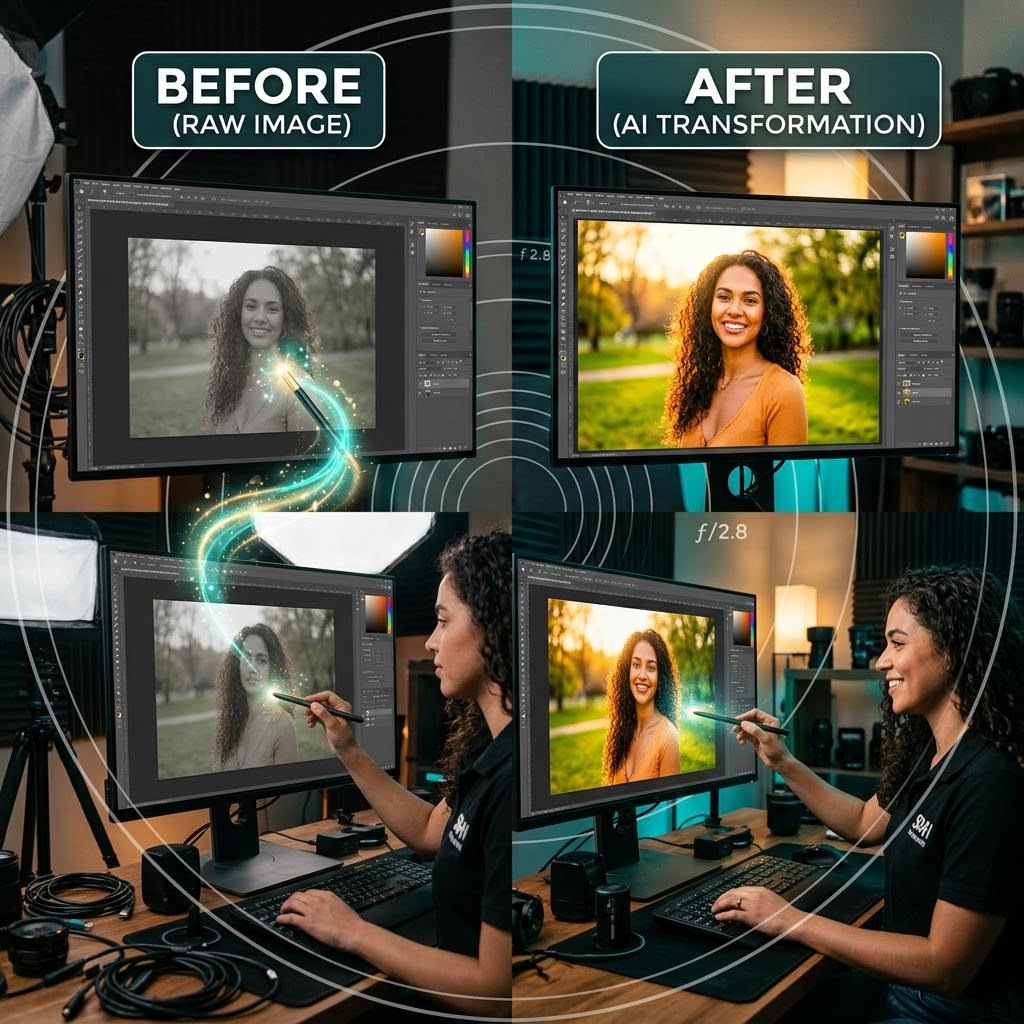
It is truly impressive how quickly these tools have moved from being clunky gimmicks to essential parts of a streamlined creative workflow.
Best AI Photo Editing Apps 2026: Transform Your Photos Instantly
AI has fundamentally changed what's possible in photo editing — and who can do it. Features that required a professional Photoshop operator and hours of careful work now happen in seconds with a single click. Background removal, sky replacement, object removal, skin retouching, noise reduction, and even generating entirely new elements within an existing photo are now routine.
In 2026, the AI photo editing market has split into two clear camps: professional-grade platforms (Adobe Lightroom, Adobe Firefly, Luminar Neo) aimed at photographers and designers, and task-specific tools (Canva AI, Photoroom, Pixlr) aimed at marketers, ecommerce sellers, and casual creators. Both categories have become remarkably capable.
Adobe's 2026 Creativity Report found that 78% of professional photographers now use AI tools weekly, most commonly for background replacement (61%), object removal (58%), and noise reduction (52%). Amateur and business users have even higher adoption rates, often using AI tools that don't require any photography knowledge at all.
Quick Comparison: AI Photo Editing Apps 2026
| Tool | Price | Best For | AI Generation | Mobile App | Batch Processing |
|---|---|---|---|---|---|
| Adobe Firefly | From $9.99/mo | Professionals | ✅ Best-in-class | ✅ | ✅ |
| Adobe Lightroom AI | From $9.99/mo | Photographers | ❌ | ✅ | ✅ |
| Luminar Neo | $79/yr | Creative photographers | ✅ | ✅ | ✅ |
| Canva AI | Free/$15/mo | Marketers, creators | ✅ | ✅ | ❌ |
| Photoroom | Free/$13/mo | E-commerce | ✅ | ✅ | ✅ |
| Topaz Labs | $99-$199/yr | Quality enhancement | ❌ | ❌ | ✅ |
1. Adobe Firefly – Best for Generative AI Photo Editing
Price: Included with Adobe CC ($59.99/month) | Standalone from $9.99/month (25 credits)
Adobe Firefly is the generative AI layer built across Adobe's entire Creative Cloud suite. In Photoshop, it powers Generative Fill (the single most impressive AI photo editing feature of the decade), Generative Expand (extend any photo beyond its borders), and Remove Object (context-aware erasure).
What sets Firefly apart from consumer tools is that it's been trained on licensed content from Adobe Stock — so the AI generates elements that are commercially safe to use without copyright concerns. This matters enormously for professional photographers, agencies, and brands.
Key features:
- Generative Fill: add, remove, or replace any element with natural-language prompts
- Generative Expand: extend the borders of any image in any direction
- Remove Object: erase any element; AI fills with contextually appropriate background
- Text to Image: generate entire images from text prompts
- Style Reference: apply the visual style of one image to another
- AI Enhance Details: upscale and sharpen low-resolution images
- Native integration with Photoshop, Illustrator, and Premiere
Standout feature: Generative Fill is genuinely magical. Select a region in any photo, type what you want there ("add a thunderstorm sky" or "remove the lamppost"), and Firefly generates three photorealistic options that blend seamlessly with the original lighting and perspective.
Best for: Professional photographers, graphic designers, and anyone already paying for Adobe Creative Cloud.
2. Adobe Lightroom AI – Best for Photography Workflow
Price: $9.99/month (Photography Plan, includes Photoshop) | $59.99/month (Creative Cloud All Apps)
Lightroom has evolved from a photo management and color grading tool into an AI-powered photography workflow platform. Its AI features focus on the tasks photographers do thousands of times: culling, masking, retouching, and color grading.
AI Subject Select and AI Sky Select can detect and isolate complex subjects (including hair strands against a busy background) or replace entire skies in seconds. The AI Denoise feature, introduced in 2023 and significantly improved since, can recover incredible detail from high-ISO shots that would previously have been unusable.
Key features:
- AI Subject Mask: one-click masking of complex subjects including hair
- AI Sky Replacement: replace any sky with hundreds of preset options
- AI Denoise: reduce noise in high-ISO images while preserving sharp detail
- AI Enhance: increase resolution up to 4× using machine learning
- Smart Albums: AI automatically curates your best shots
- AI Tagging: auto-tags your photos with scene and subject categories
- Sync edits across 100K+ photos automatically
Standout feature: AI Denoise is arguably the most technically impressive AI feature in any photo app. It can take a noisy ISO 12800 shot and make it look like ISO 800 — recovering shadow detail and preserving texture that would have been lost with traditional denoising.
Best for: Photographers who shoot RAW files and need professional-grade color grading and workflow tools.
3. Luminar Neo – Best Creative AI for Photographers
Price: $3.99/month (subscription) | $79/year | $149 one-time
Luminar Neo from Skylum is the most creative AI photo editor on the market. Rather than focusing on technical corrections, it specialises in atmospheric and artistic transformations that take photos from "good" to "stunning" with minimal technical skill.
Its AI-powered tools include Relight AI (which adjusts lighting as if you moved the actual light sources), Sky AI (sky replacement with automatic reflection matching in water and glass), and Portrait Bokeh AI (adds natural-looking background blur to any portrait).
No documented firsthand test record was supplied for this guide. Treat proposed workflows as examples to evaluate, rather than measured outcomes.
Key features:
- Relight AI: adjust foreground and background lighting independently
- Sky AI: swap skies with automatic water and glass reflections
- Portrait Bokeh AI: add natural background blur to portraits
- Skin AI: natural skin retouching without the plastic look
- Atmosphere AI: add fog, haze, and atmospheric effects
- CompositionAI: AI-powered cropping and reframing suggestions
- Background Removal: one-click subject isolation
- Luminar Share: client delivery and proofing portal
Standout feature: Relight AI is unique in the market. You can make the foreground of a sunset photo appear lit by the golden hour light — even if the subject was actually in shadow — by "moving" the light source after the fact. It produces results that look physically correct, not like a filter.
Best for: Creative photographers who want dramatic, high-impact results quickly without deep technical editing knowledge.
4. Canva AI (Photo Editing) – Best for Marketers and Creators
Price: Free | $15/month Canva Pro
Canva's photo editing AI is the most accessible on this list — and for most non-photographers, it's entirely sufficient. The photo editor is built into the broader Canva design platform, so you can remove a background, touch up an image, and immediately drop it into a social media graphic, presentation, or blog post without switching apps.
Key AI tools include: Background Remover (one-click, excellent quality), Magic Eraser (remove objects), Magic Edit (describe a change and the AI makes it), and AI Enhance (upscale and improve photo quality).
Key features:
- Background Remover: instant, high-quality background removal
- Magic Eraser: paint over anything to remove it
- Magic Edit: describe changes with natural language
- Magic Expand: extend image borders with AI
- Face Retouch: smooth skin and enhance portraits automatically
- BG Replacer: swap backgrounds with AI-generated scenes
- Text to Image: generate custom images inline
Standout feature: Canva's AI editing workflow is fully non-destructive — you can edit a photo, place it in a design, and come back and re-edit the original photo; the design updates automatically. This integrated edit-design workflow saves enormous amounts of time for content creators.
Best for: Marketers, content creators, social media managers, and small business owners who don't need professional-grade photography tools.
5. Photoroom – Best for E-Commerce Product Photos
Price: Free (5 exports/day) | $12.99/month Pro | $24.99/month Business
Photoroom is built for one thing: making product photos look professional. It was designed specifically for e-commerce sellers and marketers who need clean, consistent, high-quality product images without a photography studio.
Its one-click background removal is excellent — better than most dedicated tools for product shots. The Studio feature generates realistic backgrounds (marble, wood, fabric, outdoor settings) that make product photos look like they were shot in a professional studio.
Key features:
- Instant background removal (best-in-class for products)
- AI Studio: generate photorealistic backgrounds
- Batch processing: edit 1,000 product photos simultaneously
- Smart Remove: erase unwanted elements
- Retouch: fix imperfections on products automatically
- Shadow Generator: add natural product shadows
- Consistent framing and sizing across entire catalogs
- API access for automated workflows
Standout feature: Batch processing at scale — upload 1,000 product images, apply a background style and framing template, and export all 1,000 in minutes. For e-commerce businesses with large catalogs, this is a workflow game-changer.
Best for: E-commerce sellers, Shopify/Etsy store owners, and product photographers who need high-volume, consistent results.
6. Topaz Labs (Photo AI) – Best for Image Enhancement
Price: Photo AI $199 one-time | Gigapixel AI $99 | DeNoise AI $79
Topaz Labs makes the most technically sophisticated AI photo enhancement tools available. While they don't offer the generative AI features of Firefly or Canva, their upscaling (Gigapixel AI) and noise reduction (DeNoise AI) tools are the industry gold standard.
The all-in-one Photo AI app combines upscaling, sharpening, noise reduction, and subject masking into a single workflow. It can take a blurry, noisy, low-resolution image and transform it into a sharp, clean, print-ready file.
Key features:
- Upscale images up to 6× without quality loss
- Recover sharp detail from motion-blurred photos
- Industry-leading noise reduction
- Face recovery for low-resolution portraits
- Batch processing of large photo libraries
- RAW file support
- Lightroom and Photoshop plugin
Standout feature: Gigapixel AI can take a 2-megapixel web image and upscale it to a 50-megapixel print-quality file — and it genuinely looks correct. For recovering old photos, archiving low-res images, or printing large format, this capability is unmatched.
Best for: Professional photographers who need maximum technical image quality and have older or lower-quality images to restore.
Choosing the Right AI Photo Editor
| Use Case | Best Tool |
|---|---|
| Professional photography editing | Adobe Lightroom AI |
| Generative AI / creative manipulation | Adobe Firefly |
| Atmospheric creative effects | Luminar Neo |
| Social media / marketing content | Canva AI |
| E-commerce product photos | Photoroom |
| Image upscaling / enhancement | Topaz Photo AI |
| Free option for casual use | Canva AI (free tier) |
Frequently Asked Questions
Do AI photo editors work on smartphone photos? Yes, all tools on this list work on smartphone photos. AI tools are especially valuable for phone photos because they can correct common limitations like high ISO noise, limited dynamic range, and lens distortion.
Are AI-edited photos suitable for professional use? Absolutely — professional photographers use all of these tools regularly. The key is understanding what each tool does well and using it for the right task.
Can AI photo editors remove people from photos? Yes. Adobe Firefly's Generative Fill and Canva's Magic Eraser can remove people and fill the space naturally. Results vary based on background complexity.
Is Adobe Firefly worth the subscription cost? If you're already on Adobe Creative Cloud, Firefly is included — so the question is moot. If you're not a Creative Cloud user and only need AI photo editing, Canva Pro or Luminar Neo offer better value.
Do these tools require design skills? Canva AI, Photoroom, and Luminar Neo are all designed for users without technical skills. Adobe tools have steeper learning curves but produce professional results.
What's the best free AI photo editor? Canva's free plan includes background removal, basic retouching, and limited AI features. For photo enhancement specifically, Snapseed (mobile, free) has solid AI-powered tools.
Conclusion
AI photo editing has democratised what was once a professional skill set. In 2026, a small business owner can produce studio-quality product photos with Photoroom, a marketer can create eye-catching social content with Canva AI, and a photographer can recover shots that would have been binned with Lightroom AI's denoising tools.
Start with the tool that matches your primary use case, learn its AI features deeply, and you'll produce better visual content in less time — regardless of your technical background.
Whether you're a pro or just posting for fun, the right AI tool will save you hours of tedious manual editing.
Tags
Written by

Sourabh Gupta
Author at Teach AI Tools
Sourabh Gupta is responsible for Teach AI Tools. Research guides and documented firsthand reviews are identified separately. An author profile is not evidence of testing; look for sources, test records, and limitations in the article.
Full bio & editorial process →