Best AI Tools for Freelance Designers 2026: Design More, Earn More

Best AI Tools for Freelance Designers 2026: Design More, Earn More
Freelance design has changed more in the last 18 months than in the previous decade. AI tools haven't replaced designers — they've made the best designers dramatically more productive and opened up capabilities that were previously only accessible to large, well-resourced studios. The freelancers who've embraced AI are producing more work, taking on larger projects, and in many cases charging higher rates because their output quality has improved.
A 2026 survey by 99designs found that 76% of freelance designers now use AI tools weekly in their workflow. The most common uses: generating initial visual concepts (67%), creating image assets (61%), automating repetitive layout tasks (54%), and writing client proposals and copy (48%).
This guide covers the AI tools that deliver the highest value for freelance designers specifically — considering workflow fit, commercial use rights, and practical ROI.
Quick Comparison: AI Design Tools for Freelancers 2026
| Tool | Price/month | Use Case | Commercial License | Learning Curve |
|---|---|---|---|---|
| Figma AI | $15 (Pro) | UI/UX design | ✅ | Low |
| Adobe Firefly | $9.99+ | Visual asset creation | ✅ | Medium |
| Canva Magic Studio | $15 Pro | Marketing design | ✅ | Very Low |
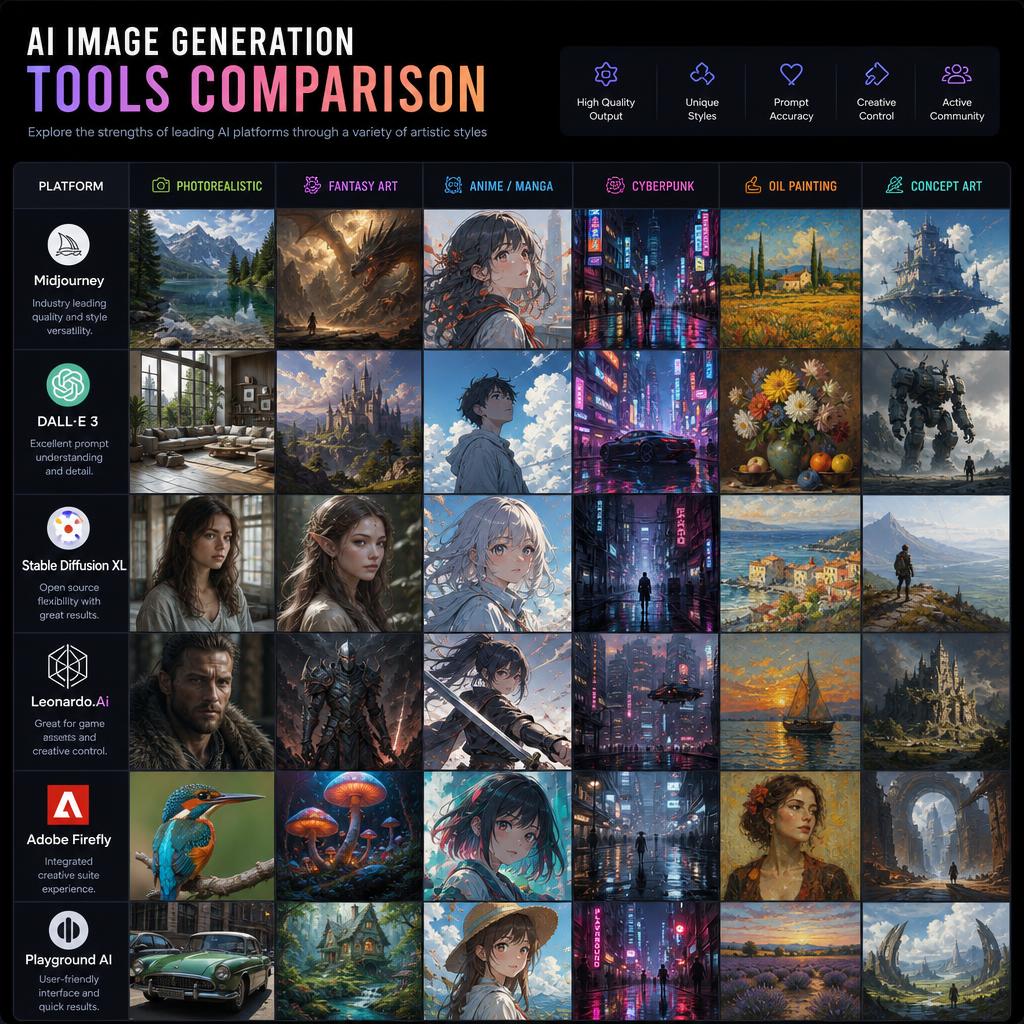
| Midjourney | $10–$60 | Concept art, illustration | ✅ (Pro+) | Medium |
| Krea AI | $24 | Real-time AI generation | ✅ | Medium |
| Udio | $10 | AI branding assets | ✅ | Low |
1. Figma AI (Design Agent) – Best for UI/UX Designers
Price: $15/month Professional | $45/user/month Organization | Free (starter)
Figma launched its Design Agent in May 2026, and it's arguably the most significant update to the design tool in its history. The Design Agent works alongside you in Figma in real-time — suggesting layouts, generating UI components, creating variations of selected elements, and turning rough wireframes into polished mockups through natural language instructions.
For freelance UI/UX designers, this means the prototype-to-mockup process is dramatically faster. Describe a component in plain language, and the Design Agent generates it as an editable Figma layer. Ask for variations, and it produces three alternative layouts you can compare. The AI understands design system principles, auto-applies constraints, and respects your existing grid.
Key features:
- Design Agent: AI co-designer working alongside you in real-time
- Generate UI components from natural language descriptions
- Create layout variations for any selected frame
- Auto-apply design system tokens and constraints
- First Draft: generate entire page layouts from wireframes
- AI-powered design critique and suggestions
- Prototype flow generation from screen list
- Make Designs: convert selected elements to interactive components
Standout feature: First Draft — select a rough wireframe frame and ask the Design Agent to turn it into a polished mockup. It applies typography, spacing, colour, and component logic automatically, producing a high-fidelity design that respects your design system.
"The Figma Design Agent shortened my wireframe-to-mockup phase by 60%. I use it to generate component variants that I'd have spent hours building manually. My clients get faster deliverables and I take on more projects." — Lena F., UX designer
Best for: UI/UX designers and product designers who work primarily in Figma and want an AI collaborator inside their existing tool.
2. Adobe Firefly – Best for Brand Asset Creation
Price: $9.99/month (25 generative credits) | Included in Creative Cloud ($59.99/month)
Adobe Firefly remains the gold standard for generating commercially safe visual assets. It's trained exclusively on Adobe Stock and public domain content, so everything it generates is licensed for commercial use — a critical consideration for client work.
For freelance designers, Firefly's most valuable capabilities are inside Photoshop (Generative Fill) and Illustrator (Generative Recolor, Text to Vector). These features let you create, modify, and extend visual elements within your existing design workflow rather than switching to a separate AI generation tool.
Key features:
- Generative Fill (Photoshop): generate, replace, or remove any image element
- Generative Expand: extend images beyond their borders
- Text to Vector (Illustrator): generate vector graphics from text prompts
- Generative Recolor: apply colour variations to vector artwork
- Text Effects: generate stylized type effects
- Structure Reference: use sketch as structural guide for generation
- Style Reference: apply visual style of reference image
- Model Training: train on your own brand assets (Enterprise)
Standout feature: Firefly's Structure Reference — you can sketch a rough composition (or use a client's wireframe), reference it in Firefly, and generate a photorealistic or illustrated scene that follows the exact composition. This bridges the gap between conceptual sketching and final asset creation.
"I use Firefly for 80% of my client image work now. No more expensive stock photo hunts. I generate exactly what the brief asks for, and it's commercially cleared without extra licensing overhead." — Marcus T., brand designer
Best for: Designers who do brand identity, marketing collateral, and editorial work that requires custom, commercially licensed image assets.
3. Canva Magic Studio – Best for Marketing Design
Price: Free | $15/month Canva Pro | $10/user/month Teams
Canva's AI suite (collectively called Magic Studio) has become the primary tool for freelancers who specialise in marketing design — social media, presentations, email headers, and ad creatives. The combination of 100M+ stock assets, AI generation, and a huge template library means most marketing design briefs can be executed entirely within Canva.
Magic Design generates complete designs from a prompt; Magic Write handles any text; Magic Edit makes AI-powered changes to images; and Magic Switch converts designs between formats (e.g., turn a presentation into social posts) automatically.
Key features:
- Magic Design: AI-generated complete designs from brief
- Magic Write: AI copywriting for any design element
- Magic Edit: modify images with natural language
- Magic Switch: convert designs between formats automatically
- Magic Animate: add animations to any design
- Brand Kit: apply brand identity across all designs
- Background Remover and Magic Eraser
- Team collaboration and client approval workflows
Standout feature: Magic Switch — select any design (a presentation deck, social post, or flyer) and instantly convert it into a different format. A 10-slide deck becomes a set of social posts; a blog header becomes a story format; a square graphic becomes a banner. For freelancers who charge for content repurposing, this is transformative.
Best for: Freelancers specialising in social media design, marketing collateral, and client brand asset creation.
4. Midjourney – Best for Concept Art and Illustration
Price: $10/month Basic | $30/month Standard | $60/month Pro | $120/month Mega
Midjourney remains the benchmark for AI-generated imagery that looks like it was made by an exceptional artist. Its outputs — whether photorealistic, illustrative, abstract, or cinematic — consistently have a visual quality that other AI image generators haven't matched.
For freelance designers, Midjourney is most valuable in two scenarios: (1) generating initial visual concepts to show clients before entering the production phase, and (2) creating illustration assets, mood boards, and creative direction references.
Important note: Commercial use is available from the Standard plan ($30/month) and above. The Basic plan is for personal use only — freelancers doing client work must be on Standard or higher.
Key features:
- Industry-leading image quality
- Consistent style maintenance across a session
- Character Reference (--cref): maintain consistent character appearance
- Style Reference (--sref): apply exact visual style across generations
- Vary Region: modify specific areas of an image
- High-resolution upscaling
- Web interface with image history
- Pan and Zoom to extend compositions
Standout feature: Style Reference (--sref) — upload any image as a visual style reference, and Midjourney generates new images in that exact style. For designers building brand identity systems with a consistent visual language, this is the most powerful consistency feature in AI image generation.
"I use Midjourney for every initial concept presentation. Clients see photorealistic examples of the visual direction before I've spent a single hour on production. Pitch success rate has gone up dramatically." — Isabel O., brand designer
Best for: Freelancers who need high-quality concept art, illustration, visual direction references, and bespoke imagery for editorial or brand projects.
5. Krea AI – Best for Real-Time Creative Generation
Price: $24/month Pro | $83/month Max
Krea AI offers something different: real-time AI image generation, where the AI continuously generates as you draw, type, or move elements. Sketch a rough shape, and the AI immediately renders a realistic version. Adjust your sketch and it updates live. This interactive generation loop makes Krea particularly valuable for exploration and creative direction.
Krea also excels at image-to-image enhancement — take any rough AI or human-generated image and use Krea's enhancer to upscale and refine it to a high-resolution, polished asset.
Key features:
- Real-time generation: AI renders as you sketch or type
- Canvas generation: generate by drawing shapes and prompts on a spatial canvas
- Enhancer: upscale and refine any image
- Image-to-video: animate any still image
- Flux, Stable Diffusion, and other model support
- Style consistency tools
Standout feature: The real-time generation canvas — watching an AI turn your rough sketch into a photorealistic or illustrated scene in real-time is genuinely useful for exploring visual ideas rapidly. It collapses the time between "rough idea" and "viable concept" to seconds.
Best for: Designers who use AI heavily for ideation and creative exploration, particularly those doing concept art, visual development, and art direction.
The Freelance Designer AI Workflow
The most productive freelance designers in 2026 combine tools by phase:
| Project Phase | Best AI Tool |
|---|---|
| Client brief and concepts | Midjourney, Krea AI |
| UI/UX wireframe to mockup | Figma AI |
| Brand asset creation | Adobe Firefly |
| Marketing deliverables | Canva Magic Studio |
| Image retouching/extension | Adobe Firefly |
| Proposal writing | Claude, ChatGPT |
| Client presentations | Gamma, Beautiful.ai |
Pricing Your AI-Assisted Design Work
AI tools raise a common freelance question: if a project takes 4 hours instead of 12, should you charge less? Most seasoned freelancers say no — you should charge for the value delivered (the quality of the design, the brief met), not the time spent. AI makes you more productive; that productivity is the return on your tool investment, not a discount you pass to clients.
Some freelancers do increase their rates after adopting AI, arguing that AI access and prompt expertise is a skill they've developed that produces better results — which is a defensible position.
Frequently Asked Questions
Is AI going to replace freelance designers? AI is replacing the lowest-complexity, lowest-paid design work (stock image customisation, basic template filling, simple logo creation at the $5 price point). It is not replacing skilled design thinking, brand strategy, user research, and the ability to understand a client's real needs. Top freelance designers are using AI to compete in higher-value projects.
Are Midjourney images safe for commercial client work? On the Standard plan ($30/month) and above, yes — Midjourney grants full commercial use rights. On the Basic plan, generated images are for personal use only. Check Midjourney's terms of service before using generated imagery in client deliverables.
Can I train AI tools on my own design style? Yes. Adobe Firefly Enterprise allows custom model training. Some Stable Diffusion-based tools (available via Krea) allow LoRA training on your own visual style. ChatGPT also lets you describe and maintain consistent style within a conversation.
Should I disclose to clients that I use AI tools? This is evolving professionally. Many designers are transparent about using AI for ideation and asset generation, similar to disclosing the use of stock photography. Review each client's contract and the relevant professional guidelines for your discipline.
What's the best AI tool for logo design? For professional logo design, Figma AI (for vector construction) and Adobe Illustrator with Firefly (for concepts and recoloring) are the best choices. Looka and Brandmark are AI-first logo generation tools for clients who want a self-serve option — but these produce templated, not custom, results.
Conclusion
The freelance designers who will thrive in 2026 and beyond aren't those who resist AI — they're those who've built an AI workflow that handles the mechanical and generative work, freeing their expertise for the parts that require genuine creative judgment, client understanding, and strategic thinking.
Start with the tool that fits your primary discipline: Figma AI for UX, Firefly for brand assets, Midjourney for creative concepts, Canva for marketing design. Master one before adding the next, and track the time you save on each project. The case for the investment becomes very clear very quickly.
Tags
Sourabh Gupta
Data Scientist & AI Specialist. Blending a background in data science with practical AI implementation, Sourabh is passionate about breaking down complex neural networks and AI tools into actionable, time-saving workflows for developers and creators.