20 Best AI Tools for Content Creators in 2026
Editorial note: Some links in this article are affiliate links — we may earn a commission if you sign up, at no extra cost to you. Every tool is independently tested by our team before being recommended. Read our editorial standards →
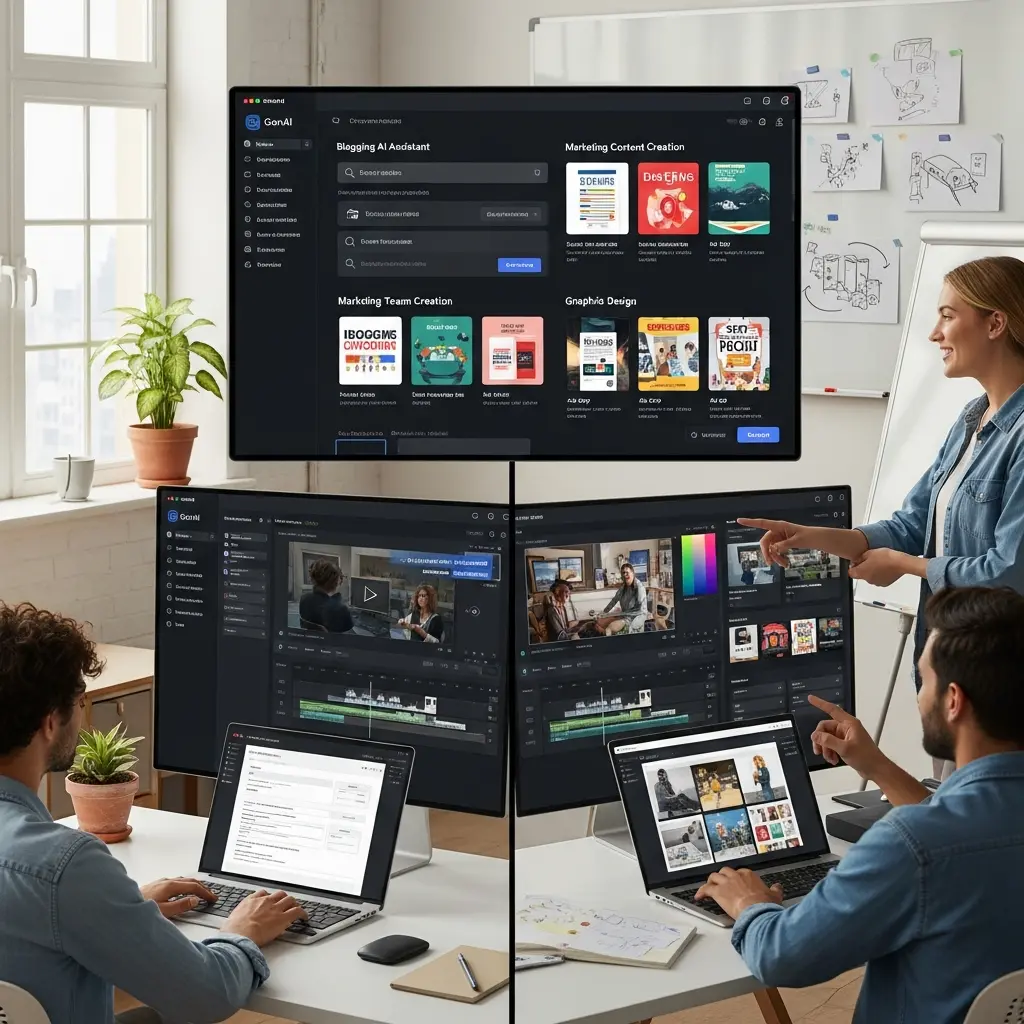
The content creation landscape has been transformed by AI tools that help creators work smarter, faster, and more efficiently. In 2026, content creators using AI tools report saving 10-15 hours weekly while producing 30-50% more content than before.
The AI Revolution in Content Creation
In 2026, content creators using AI tools report saving 10-15 hours weekly while producing 30-50% more content than before.
This comprehensive guide covers the 20 essential AI tools that every content creator should know about in 2026, complete with pricing comparisons, best use cases, and real-world productivity gains.
Time-Saving Reality: Professional creators using the right AI toolkit can reduce production time by 40-60% while maintaining (or even improving) quality.
Quick Comparison: AI Tools at a Glance
| Category | Best Free Option | Best Premium Option | Time Saved/Week |
|---|---|---|---|
| Writing | ChatGPT | Jasper AI | 5-8 hours |
| Design | Canva Free | Canva Pro | 3-5 hours |
| Video | Descript Free | Descript Pro | 4-6 hours |
| Audio | ElevenLabs Free | Murf AI Pro | 2-3 hours |
| SEO | Perplexity AI | Surfer SEO | 2-4 hours |
Writing and Copywriting Tools
1. ChatGPT
Price: Free (GPT-3.5) | $20/month (Plus)
The versatile AI assistant perfect for brainstorming, drafting, and editing content. Great for blog posts, scripts, and creative writing.
Best For: Blog outlines, first drafts, brainstorming, research Time Saved: 60-90 min/day Standout Feature: Custom instructions for brand voice consistency
Pro Tip: Use ChatGPT with role-based prompts like "Act as an SEO expert" for more specialized content.
2. Jasper AI
Price: Starting at $39/month
Specialized AI writing assistant with 50+ templates for marketing copy, blog posts, and social media content. Offers brand voice customization and team collaboration features.
Best For: Marketing teams, agencies, professional copywriters Time Saved: 45-60 min/day Standout Feature: Brand voice training on your past content
3. Copy.ai
Price: Free tier | Pro at $49/month
Excellent for generating marketing copy, product descriptions, and social media captions. User-friendly interface with multiple templates and workflow automation.
Best For: E-commerce descriptions, ad copy, email campaigns Time Saved: 30-45 min/day Standout Feature: Automated multi-platform content generation
Real Creator Story: "I used to spend 3 hours writing product descriptions for 50 items. With Copy.ai, it takes 45 minutes." - Emily, E-commerce Manager
Visual Content Creation
4. Midjourney
Price: Starting at $10/month
Leading AI image generator for creating stunning, artistic visuals. Perfect for concept art, illustrations, and creative projects. Known for exceptional aesthetic quality.
Best For: Artistic visuals, concept art, illustrations, social media graphics Time Saved: 2-3 hours/day vs commissioning artists Standout Feature: Consistently stunning aesthetic quality
Pro Tip: Master prompt engineering to get exactly the style you want on the first try.
5. DALL-E 3
Price: Free with ChatGPT Plus ($20/month) | Bing Image Creator (Free)
OpenAI's image generator integrated with ChatGPT. Great for precise visual concepts and photorealistic images.
Best For: Photorealistic images, specific concepts, quick iterations Time Saved: 1-2 hours/day Standout Feature: Integrated with ChatGPT for conversational image creation
6. Canva AI
Price: Free | Pro at $12.99/month
All-in-one design platform with AI-powered features like Magic Write, Background Remover, and Magic Design. Perfect for social media graphics, presentations, and marketing materials.
Best For: Social media content, presentations, infographics, all-around design Time Saved: 3-5 hours/week Standout Feature: Magic Resize (one design to all formats in seconds)
Check out our complete Canva AI tutorial for advanced techniques.
7. Adobe Firefly
Price: Included with Creative Cloud ($54.99/month)
Adobe's AI suite integrated into Creative Cloud. Excellent for professional designers needing AI assistance within familiar tools like Photoshop and Illustrator.
Best For: Professional designers, commercial projects requiring license clarity Time Saved: 2-4 hours/week Standout Feature: Commercially safe, trained on licensed content
Video Creation and Editing
8. Runway ML
Price: Free tier | Standard at $15/month
Powerful AI video editing tool with features like automatic background removal, motion tracking, and AI-generated effects.
Best For: Video effects, background removal, creative video projects Time Saved: 4-6 hours/week Standout Feature: Text/image-to-video generation
9. Descript
Price: Free | Creator at $12/month | Pro at $24/month
Revolutionary video editor that allows text-based editing. Edit video by editing the transcript! Includes AI voices, automatic transcription, and screen recording.
Best For: Podcasters, YouTubers, course creators, interviewers Time Saved: 5-8 hours/week Standout Feature: Edit video by editing text (game-changer!)
Before/After: Manual video editing: 4 hours. Descript text-based editing: 45 minutes.
10. Pictory
Price: Starting at $23/month
Converts scripts and blog posts into engaging videos automatically. Great for repurposing written content into video format.
Best For: Repurposing blogs to video, social media clips, faceless videos Time Saved: 3-5 hours/week Standout Feature: Blog-to-video automation
Audio and Music
11. Murf AI
Price: Free tier | Basic at $19/month
Professional AI voice generator with 120+ realistic voices in 20+ languages. Perfect for voiceovers and narration.
Best For: Voiceovers, audiobooks, explainer videos, e-learning Time Saved: 2-4 hours/project vs hiring voice actors Standout Feature: Voice cloning for consistent brand voice
12. AIVA
Price: Free | Pro at €15/month
AI music composition tool that creates original, royalty-free soundtracks for videos, games, and other projects.
Best For: Background music, video soundtracks, podcasts, games Time Saved: Hours searching for royalty-free music Standout Feature: Style-based composition (cinematic, electronic, ambient, etc.)
Social Media Management
13. Lately
Price: Starting at $49/month
AI-powered social media content generator that creates dozens of posts from long-form content automatically.
Best For: Social media managers, content marketers, agencies Time Saved: 8-12 hours/week Standout Feature: Learns your brand voice over time
14. Buffer AI Assistant
Price: Free tier | Essentials at $6/month/channel
Helps brainstorm and create social media content with AI-powered suggestions, scheduling, and analytics.
Best For: Small businesses, solo creators, multi-platform posting Time Saved: 4-6 hours/week Standout Feature: Integrated scheduling and analytics
SEO and Research
15. Surfer SEO
Price: Starting at $89/month
AI-powered SEO tool that analyzes top-ranking pages and provides content optimization recommendations with real-time content scoring.
Best For: SEO content writers, bloggers, content marketers Time Saved: 3-5 hours/week on SEO research Standout Feature: Real-time content editor with SEO score
16. Perplexity AI
Price: Free | Pro at $20/month
AI research assistant that provides accurate, sourced answers to complex questions. Like ChatGPT but with internet access and citations built-in.
Best For: Research, fact-checking, current events, sourced information Time Saved: 2-4 hours/week on research Standout Feature: Always includes source citations
Productivity and Organization
17. Notion AI
Price: $10/month (added to Notion subscription)
AI writing assistant integrated into Notion workspace. Perfect for organizing ideas, drafting content, and automating documentation.
Best For: Content planning, note organization, team collaboration, knowledge bases Time Saved: 2-3 hours/week Standout Feature: Context-aware within your entire Notion workspace
18. Otter.ai
Price: Free | Pro at $16.99/month
AI transcription service that converts meetings, interviews, and lectures into text automatically with speaker identification.
Best For: Podcasters, journalists, researchers, meeting notes Time Saved: 3-5 hours/week on transcription Standout Feature: Real-time transcription with 99% accuracy
Specialized Tools
19. Topaz Photo AI
Price: One-time purchase at $199
Advanced AI photo enhancement tool for upscaling, sharpening, and noise reduction. Transforms low-quality images into print-ready files.
Best For: Photographers, print designers, restoration projects Time Saved: Hours of manual retouching Standout Feature: AI upscaling (increase resolution 6x without quality loss)
20. ElevenLabs
Price: Free tier | Starter at $5/month
State-of-the-art voice cloning and text-to-speech AI. Creates incredibly realistic AI voices that sound natural and emotive.
Best For: Audiobooks, voiceovers, character voices, multilingual content Time Saved: Eliminates re-recording for small script changes Standout Feature: Most realistic voice synthesis available
Choosing the Right Tools for Your Workflow
Consider Your Content Type
If you create primarily:
- Written content: ChatGPT + Surfer SEO + Grammarly
- Visual content: Midjourney + Canva Pro + Adobe Firefly
- Video content: Descript + Runway ML + Murf AI
- Multi-format: ChatGPT + Canva + Descript + Buffer
Budget-Conscious Starter Stack (Under $50/month)
- ChatGPT Plus ($20) - Writing and brainstorming
- Canva Pro ($13) - Visual content
- Descript Creator ($12) - Video editing
- Buffer Free - Social scheduling
Total: $45/month for complete content creation suite
Professional Creator Stack ($150-200/month)
- ChatGPT Plus ($20)
- Jasper AI ($39)
- Canva Pro ($13)
- Descript Pro ($24)
- Surfer SEO ($89)
- ElevenLabs ($5-22)
Total: ~$190/month, saving 15+ hours/week
Start Small, Then Expand
Week 1-2: Master one tool in your primary content category Week 3-4: Add complementary tool from different category Month 2: Integrate tools into cohesive workflow Month 3: Add specialized tools for specific pain points
Strategic Tool Combinations
The Blog Content Stack
- Perplexity AI: Research and fact-finding (20 min)
- ChatGPT: Outline and first draft (30 min)
- Surfer SEO: Optimization and keywords (15 min)
- Canva AI: Featured images and graphics (10 min) Total time: 75 minutes vs 4-5 hours traditionally
The Social Media Stack
- ChatGPT: Write long-form content (30 min)
- Lately AI: Generate 20+ social posts (5 min)
- Canva Magic Resize: Create all format variations (5 min)
- Buffer: Schedule across platforms (10 min) Total time: 50 minutes vs 3-4 hours traditionally
The Video Production Stack
- ChatGPT: Script writing (20 min)
- Descript: Record and edit via transcript (45 min)
- Runway ML: Add effects and polish (15 min)
- ElevenLabs: AI voiceover if needed (10 min) Total time: 90 minutes vs 5-6 hours traditionally
Frequently Asked Questions
Q: Do I really need to pay for AI tools? A: Start with free tiers. Upgrade to paid when the time savings justify the cost. If a $20 tool saves you 5 hours/month, it's worth at least $100 in saved time.
Q: Will AI tools replace my creativity? A: No. AI handles repetitive tasks (first drafts, formatting, research), freeing you for high-value creative work (unique insights, brand voice, strategy).
Q: Which tool should I start with? A: ChatGPT - it's versatile, has a generous free tier, and works for almost every content type.
Q: How long does it take to learn these tools? A: Basic proficiency: 1-2 days per tool. Mastery: 2-4 weeks of regular use.
Q: Can I use AI-generated content commercially? A: Most tools allow commercial use, but check each tool's terms. Canva Pro, ChatGPT, and Midjourney all permit commercial use.
Tips for Maximizing AI Tools
1. Learn the Basics First
Don't: Subscribe to 10 tools at once Do: Master one tool completely before adding another
2. Create Template Prompts
Build a library of proven prompts for common tasks. This compounds time savings over weeks.
3. Combine AI with Human Creativity
AI's role: Research, first drafts, formatting, variations Your role: Strategy, unique insights, brand voice, final polish
4. Stay Updated
AI tools release new features monthly. Subscribe to tool newsletters and join user communities.
5. Track Your Time Savings
Document before/after times for tasks. This helps justify subscriptions and identify which tools deliver the most value.
Real-World Success Stories
Case Study: Full-Time Content Creator "I was creating 4 blog posts monthly, spending 20-25 hours. After implementing ChatGPT, Surfer SEO, and Canva Pro, I now create 12 posts monthly in 30 hours. That's 3x output for 50% more time—productivity tripled!"
- Marcus, Tech Blogger
Case Study: Social Media Manager "Managing 5 client accounts meant 40 hours/week. With Lately AI and Buffer, I cut that to 25 hours while posting MORE content. I added 3 new clients without hiring help."
- Priya, Social Media Manager
Case Study: Video Course Creator "Editing 10 course videos took me a full week. Descript cut that to 2 days. The text-based editing is revolutionary—I'll never go back to traditional editing."
- James, Online Educator
Conclusion
These 20 AI tools represent the cutting edge of content creation technology in 2026. Whether you're a writer, designer, video creator, or all-around content professional, incorporating these tools into your workflow can transform your productivity.
Your Action Plan:
- This Week: Choose 1-2 tools for your biggest time sinks
- This Month: Master those tools and measure time savings
- Next Month: Add complementary tools from different categories
- Quarter 2: Build an integrated workflow that compounds efficiency
The content creators thriving in 2026 aren't necessarily the most creative—they're the ones leveraging AI to amplify their creativity and efficiency.
Start with one tool today. Track your results. Expand strategically. Within 90 days, you'll have transformed your content creation process and reclaimed hours of your week.
Ready to 10x your content productivity? Pick your first tool from this list and start creating smarter, not harder.
Tags
Written by

Sourabh Gupta
Founder & Data Scientist, AI Tools Specialist · 2+ years in AI/ML
Sourabh tests every AI tool he writes about — hands-on, with real use cases. His background in data science means he goes beyond marketing claims to benchmark actual performance, cost, and reliability for developers and creators.
Full bio & editorial process →