Best AI Tools for Content Repurposing 2026: Turn One Post into 30 Pieces of Content
Editorial note: Some links in this article are affiliate links — we may earn a commission if you sign up, at no extra cost to you. Research guides are distinguished from documented firsthand reviews in our editorial standards. Read our editorial standards →
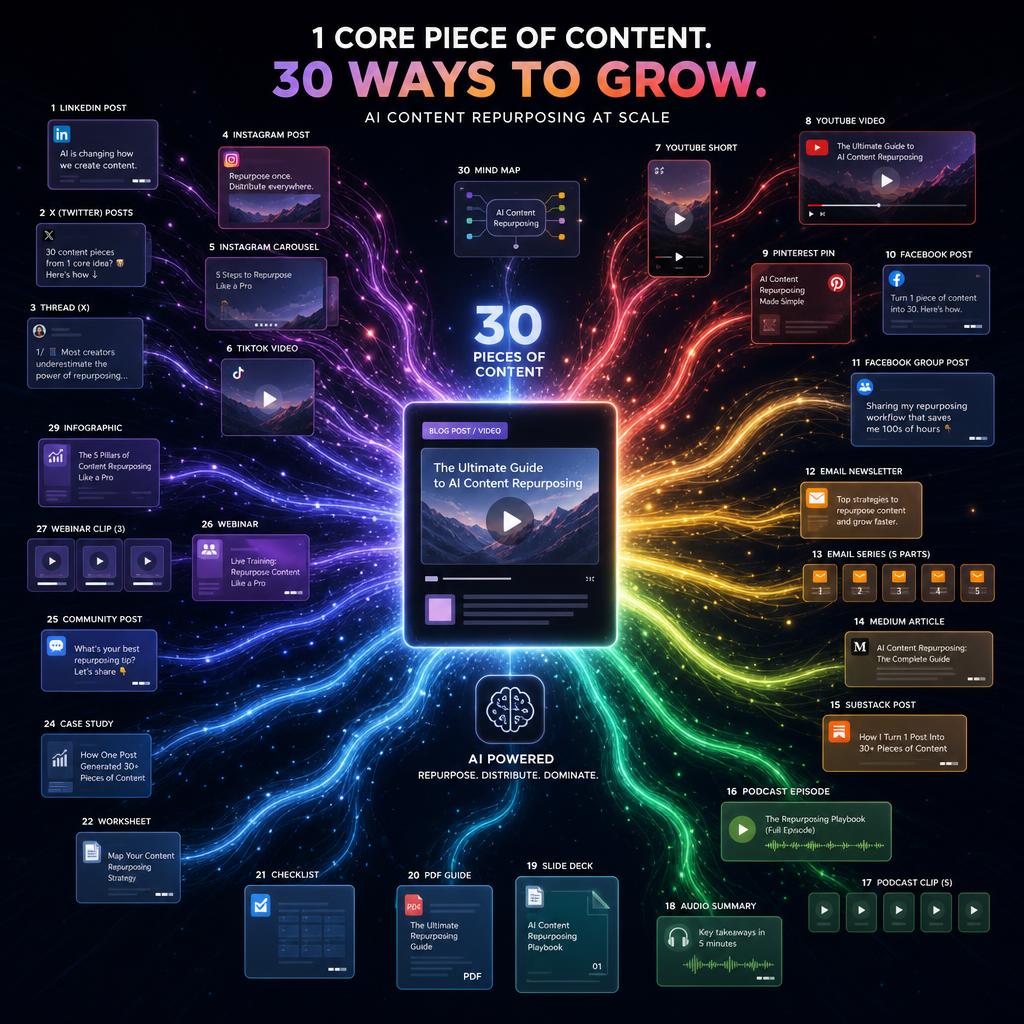
Repurposing works when the new version feels native to the channel, not when the same transcript is copied everywhere. AI can speed up clipping, summarizing, drafting, and formatting, but it still needs an editor who knows what a LinkedIn post, a short video, or an email should accomplish.
This guide compares the tools by the inputs they handle, the outputs they produce well, and the review work they still leave to a creator or marketing team.
Why Content Repurposing Matters More Than Ever
Creating good content takes time. Distributing it across platforms multiplies its reach without proportional extra effort. But manual repurposing — reformatting a podcast transcript for LinkedIn, cutting a long video into Shorts, rewriting a blog post as an email — takes almost as much time as creating the original.
AI changes this equation. Tools that understand context can now transform a transcript, article, or video into platform-native content formats automatically, at a quality level that requires light editing rather than complete rewrites.
The math: one weekly podcast + AI repurposing = a full week's content calendar across LinkedIn, Instagram, YouTube Shorts, Twitter, and email, from a single content creation session.
The Core Repurposing Workflow
Before looking at tools, understand the workflow:
-
Create one anchor piece of content — a long blog post, a podcast episode, a recorded presentation, or a long-form video. This is your source of truth.
-
Extract key insights — pull out the most quotable moments, strongest claims, surprising data points, step-by-step frameworks.
-
Transform for each platform — reformat each insight into the native style of each distribution channel.
-
Distribute on schedule — post the repurposed content over the following week, not all at once.
AI handles steps 2 and 3 almost entirely. You focus on step 1 and light editing of step 3.
The Best AI Repurposing Tools in 2026
Opus Clip
Opus Clip is specialized for one transformation: long video → viral short clips. You upload a video (or paste a YouTube URL), and Opus Clip's AI identifies the 30-second to 3-minute segments most likely to perform on TikTok, YouTube Shorts, and Instagram Reels.
It scores each clip with a "virality score," adds animated captions with speaker identification, and reframes the video to vertical 9:16 format automatically.
The curation quality is genuinely impressive. The AI identifies strong hooks, complete thought segments, and high-energy moments — not just arbitrary time cuts.
Best feature: The "highlight reel" mode identifies 10–15 clips from a 60-minute video in one pass, letting you approve or reject quickly.
Pricing: Free tier (limited clips/mo), Starter at $15/mo, Pro at $29/mo
Best for: Podcasters, conference speakers, long-form YouTubers, course creators
Castmagic
Castmagic is designed specifically for audio and video content. You upload a recording (podcast, interview, webinar, meeting) and it produces a transcription plus a full suite of content outputs:
- Blog post (full structured article from the recording)
- Show notes with timestamps
- Social media posts (LinkedIn, Twitter, Facebook — each formatted appropriately)
- Email newsletter
- Quotes (identifies the most quotable moments)
- Chapter markers (for YouTube or podcast)
- Action items and key takeaways
- Custom outputs (you define a template and it extracts to that template)
The value proposition: one podcast upload → the entire distribution package in 5 minutes.
Pricing: Starter at $23/mo, Pro at $49/mo
Best for: Podcasters, course creators, anyone recording long-form audio/video content
Lately AI
Lately AI focuses on social media repurposing with a unique personalization engine. It trains on your past top-performing posts to learn your specific brand voice and what resonates with your audience. Then it generates new social content that matches your voice and historical engagement patterns.
The result: repurposed content that sounds like you, not like generic AI output.
Key features:
- Brand voice learning from historical posts
- Multi-channel output (LinkedIn, Twitter, Facebook, Instagram)
- Content performance analytics integrated into repurposing decisions
- Team collaboration for content approval
Pricing: Starter at $49/mo, Professional plans from $99/mo
Best for: Social media managers, brands with established voice, teams needing approval workflows
Repurpose.io
Repurpose.io is the most automated tool on this list. Rather than a dashboard where you upload and review, it runs as an always-on pipeline. Connect your podcast feed, YouTube channel, or live stream, set the output destinations (TikTok, Instagram, YouTube Shorts, Facebook, LinkedIn), and every new piece of content is automatically processed and scheduled.
The automation depth is unmatched — you genuinely set it up once and it runs. The trade-off is less creative control over each output compared to tools where you review individual pieces.
Pricing: $25/mo for one source, $50/mo for unlimited sources
Best for: High-volume creators who want full automation over control, podcasters, livestreamers
Descript
Descript is primarily a video and podcast editing tool, but its repurposing features are strong. The "Scenes" feature identifies natural breakpoints in a recording and suggests clip boundaries. Its AI can also generate social captions, clean up transcripts, and create highlight clips.
What sets Descript apart is the edit-by-transcript feature: you edit video by editing text. Delete a word from the transcript and the video is cut. This makes extracting specific segments dramatically faster than traditional video editing.
Pricing: Free tier, Creator at $24/mo
Best for: Creators who also do their own video editing; combined editing + repurposing workflow
ChatGPT / Claude for Text Repurposing
For text-to-text repurposing (blog post to social content, white paper to email series, report to presentation), ChatGPT and Claude remain the most flexible tools with the best output quality.
A reliable repurposing prompt for Claude:
*"Here is a 2,000-word blog post: [paste content]. Repurpose it into the following formats:
- A LinkedIn post (200 words, professional tone, end with a discussion question)
- A Twitter/X thread (8 tweets, punchy, each stands alone)
- A 5-slide presentation outline (title + 3 bullet points per slide)
- An email newsletter (150 words, informal, one clear CTA) Format each section with a clear header."*
This single prompt turns any article into four distribution-ready pieces.
Platform-Specific Repurposing Templates
From Blog Post to LinkedIn Article
What to keep: The 3 most actionable insights, any original data or examples, the conclusion recommendation
What to add: A personal connection sentence at the start ("Three months ago I realized...")
What to cut: Background context, hedging language, footnotes
Length: 800–1200 words for a LinkedIn article
From Podcast to YouTube Shorts
What to keep: The strongest 30–60 second segment with a clear hook and payoff
What to add: Bold captions, B-roll suggestion note
Format requirement: Vertical (9:16), hook within first 3 seconds
Tool: Opus Clip handles this automatically
From Video to Twitter/X Thread
Extraction: Pull 8–10 distinct insights or quotes from the transcript
Thread structure: Tweet 1 = bold claim or hook. Tweets 2–9 = one insight per tweet. Tweet 10 = summary + CTA
Length: 250 characters per tweet
Tool: Castmagic extracts quotes; Claude formats them as a thread
From Report/White Paper to Email Series
Structure: Each major section of the report becomes one email
Length per email: 300–500 words
Subject lines: Name the specific insight from that section
Tool: Claude with the full document pasted as context
Building Your Repurposing System
Start with one anchor content type. Commit to weekly production of one format: a podcast, a YouTube video, a long blog post, or a newsletter. Anchor content drives the repurposing engine.
Map your distribution channels. Where does your audience actually engage? Focus on 2–3 channels, not 8.
Build a template library. After your first 5 repurposing cycles, you will notice which prompt formats produce the best LinkedIn posts, the best email intros, the best Twitter hooks. Save those as templates and reuse them.
Batch the repurposing. Every Monday: record anchor content. Tuesday: run AI repurposing. Wednesday: edit and schedule. This batch processing approach is more efficient than day-by-day content decisions.
Track what performs. Within 4 weeks, you will have data on which repurposed format drives the most engagement. Double down on that format.
The Bottom Line
The content creators building the largest audiences in 2026 are not outworking competitors — they are outsmarting them by extracting more value from each piece of content. Opus Clip handles video to short-form. Castmagic handles podcast to everything. Claude handles any text-to-text transformation. Repurpose.io handles full automation.
Pick the combination that matches your content type and technical comfort, build one repurposing workflow this week, and watch your output multiply without multiplying your work hours.
Frequently Asked Questions About AI Content Repurposing
What is the best AI tool for repurposing video content into short clips?
Opus Clip is the standout choice for video-to-short-clips repurposing. It uses AI to identify the most engaging moments in long videos, cuts them into vertical clips with auto-captions, and scores each clip's viral potential. It integrates directly with YouTube and supports TikTok, Instagram Reels, and YouTube Shorts output. Free tier available; Starter plan at $15/month.
Can AI tools repurpose a podcast into a blog post?
Yes — Castmagic is the best tool for this. Upload your podcast audio and it generates a full transcript, summary, key quotes, chapter markers, show notes, social media posts, and a draft blog post — all in one step. Descript and Claude (with the transcript pasted in) are also excellent for podcast-to-text repurposing.
Is Opus Clip free?
Opus Clip has a free tier that processes up to 60 minutes of video per month. The Starter plan ($15/month) gives 200 minutes/month with all AI features. The Pro plan ($29/month) offers unlimited processing with higher export quality. The free tier is a good way to evaluate whether the clip quality meets your standards before subscribing.
How long does AI content repurposing take?
Most tools process a 30-minute podcast or video in 3-8 minutes. Castmagic generates a full content package in under 5 minutes. Opus Clip typically takes 5-10 minutes for a 60-minute video. For text-based repurposing (blog post to social thread, newsletter to LinkedIn post), Claude and ChatGPT process it in under 30 seconds.
Can AI repurpose content without losing my brand voice?
With the right setup, yes. Lately AI is specifically designed to learn your brand voice — it analyses your past social posts and generates new content in the same style. For Claude and ChatGPT, providing 3-5 examples of your best-performing posts in the prompt (few-shot prompting) produces significantly better voice-matched output than a basic repurposing prompt.
What types of content can be repurposed with AI in 2026?
AI content repurposing works across all major formats: long-form videos (→ short clips, highlights), podcasts (→ blog posts, show notes, quotes, social posts), webinars (→ summary reports, slides, email sequences), blog posts (→ Twitter/X threads, LinkedIn articles, email newsletters, infographic scripts), white papers (→ executive summaries, slide decks), and meeting recordings (→ action items, summaries, follow-up drafts).
Tags
Written by

Sourabh Gupta
Author at Teach AI Tools
Sourabh Gupta is responsible for Teach AI Tools. Research guides and documented firsthand reviews are identified separately. An author profile is not evidence of testing; look for sources, test records, and limitations in the article.
Full bio & editorial process →