How to Use Claude Artifacts 2026: Build Mini-Apps, Dashboards, and Tools in Seconds
Editorial note: Some links in this article are affiliate links — we may earn a commission if you sign up, at no extra cost to you. Research guides are distinguished from documented firsthand reviews in our editorial standards. Read our editorial standards →
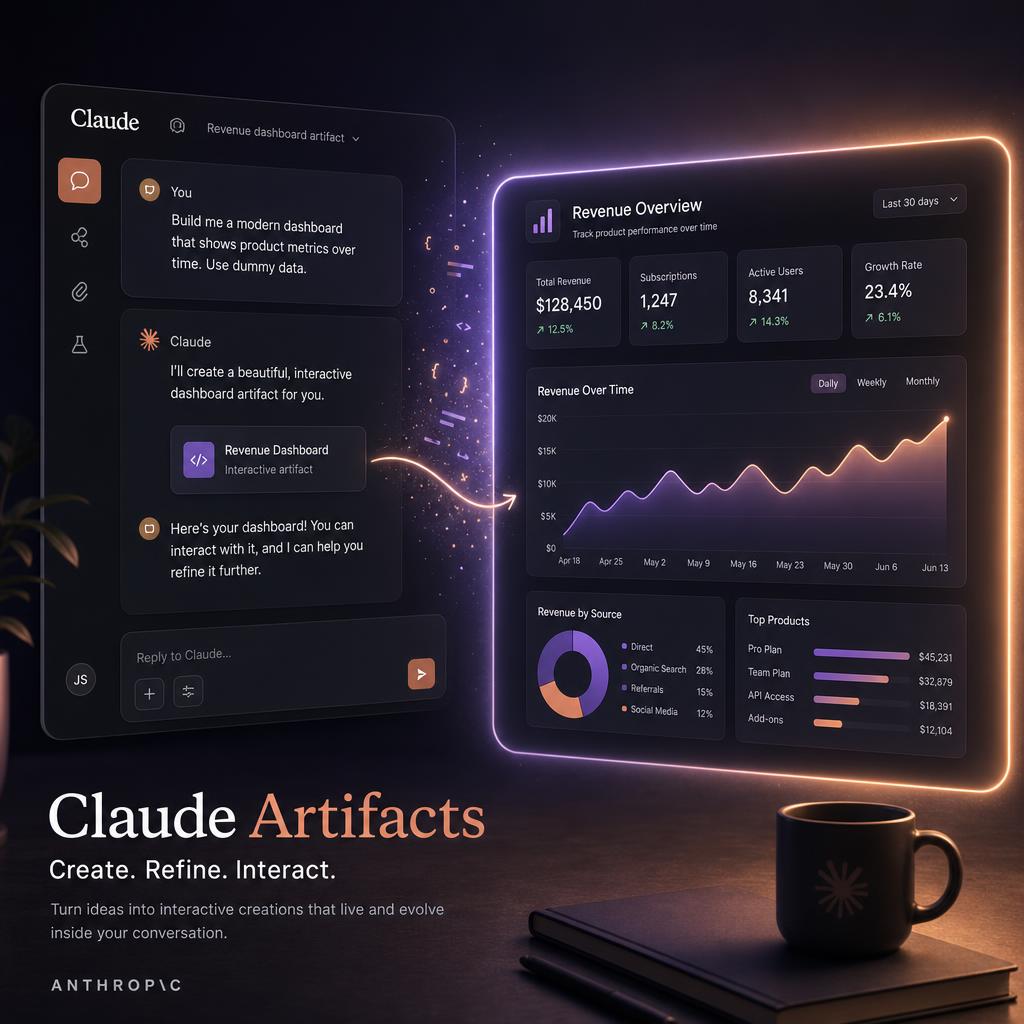
Claude Artifacts is easiest to understand as a fast way to turn an idea into a small, shareable object: a calculator, a dashboard, a quiz, a data view, or a focused internal tool. It is impressive when the brief is clear, but it still benefits from a careful review before anything is shared with customers or used for a decision.
This guide shows the kinds of projects Artifacts handles well, how to prompt for something usable, and the limits to keep in mind when a prototype starts becoming a real product.
What Are Claude Artifacts?
Artifacts are a special rendering mode in Claude that displays code output as a live, interactive preview rather than as static text. When Claude writes HTML, React, SVG, or Markdown that would benefit from being seen rather than read, it places it in an Artifact panel on the right side of the screen.
You can interact with the rendered output — click buttons, fill forms, run animations — without leaving Claude. If you want changes, you describe them in the chat and Claude updates the Artifact.
This sounds simple. The implications are significant. Artifacts let non-developers build functional interactive tools in minutes. They let developers prototype and iterate in natural language before touching a real codebase. They let educators create custom learning materials, quizzes, and simulations on demand.
What You Can Build With Artifacts
Interactive Tools and Calculators
Any calculation you would normally do in a spreadsheet can become a clean, interactive tool.
Prompt example: "Build a mortgage calculator. Inputs: loan amount, interest rate, loan term in years. Outputs: monthly payment, total interest paid, an amortization schedule table. Make it clean and professional-looking."
The result: a styled HTML calculator with live updating as you change inputs. Share the link (Claude provides a share URL for Artifacts) and anyone can use it.
More examples:
- BMI and calorie calculators
- ROI calculators for marketing campaigns
- Compound interest visualizations
- Unit converters
- Freelance rate calculators (revenue needed → hourly rate)
- Tax estimators
Data Visualizations
Claude can turn raw data — pasted CSV, a table you describe, or even just numbers you mention — into interactive charts.
Prompt example: "Create a bar chart showing these monthly revenue numbers: Jan 12,000 / Feb 15,400 / Mar 11,200 / Apr 18,700 / May 22,100 / Jun 25,600. Make it interactive — hovering a bar should show the exact value. Include a trend line."
Use cases:
- Dashboard prototypes before building the real thing
- Data stories for presentations (interactive charts are more engaging than static screenshots)
- Exploring your own data with visualization before committing to a charting library
- Reports you want clients to interact with, not just read
Games and Quizzes
Simple games are one of the most impressive and fun Artifact use cases.
Prompt example: "Build a 10-question quiz about the French Revolution. Multiple choice, 4 options per question. Track the score, show correct/incorrect feedback after each answer, and show a final score card at the end with a message that varies based on score."
More game examples:
- Typing speed test (famous sentences, tracks WPM and accuracy)
- Math flashcard drill (configurable difficulty)
- Word guess game (Wordle-style)
- Memory card matching game
- Countdown timer with custom alarm
Productivity and Workflow Tools
Kanban board: "Build a simple Kanban board with three columns: To Do, In Progress, Done. I should be able to add tasks, drag them between columns, and delete them. Save state in localStorage so it persists on refresh."
Pomodoro timer: "Build a Pomodoro timer. 25-minute work session, 5-minute break. Show a circular progress indicator. Play a soft chime sound when each session ends."
Decision matrix: "Build a decision matrix tool. I can enter options as rows and criteria as columns, assign weights to criteria, score each option on each criterion, and see a weighted total score for each option."
Writing and Content Tools
Prompt templates: "Build a LinkedIn post generator. I enter my topic and my target audience. The tool offers 3 style buttons: Professional, Casual, Story-led. It generates a post for each style and lets me copy with one click."
Swipe file: "Build a swipe file organizer. I can add entries with a title, category dropdown, and content text area. Filter by category. Copy any entry to clipboard. Save to localStorage."
Educational and Reference Tools
Flashcard system: "Build a flashcard study tool. I can enter terms and definitions. The tool shows one card at a time, I flip it to reveal the answer, and mark it as known or needs-review. Track progress."
Interactive timeline: "Create an interactive timeline of World War II major events. Each event should be clickable to expand a brief description. Color-code by theater (Europe / Pacific / Home Front)."
Sharing and Exporting Artifacts
Share link: Claude generates a shareable link for each Artifact. Anyone with the link can view and interact with it without a Claude account.
Download code: Click the download button in the Artifact panel to get the HTML/JS/React source. Paste it into CodePen, Replit, or your own project.
Embed: The Artifact source code can be embedded in any webpage that accepts an iframe, or deployed to any static hosting service.
This makes Artifacts a rapid prototyping tool that produces real, deployable code — not just a demo.
Prompting Tips for Better Artifacts
Specify the user interaction explicitly. "Let me click to expand" is more useful than "make it interactive." Describe the exact interactions you want.
Describe the visual style concisely. "Clean, minimal, dark background with blue accents, monospace font" gives Claude enough to produce a consistent look. Reference a tool you like: "styled like Notion" or "like a Bloomberg terminal."
Ask for localStorage persistence. By default, most Artifacts do not save state. Add "save state to localStorage so it persists on page refresh" and it becomes a persistent tool.
Iterate in steps. Start with the core function. "Add search functionality" after you confirm the basic structure works. "Add CSV export" after the data display is right. Building in layers produces cleaner results.
Ask Claude to explain what it built. "Explain the main components of this code and how they connect" teaches you the architecture without needing to read every line.
Limitations to Know
No backend. Artifacts run entirely in the browser. They cannot make authenticated API calls, store data on a server, or connect to external databases. For anything requiring server logic, the Artifact is a frontend prototype only.
No file uploads. Artifacts cannot access files from your computer. You can paste data into the prompt and Claude hardcodes it, but dynamic file reading requires a real backend.
Size limits. Very large applications with hundreds of components will hit context limits. Artifacts work best for focused, single-purpose tools.
Not production-ready as-is. Artifacts are excellent for prototypes and personal tools. For production deployment, review the code for security, performance, and edge-case handling.
The 5 Artifacts Every Knowledge Worker Should Build
- Weekly planning dashboard — a checklist-based Monday morning ritual tool with priorities, time blocks, and a notes section
- Meeting cost calculator — enter attendees' hourly rates and meeting duration; see the real cost of your meetings
- Proposal rate calculator — freelancers: enter desired monthly revenue, work hours, overhead, and get your minimum hourly rate
- Reading list tracker — add books with status and notes, filter by status, mark complete
- Habit tracker — daily check-ins for up to 10 habits, streaks, weekly visualization
Each of these takes under 3 minutes to build. Each saves real time or reveals real information. That is the value proposition of Artifacts in one sentence.
Frequently Asked Questions About Claude Artifacts
What are Claude Artifacts?
Claude Artifacts are interactive rendered outputs that appear in a separate panel beside your chat conversation. Instead of returning static code text, Claude renders the result live — so you can see and interact with a calculator, dashboard, game, chart, or mini-app immediately. Artifacts support HTML/CSS/JS, React, SVG, and Markdown.
Is the Claude Artifacts feature free?
Claude Artifacts is available on the free Claude.ai tier with daily usage limits. Claude Pro ($20/month) gives you significantly higher usage limits and priority access. The Artifacts feature itself is not separately priced — it's included with your Claude account.
Can I share Claude Artifacts with other people?
Yes — Claude generates a shareable public link for each Artifact with a single click. Anyone with the link can view and interact with the rendered output without needing a Claude account. This makes Artifacts useful for quickly sharing tools, calculators, or prototypes with clients or colleagues.
Can I export or download the code from a Claude Artifact?
Yes — every Artifact has a "Copy" button that copies the full source code to your clipboard, and a download button for the HTML file. You can take any Artifact, download the HTML, and deploy it anywhere: GitHub Pages, Netlify, your own server. The code is standard HTML/CSS/JavaScript and runs without any dependencies on Claude.
What is the difference between Claude Artifacts and ChatGPT Canvas?
Both show rendered previews alongside your chat. Claude Artifacts focuses on building interactive apps, games, tools, and visualisations — the primary use case is creating something runnable. ChatGPT Canvas focuses on collaborative document and code editing — it's closer to a shared editor. Artifacts are better for "build me a tool"; Canvas is better for "help me write and refine this document".
What kinds of things can Claude build with Artifacts?
In 2026, Claude Artifacts can build: interactive calculators and converters, data visualisation dashboards, simple games (Snake, Tetris, puzzle games), flashcard and quiz apps, resume and presentation templates, SVG diagrams and charts, React component prototypes, landing page mockups, form builders, and even simple productivity tools. The quality depends heavily on your prompt specificity.
Tags
Written by

Sourabh Gupta
Author at Teach AI Tools
Sourabh Gupta is responsible for Teach AI Tools. Research guides and documented firsthand reviews are identified separately. An author profile is not evidence of testing; look for sources, test records, and limitations in the article.
Full bio & editorial process →