Best AI Automation Tools 2026: n8n, Make, and Zapier AI Compared
Editorial note: Some links in this article are affiliate links — we may earn a commission if you sign up, at no extra cost to you. Research guides are distinguished from documented firsthand reviews in our editorial standards. Read our editorial standards →
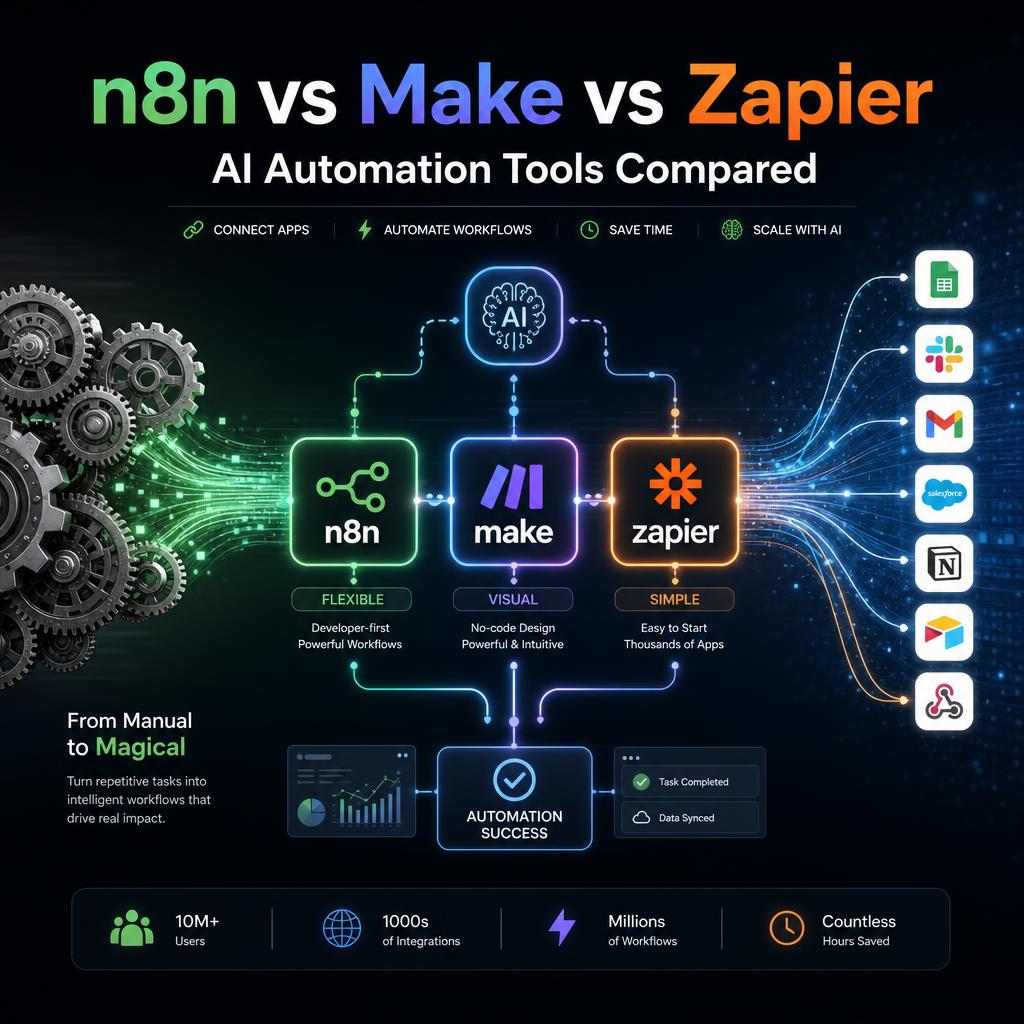
Automation saves time when the workflow is clear before the AI step is added. The strongest setups define what should happen, who owns exceptions, and where a person needs to review an important action.
This guide compares n8n, Make, and Zapier AI through that operational lens: integrations, flexibility, cost, debugging, and the kinds of workflows each platform handles well.
The Core Concept: What AI Automation Does
Traditional automation connects apps with fixed rules: "when a new row appears in Sheet A, create a task in Asana." The rule is dumb — it always runs, in the same way, regardless of content.
AI automation adds judgment: "when a new lead email arrives, classify it as high/medium/low priority based on the content, draft an appropriate response for each tier, and only forward high-priority leads to the sales team."
The AI layer does not just connect apps — it reads, classifies, generates, and decides. This transforms automation from a data-piping exercise into a genuine delegation of judgment-heavy work.
Zapier AI
Zapier is the market leader in no-code automation with over 7,000 app integrations — more than any competitor. Its AI additions in 2025–2026 added:
AI Actions: Use ChatGPT, Claude, or Gemini within a Zap to analyze, generate, or classify. No API key setup required — Zapier handles the model connections.
AI by Zapier: A natural language Zap builder where you describe the automation in plain English and Zapier generates the workflow.
Copilot: An AI assistant that monitors your existing Zaps, suggests improvements, and can debug failed runs.
Strengths:
- Most app integrations (7,000+)
- Easiest setup for non-technical users
- Reliable, enterprise-grade infrastructure
- Strong documentation and support
Weaknesses:
- Most expensive option at scale
- Limited control over complex data transformations
- AI features are add-ons to fixed pricing tiers
Pricing: Free (100 tasks/mo), Starter $19.99/mo, Professional $49/mo, Team $69/mo
Best for: Non-technical users, teams already using common SaaS apps, workflows that don't require custom logic
Example Zapier AI Workflow
Goal: Auto-respond to customer support emails with AI-drafted replies, escalate complaints to Slack.
Trigger: New email in Gmail labeled "support"
→ AI by Zapier: "Classify this email as complaint, question, or praise. If complaint, extract the product name and issue."
→ Branch: if complaint → post to #support-escalations in Slack with AI summary
→ Branch: if question → Claude generates a draft reply → draft saved to Gmail
→ Log all emails to Airtable with AI-generated category and sentiment
Setup time: 20–30 minutes. No code.
Make (formerly Integromat)
Make sits between Zapier and n8n in the power/complexity spectrum. Its visual workflow canvas is more capable than Zapier's linear Zap editor — it supports branches, loops, error handlers, and real-time data processing.
AI modules in Make:
- OpenAI / Anthropic / Google AI modules — direct API calls with full parameter control
- HTTP module — call any AI API (including local Ollama instances)
- Iterator and Aggregator — process arrays of items through AI calls efficiently
- Data Store — built-in database for storing AI outputs between runs
Strengths:
- More data transformation power than Zapier
- Better pricing for high-volume workflows
- Visual canvas is intuitive once learned
- Strong community and template library
Weaknesses:
- Steeper learning curve than Zapier
- Fewer integrations than Zapier (1,400 vs 7,000)
- Complex error handling requires testing
Pricing: Free (1,000 ops/mo), Core $9/mo, Pro $16/mo, Teams $29/mo
Best for: Teams that need more logic control than Zapier allows, but less technical setup than n8n requires
Example Make Workflow
Goal: Process new Typeform submissions, generate personalized follow-up emails, and add scored leads to a CRM.
- Typeform trigger: new response arrives
- OpenAI module: score lead quality 1–10 based on company size and use case fields
- Router: split into high (7–10), medium (4–6), low (1–3) paths
- OpenAI module: generate personalized email draft for each tier (different tone and content)
- Gmail: create email draft (high/medium) or add to bulk nurture list (low)
- HubSpot: create contact with AI-generated score and email draft attached as note
n8n
n8n is an open-source workflow automation platform that gives you complete control. It runs as a self-hosted server (free) or as a managed cloud service. The AI capabilities are its strongest selling point in 2026.
AI nodes in n8n:
- AI Agent node — gives your workflow a reasoning loop. The AI decides which tools to call next, can handle ambiguous inputs, and runs until it achieves the goal. True agentic behavior.
- LangChain integration — full access to chains, memory, document loaders, and vector stores
- Chat Trigger — build internal AI chatbots that respond to Slack messages or webhooks
- Text Classification, Information Extractor, Summarize — purpose-built AI nodes that handle common operations without writing LangChain code
Strengths:
- Free self-hosting (own your data)
- Most powerful AI agent capabilities
- Connects to local Ollama models (free, private AI)
- No per-task pricing when self-hosted
- Full customization via JavaScript/Python code nodes
Weaknesses:
- Requires server setup if self-hosting
- Steeper learning curve than Zapier or Make
- Fewer pre-built templates
Pricing: Free (self-hosted), Cloud Starter $20/mo, Pro $50/mo
Best for: Developers and technical teams, high-volume workflows, privacy-sensitive data, workflows requiring true AI agency
Example n8n AI Agent Workflow
Goal: Monitor GitHub Issues, classify them with AI, assign them to the right team, and generate implementation plans for high-priority bugs.
- GitHub trigger: new issue opened
- AI Agent node (GPT-4o or Claude): classify issue as bug/feature/question, estimate severity, identify affected component
- Switch node: route to engineering, product, or support based on classification
- AI Agent (for bugs only): analyze issue title and body, generate a 5-step implementation plan
- GitHub: post implementation plan as a comment on the issue
- Slack: notify the right team channel with issue summary + severity
This workflow runs every time a GitHub issue is opened. Zero human involvement unless the AI escalates.
Head-to-Head Comparison
| Feature | Zapier | Make | n8n |
|---|---|---|---|
| App integrations | 7,000+ | 1,400+ | 400+ native + HTTP module |
| AI agent support | Limited | Moderate | Full (LangChain) |
| Local AI models | No | No | Yes (Ollama) |
| Pricing (high volume) | Expensive | Moderate | Free (self-hosted) |
| Technical skill required | None | Low | Medium |
| Data privacy (self-hosted) | No | No | Yes |
| Best use case | Business teams, speed | Mid-complexity workflows | Developers, agents, privacy |
Which One Should You Choose?
Choose Zapier if: You are non-technical, your team already uses common SaaS apps, and you need something running today without setup time.
Choose Make if: You need more logic and data transformation than Zapier allows, you process moderate volumes, and you want a visual canvas that handles branching well.
Choose n8n if: You need true AI agent capabilities, you handle sensitive data that should not pass through third-party servers, you run high volumes, or you want to connect to local AI models for free.
Getting Started Quickly
30-minute starter workflow for any platform:
- Set a trigger: new email in Gmail with a specific label, or new row in a Google Sheet
- Add an AI step: summarize the content, classify the type, or extract key fields
- Add an action: save to Notion, post to Slack, send a reply
- Test with 3 real examples before enabling
Start with something small. A working simple automation gives you more confidence and skill than an abandoned complex one.
Frequently Asked Questions About AI Automation Tools
What is the best AI automation tool for non-technical users in 2026?
Zapier AI is the easiest entry point — it has a natural language workflow builder, over 7,000 app integrations, and requires no coding. Make.com is the next step up, with a powerful visual canvas that handles more complex logic at lower cost. Both have free tiers. n8n requires self-hosting comfort and is better suited to developers.
Is n8n completely free?
n8n is free to self-host — you run it on your own server (a $5/month VPS is enough for most workflows). The cloud-hosted version starts at $20/month. The self-hosted version has no workflow limits, no execution caps, and full access to all nodes including the AI Agent node.
What is the difference between Make and Zapier?
Zapier has more integrations (7,000+ vs Make's 1,800+) and the simpler setup — better for teams who need to connect many SaaS apps quickly. Make has a more powerful visual canvas that handles conditional logic, data transformation, and error handling more elegantly — and costs significantly less at scale (Make charges per operation; Zapier per task). Make is the better choice for complex workflows.
What is an AI Agent node in n8n?
The AI Agent node in n8n creates a reasoning loop where the AI model decides which tools to call next based on a goal, executes those tools, observes the result, and loops until the task is complete — without you specifying each step. This enables true autonomous behaviour: give it a goal like "research these 10 companies and fill this spreadsheet" and it figures out how.
Can AI automation tools replace employees?
AI automation handles repetitive, rule-based work: data entry, email classification and routing, report generation, social media scheduling, invoice processing, lead enrichment. It frees employees from these tasks. It does not replace judgment-heavy work: strategy, client relationships, creative direction, or decisions requiring context that is not in the data.
How do I choose between n8n, Make, and Zapier for my business?
Choose Zapier if you need to connect many apps quickly and technical complexity is a concern. Choose Make if you need complex logic, lower cost at scale, or detailed data transformation. Choose n8n if you want full control, self-hosting, or plan to build AI agent workflows — n8n's AI Agent node is the most powerful of the three.
Tags
Written by

Sourabh Gupta
Author at Teach AI Tools
Sourabh Gupta is responsible for Teach AI Tools. Research guides and documented firsthand reviews are identified separately. An author profile is not evidence of testing; look for sources, test records, and limitations in the article.
Full bio & editorial process →