Best AI Game Art Generators in 2026
The AI Revolution in Game Art Creation
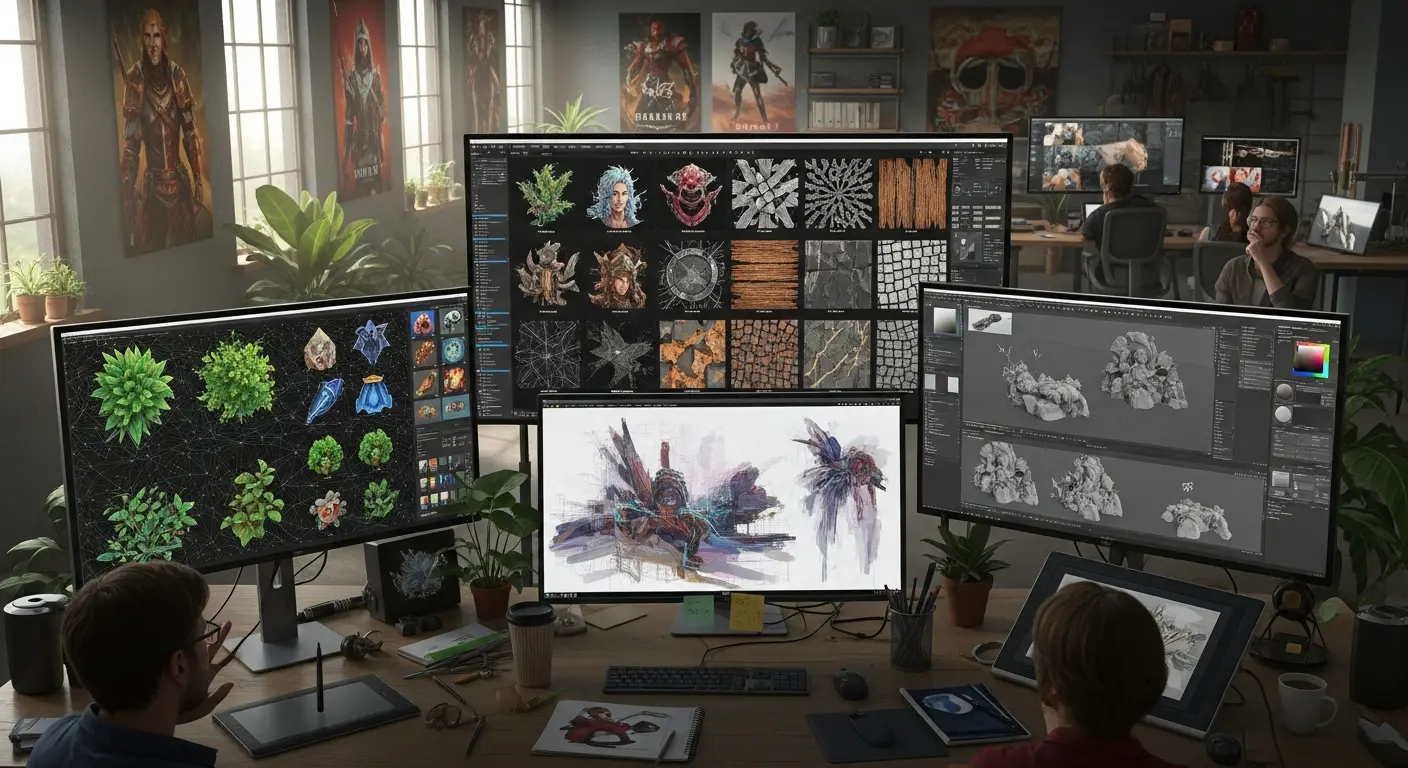
Game development has traditionally been bottlenecked by asset creation. Creating characters, environments, textures, and UI elements could take weeks or months. AI game art generators have transformed this landscape, enabling indie developers and small studios to create professional-quality game assets in 60-80% less time than traditional methods.
In 2026, AI-powered game art tools have matured significantly, offering specialized features for everything from 2D sprites to 3D textures. Whether you're a solo indie developer or part of a small studio, these tools can dramatically accelerate your development timeline.
Time-Saving Reality: Developers report reducing asset creation time from weeks to days, with some concept art tasks dropping from 8 hours to 30 minutes.
Understanding AI Game Art Generation
What Makes Game Art Special?
Game art has unique requirements:
- Consistency: Characters and environments need cohesive style
- Multiple Angles: Same character from different perspectives
- Variations: Multiple versions of similar assets
- Technical Specs: Proper resolution, transparency, and format
- Iteration Speed: Rapid prototyping and testing
AI tools excel at these requirements when used correctly.
Top AI Game Art Generators
1. Midjourney
Price: Starting at $10/month Best For: Concept art, character designs, environment concepts
Midjourney leads in artistic quality and style consistency. Perfect for generating inspiring concept art that guides your final production assets.
Game Dev Use Cases:
- Character concept exploration (generate 50 variations in an hour)
- Environment mood boards and concepts
- Item and prop designs
- Marketing and promotional art
2026 Update: With the recent shifts in Midjourney's architecture, the platform now handles 3D spatial logic much better than previous versions.
Pro Tip: Use the --seed parameter to maintain consistency across variations, and always utilize the newest high-definition parameters for native 2K resolution outputs to avoid needing a secondary upscaler for concept art.
Example Prompt: "isometric fantasy tavern interior, warm lighting, wooden furniture, stone walls, pixel art style, game asset, --ar 16:9 --seed 12345"
Time Saved: Concept phase reduced from 2 weeks to 3-4 days
2. Stable Diffusion (with ControlNet)
Price: Free (self-hosted) | RunPod cloud from $0.14/hour Best For: Precise control, specific poses, texture generation
The open-source powerhouse offering maximum control through extensions like ControlNet, which lets you guide generation with sketches, depth maps, or poses.
Game Dev Use Cases:
- Character sprites with specific poses (using pose detection)
- Texture generation for 3D models
- Background parallax layers
- Pixel art upscaling and enhancement
Pro Tip: Combine ControlNet with character pose references to generate sprites in exact positions you need.
Time Saved: Character sprite creation from 6 hours to 45 minutes per character
🧠 Data Science & Tech Note: If you want absolute consistency, don't just rely on prompting. Train a LoRA (Low-Rank Adaptation) model on your specific character. Unlike full checkpoint training, a LoRA only injects a small set of weights into the neural network, meaning you can train it locally on a standard consumer GPU in under an hour. Combine your custom LoRA with ControlNet pose-mapping, and you have a mathematically precise asset pipeline.
3. Leonardo.ai
Price: Free tier | Apprentice at $10/month | Artisan at $24/month Best For: Game-ready assets, consistent character generation, UI elements
Leonardo.ai is specifically designed for game developers, offering features like:
- Character consistency across generations
- Tileable texture generation
- Batch generation for variations
- Built-in upscaling and refinement
Standout Features:
- Canvas Editor: Edit and refine AI generations in-browser
- Alchemy: Enhanced quality mode for production assets
- Texture Generation: Create seamless, tileable textures instantly
Example Workflow:
- Generate character concept (2 minutes)
- Create 4 angle variations using same seed (5 minutes)
- Refine in Canvas Editor (10 minutes)
- Upscale to final resolution (2 minutes)
Total: 19 minutes vs 8-12 hours traditionally
Time Saved: 90%+ on initial asset creation
4. Scenario.gg
Price: Free tier | Pro at $29/month Best For: Training custom AI models on your game's art style
Scenario is revolutionary for maintaining art style consistency. You can train custom AI models on your existing game art, ensuring all new AI-generated assets match your established aesthetic perfectly.
How It Works:
- Upload 20-50 examples of your game's art style
- Train custom AI model (1-2 hours automated)
- Generate unlimited assets in YOUR exact style
- Maintain perfect consistency across all assets
Use Cases:
- Generating variations of existing characters
- Creating new items that match your game's aesthetic
- Expanding environments in consistent style
- Rapid prototyping without breaking visual coherence
Pro Tip: Start with a small, focused dataset (e.g., "character portraits" or "forest environments") rather than mixing all asset types.
Investment: 2-4 hours initial training setup Payoff: Infinite consistent assets forever
5. Artbreeder
Price: Free tier | Advanced at $8.99/month Best For: Character portraits, variations, genetic mixing
Artbreeder uses a "breeding" approach where you mix and match existing images to create new variations. Excellent for character portraits and face generation.
Game Dev Applications:
- NPC portrait generation (create 100 unique faces in an hour)
- Character variation exploration
- Creature design through mixing
Unique Advantage: Intuitive slider-based editing makes it accessible even without prompt engineering skills.
Specialized AI Tools for Game Assets
For 2D Sprite Work
Pixelicious (Free)
- Converts images to pixel art automatically
- Perfect for prototyping pixel art games quickly
- Use Case: Turn AI concept art into pixel sprites
Aseprite + AI Plugins ($19.99)
- Traditional pixel art tool with AI enhancement plugins
- AI-assisted animation and cleanup
- Time Saved: 40-50% on sprite animation
For 3D Textures
TextureLab (Free, browser-based)
- Procedural texture generation with AI enhancement
- Creates seamless, tileable textures
- Exports in standard formats (PNG, normal maps, etc.)
Poly (Beta, Free)
- AI-generated 3D textures from text
- PBR texture sets (albedo, normal, roughness, metallic)
- Example: "weathered stone wall" generates complete texture set
For UI Elements
Uizard (Free tier | Pro at $19/month)
- Sketch to UI wireframes
- AI-generated UI variations
- Use Case: Rapidly prototype game menus and HUD
Workflow Integration Strategies
The AI-First Game Art Pipeline
Phase 1: Concept (Day 1-2)
- Generate 100+ concept variations with Midjourney
- Select best 10 directions
- Refine chosen concepts with variations
- Create style guide document
Phase 2: Custom Training (Day 3-4)
- Use selected concepts to train Scenario.gg model
- Validate model outputs match your vision
- Fine-tune with additional examples if needed
Phase 3: Production (Ongoing)
- Generate asset variations using custom model
- Refine in image editors (Photoshop, Krita)
- Prepare for game engine (Unity, Unreal, Godot)
- Iterate based on in-game testing
Traditional Timeline: 6-8 weeks for 100 assets AI-Assisted Timeline: 2-3 weeks for 100 assets Time Saved: 60-70%
Hybrid Approach: AI + Manual Touch
Best Practice: Use AI for 70-80% of work, manual refinement for final 20-30%
Example Workflow:
- AI: Generate character concept (5 min)
- AI: Create turnaround views (10 min)
- Manual: Refine details, fix hands/faces (30 min)
- AI: Generate color variations (5 min)
- Manual: Final adjustments and cleanup (15 min)
Total: 65 minutes vs 8-12 hours traditional
Practical Tips for Game Developers
Maintaining Art Consistency
Challenge: Keeping consistent style across hundreds of assets
Solutions:
- Custom Models: Train on your art (Scenario.gg)
- Seed Locking: Use same seed values (Midjourney, SD)
- Style Reference: Include reference image in every prompt
- Negative Prompts: List unwanted elements consistently
Generating Specific Game Asset Types
Character Sprites:
- Prompt: "character sprite sheet, T-pose, multiple angles, white background, game asset, [style]"
- Use ControlNet with pose references for exact positions
- Generate front, side, back, 3/4 views separately for consistency
Environment Tiles:
- Prompt: "tileable texture, seamless, [material type], game asset, top-down view"
- Use Leonardo.ai's tiling option for automatic seamless generation
- Test tiling before committing to full asset creation
UI Icons:
- Prompt: "game icon, [item name], centered, white background, simple, clean, [art style]"
- Generate in batches of 20-30 for efficiency
- Use consistent dimensions (e.g., 512x512)
Handling AI Limitations
Common Issues:
- ❌ Inconsistent character details across angles
- ❌ Weird hands or anatomy
- ❌ Text/symbols in generated images
- ❌ Mixed art styles in single generation
Solutions:
- ✅ Generate multiple options, cherry-pick best
- ✅ Use AI for concepting, manual for final polish
- ✅ Negative prompts: "text, watermark, signature"
- ✅ Style-specific keywords in every prompt
Cost-Benefit Analysis
Indie Developer Budget Breakdown
Traditional Approach:
- Freelance artist: $50-100/hour
- 100 game assets at 2 hours each = $10,000-20,000
- Timeline: 8-12 weeks
AI-Assisted Approach:
- AI tools: $30-50/month
- Your time: 40 hours (1 hour per asset with AI assistance)
- Timeline: 2-3 weeks
- Total cost: $50 + your time
Savings: $9,950-19,950 + 6-9 weeks faster
When to Use AI vs. Hiring Artists
Use AI When:
- ✅ Prototyping and testing game concepts
- ✅ Creating large volumes of similar assets (NPCs, items)
- ✅ Generating variations and iterations quickly
- ✅ Budget is severely constrained
- ✅ Timeline is aggressive
Hire Artists When:
- 💼 Final production art for commercial release
- 💼 Complex character animation
- 💼 Highly specific, detailed requirements
- 💼 Brand-critical hero assets
- 💼 You need art direction and creative input
Best Approach: Hybrid - AI for volume and iteration, artists for hero assets and final polish.
Legal and Ethical Considerations
Copyright and Ownership
Key Points:
- Most AI tools grant commercial usage rights
- Check specific ToS for your chosen platforms
- Midjourney: Full commercial rights with paid plans
- Stable Diffusion: Open source, full ownership
- Scenario.gg: You own outputs from your custom models
Best Practice: Always review and modify AI outputs. The more manual work you add, the stronger your copyright claim.
Disclosure and Transparency (2026 Policy Updates)
Steam's Updated Guidelines: As of early 2026, Steam has clarified its stance: Developers must disclose AI usage for pre-generated assets included in the final game (like 2D sprites or textures). However, using AI as an "efficiency tool" (like concept ideation, coding assistance, or layout planning) does not require disclosure.
Be transparent with players if your core game loop relies on live-generated AI content.
Best Practice: Document your creative process. Keeping your base sketches, prompts, and Photoshop iteration files is the best way to prove your human authorship if challenged.
Getting Started: Your Action Plan
Week 1: Learning and Experimentation
- Sign up for 2-3 free trials (Leonardo.ai, Scenario.gg)
- Generate 50-100 test assets to learn prompting
- Identify which tool works best for your game's style
- Practice consistency techniques
Investment: 5-8 hours Output: Understanding of tools, 20-30 usable concept pieces
Week 2: Custom Model Training
- Create or select 30-50 reference images in your desired style
- Train custom model on Scenario.gg
- Test and refine model outputs
- Establish your AI asset pipeline
Investment: 6-10 hours Output: Custom model generating on-brand assets
Week 3-4: Production
- Generate asset batches (20-30 at a time)
- Curate and select best outputs (keep top 30-50%)
- Refine selected assets manually
- Integrate into game engine and test
Investment: 15-25 hours/week Output: 50-100 production-ready assets
Real Developer Success Stories
Case Study: Solo Indie RPG Developer "I needed 200+ character portraits for my RPG. Hiring an artist would cost $10,000+ and take 3 months. Using AI with manual refinement, I created all 200 in 4 weeks for $50 in AI tool costs. Game launched successfully, and players loved the art."
Case Study: Mobile Game Studio "We use Scenario.gg trained on our art style. Our artist creates 1 hero asset, we train the AI, then generate 50 variations. Cut asset production time by 70% while maintaining perfect style consistency. This allowed us to increase content updates from monthly to weekly."
For 3D Model Generation (2026 Trend)
Meshy.ai & Luma Genie (Free tiers available | Pro plans vary)
What it does: Text-to-3D and Image-to-3D generation. The biggest leap in 2026 is that these tools now output clean topology with proper PBR (Physically Based Rendering) textures.
Use Case: Generate background props, static environmental meshes, and low-poly items directly from a text prompt in under 60 seconds.
Time Saved: Turns a 3-hour prop modeling session into a 5-minute curation task.
Frequently Asked Questions
Q: Will AI-generated art hurt my game's reception? A: Players care about overall quality and cohesiveness, not creation method. Many successful indie games use AI art refined with manual touches. Focus on consistency and polish.
Q: Can I sell a game with AI-generated art commercially? A: Yes, most AI tools explicitly allow commercial use. Check specific terms for each platform. Add manual refinement to strengthen your copyright position.
Q: What about asset store rejection? A: Some asset stores (Unity, Unreal Marketplace) have restrictions on pure AI assets. Significant manual modification generally makes them acceptable. Read specific marketplace guidelines.
Q: How do I maintain consistency across 100+ assets? A: Use custom trained models (Scenario.gg), seed locking (Midjourney), or consistent prompts with style references. Train on 30-50 examples of your desired style.
Q: Should I disclose AI usage to players? A: It's becoming best practice to mention AI assistance in credits, similar to how you'd credit asset packs or tools. Transparency builds trust.
Conclusion
AI game art generators have democratized game development, enabling solo developers and small studios to create visually impressive games that previously required large art teams and budgets. The key is understanding these tools as productivity multipliers, not replacements for creativity.
Your Action Plan:
- This Week: Experiment with 2-3 free tools
- Week 2: Choose primary tool and master it
- Week 3: Train custom model if needed
- Month 2: Integrate AI into your regular asset pipeline
The most successful indie developers in 2026 are those using AI to amplify their vision, not replace it. Start experimenting today and accelerate your game development timeline by months.
Ready to revolutionize your game art workflow? Pick one tool from this guide, generate your first 10 assets, and experience the future of game development.
Related Resources:
Tags
Sourabh Gupta
Data Scientist & AI Specialist. Blending a background in data science with practical AI implementation, Sourabh is passionate about breaking down complex neural networks and AI tools into actionable, time-saving workflows for developers and creators.