Best AI 3D Modeling Software 2026
The AI Revolution in 3D Modeling
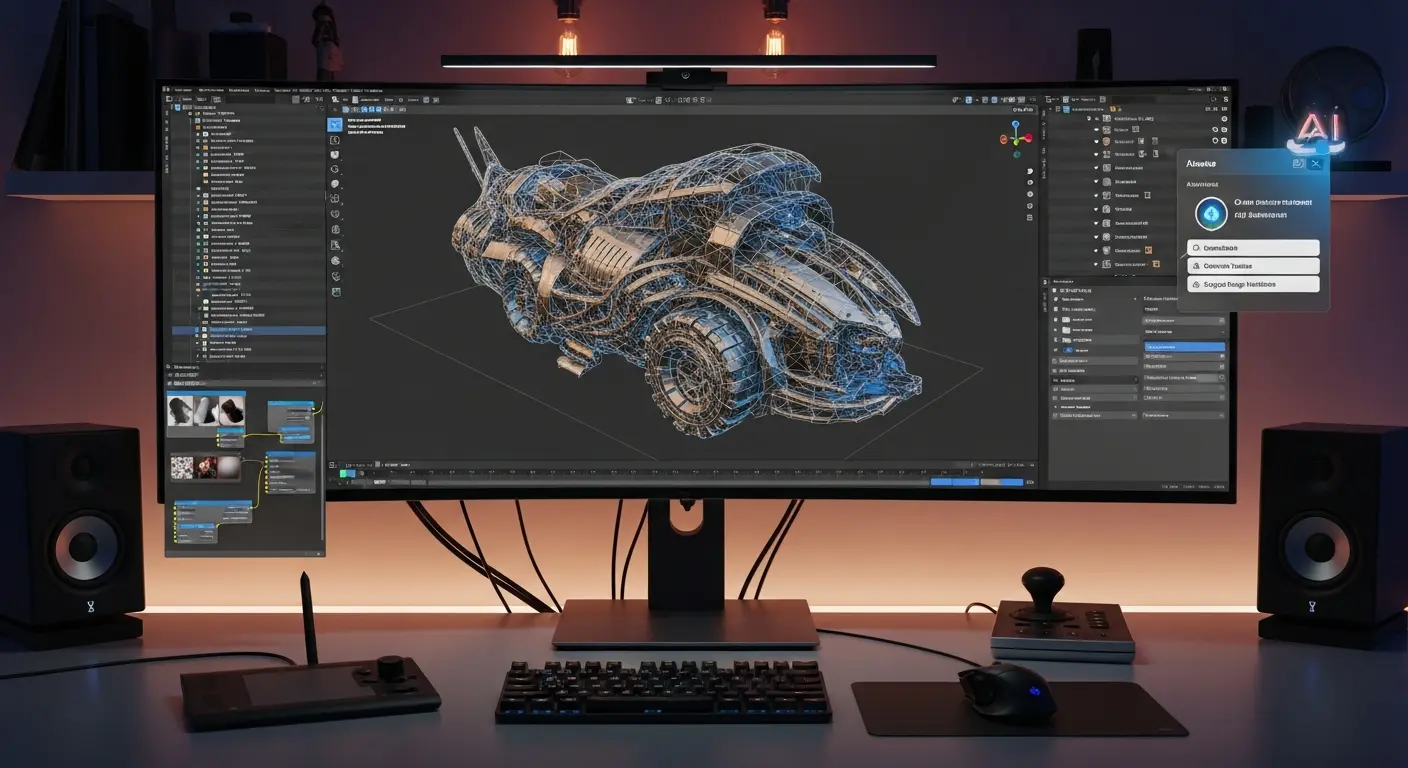
3D modeling traditionally required years of training in complex software like Blender, Maya, or 3ds Max. Creating a single detailed 3D model could take days or weeks of painstaking work. AI-powered 3D modeling tools have disrupted this paradigm, enabling creators to generate professional-quality 3D models from simple text descriptions, images, or rough sketches in minutes.
Impact Reality: Tasks that took 20-40 hours of manual 3D modeling now take 5-15 minutes with AI tools—a 95-98% time reduction.
What is AI 3D Modeling?
AI 3D modeling uses machine learning and neural networks to:
- Generate 3D models from text descriptions
- Convert 2D images into 3D objects
- Transform sketches into detailed 3D meshes
- Automatically texture and color 3D objects
- Animate and rig 3D models automatically
- Optimize models for different platforms (web, mobile, VR)
These AI systems are trained on millions of 3D models, learning the relationships between descriptions, 2D representations, and 3D geometry.
Top AI 3D Modeling Tools
1. Spline AI
Price: Free tier | Pro at $12/month | Enterprise custom
Modern 3D design tool with AI features for creating interactive 3D experiences.
AI Capabilities:
- Text-to-3D object generation
- AI-assisted texturing
- Smart scene composition
- Auto-animation suggestions
- Real-time collaboration
Best For: Web designers, product designers, interactive 3D experiences Standout Feature: Browser-based with real-time collaboration Export Formats: GLB, GLTF, USDZ, code export
Use Case: Create 3D product visualizations for e-commerce websites in minutes instead of hours.
2. Luma AI
Price: Free | Pro at $29/month
Revolutionary photogrammetry and 3D capture tool that creates 3D models from smartphone videos.
Capabilities:
- Video-to-3D conversion (Neural Radiance Fields)
- AI cleanup and optimization
- Automatic texture generation
- Gaussian splatting support
- API access for developers
Best For: Real-world object digitization, e-commerce, virtual production Standout Feature: Create photorealistic 3D models using just your smartphone Quality: Production-ready models from 2-minute videos
3. Meshy AI
Price: Free (200 credits) | Pro at $16/month
Text-to-3D and image-to-3D platform with impressive generation speed.
Features:
- Text prompt to 3D model (2-3 minutes)
- Image to 3D conversion
- Style control (realistic, cartoon, low-poly)
- AI texturing and materials
- Multiple output formats
Best For: Game developers, concept artists, rapid prototyping Standout Feature: Fastest generation time—quality models in under 3 minutes Exports: FBX, OBJ, GLTF, USDZ, STL
4. Kaedim
Price: Starting at $20/month | Enterprise custom
Combines AI with human artists for high-quality production-ready models.
Hybrid Approach:
- AI generates base model (10 minutes)
- Human artist refines (within 24 hours)
- Quality guarantee with revisions
- Production-ready topology
- Game-engine optimized
Best For: Game studios, professional game development, production pipelines Standout Feature: Human-in-the-loop quality assurance Turnaround: 1-24 hours for production-ready models
5. 3DFY.ai
Price: Custom enterprise pricing
Enterprise-focused platform for generating 3D assets at scale.
Capabilities:
- Bulk generation from text
- Style consistency across assets
- API integration
- Custom model training
- Asset library management
Best For: E-commerce platforms, virtual worlds, metaverse applications Standout Feature: Generate thousands of consistent 3D models for product catalogs
6. NVIDIA GET3D
Price: Research tool (free for non-commercial use)
NVIDIA's cutting-edge research in text-to-3D generation.
Technology:
- High-quality textured meshes
- Complex geometry generation
- Diverse object categories
- Fast generation
- Research-grade quality
Best For: Researchers, experimental projects, learning AI 3D tech Note: Requires technical setup; not as user-friendly as commercial tools
7. CSM AI (Common Sense Machines)
Price: Beta access available
Advanced AI platform for creating 3D from images with impressive detail preservation.
Features:
- Single image to 3D
- Multi-view reconstruction
- Texture preservation
- Automatic UV mapping
- Clean topology
Best For: Character creation, product modeling, concept development
AI 3D Modeling Techniques
Text-to-3D Generation
How it works: Describe your vision in natural language, AI generates a 3D model.
Example prompts:
- "A medieval wooden chair with intricate carvings"
- "Low-poly cartoon tree with vibrant green leaves"
- "Futuristic sci-fi weapon with glowing blue accents"
- "Victorian-style table lamp with brass finish"
Best practices:
- Be specific about style (realistic, cartoon, low-poly)
- Mention materials and textures
- Specify level of detail
- Include color and finish details
Image-to-3D Conversion
Process: Upload a 2D image, AI creates a 3D model matching the image.
Use cases:
- Product photos → 3D models for AR
- Concept art → 3D game assets
- Product sketches → prototypes
- Reference images → 3D visualizations
Tip: Works best with clear, well-lit images from multiple angles.
Video/Photo-to-3D (Photogrammetry)
Technology: AI analyzes multiple photos/video frames to reconstruct 3D geometry.
Applications:
- Real estate virtual tours
- Historical preservation
- Product digitization
- Character scanning
- Environment capture
Requirements: 20-100 photos or 1-3 minute video circling the object.
Sketch-to-3D
Capability: Convert rough 2D sketches into detailed 3D models.
Workflow:
- Draw rough concept sketch
- AI interprets and generates 3D base
- Refine with text prompts
- Export for further editing
Practical Applications
Game Development
Rapid asset creation:
- Generate environmental props (trees, rocks, furniture)
- Create character concepts for approval
- Prototype game mechanics with placeholder models
- Build diverse asset libraries quickly
Time savings: 90-95% reduction in asset creation time for prototypes and background objects.
Real Example: Indie game studio used Meshy AI to generate 200 environmental props in one week—a task that would have taken 3-4 months manually. Saved $50,000 in outsourcing costs.
Product Design and Visualization
Commercial applications:
- Create 3D product catalogs
- Generate AR-ready product models
- Rapid prototyping and iteration
- Client presentation visualizations
E-commerce benefit: Products with 3D/AR experiences see 40-94% higher conversion rates.
Architecture and Interior Design
Visualization uses:
- Furniture and fixture modeling
- Interior decor elements
- Landscape features
- Conceptual building models
Education and Training
Learning applications:
- Create educational 3D content
- Anatomical models for medical training
- Historical artifact recreation
- Science visualization
Film and Animation
Pre-production and previz:
- Quick concept modeling
- Environment blocking
- Prop and set design
- Storyboard 3D visualization
Workflow Integration
AI + Traditional 3D Software
Hybrid workflow:
- AI generates base model (Meshy, Spline) - 5 minutes
- Import to Blender/Maya - 1 minute
- Refine and optimize - 30-60 minutes
- Final texturing and lighting - 30-60 minutes
Total time: 1-2 hours vs 8-20 hours fully manual
Game Engine Integration
Unity and Unreal Engine:
- Export AI models in FBX or GLTF
- Import directly into engine
- Auto-rigging tools for characters
- Automatic LOD generation
Web and AR Applications
Export formats:
- GLTF/GLB for web (three.js, Babylon.js)
- USDZ for iOS AR (Quick Look)
- Android ARCore compatible formats
Quality Considerations
When AI Models Excel
Best results for:
- Common objects (furniture, vehicles, props)
- Stylized/cartoon assets
- Background and environmental objects
- Rapid prototyping
- Concept visualization
When Traditional Modeling is Better
Human touch needed for:
- Hero assets (main characters, key props)
- Complex mechanical objects
- Precise technical models
- Game-ready optimized meshes
- Animation-ready topology
Quality Improvement Tips
Enhance AI output:
- Use descriptive, detailed prompts
- Generate multiple variations
- Combine AI with manual refinement
- Retopologize for game use
- Manual UV unwrapping for best textures
Cost Analysis
Traditional 3D Modeling Costs
Professional rates:
- Simple model: $200-500 (4-8 hours)
- Medium complexity: $500-1,500 (10-20 hours)
- Complex model: $1,500-5,000+ (30-100 hours)
100 simple models: $20,000-50,000 + 2-3 months
AI 3D Modeling Costs
Subscription-based:
- Free tiers: $0 (limited)
- Basic plans: $12-30/month (unlimited or high limits)
- Professional: $50-200/month (team features, API access)
100 simple models:
- Cost: $16-30 (one month subscription)
- Time: 8-16 hours
- Savings: $19,500-49,500 (98% cost reduction)
Limitations and Challenges
Current AI Limitations
What AI struggles with:
- Precise technical specifications
- Complex mechanical assemblies
- Perfect topology for animation
- Consistent style across large asset libraries
- Very detailed textures (sometimes)
Quality Variance
Expect variability:
- 70-80% of outputs are usable with minor refinement
- 20-30% may need significant manual work
- Quality depends heavily on prompt quality
Solution: Iterate
Best practice: Generate 3-5 variations, pick best, refine manually.
Frequently Asked Questions
Q: Can AI replace professional 3D artists? A: Not entirely. AI excels at rapid prototyping and background assets but lacks the artistic judgment, technical precision, and problem-solving ability of human artists. Think of AI as a powerful assistant, not a replacement.
Q: Are AI-generated 3D models copyright-free? A: Generally, you own the output from AI tools you pay for. However, check each platform's terms. Some retain rights or have restrictions on commercial use.
Q: What quality can I expect from AI 3D models? A: Quality varies from "good starting point needing refinement" to "production-ready" depending on the tool, complexity, and prompt quality. Expect 70-80% usability rate.
Q: Do I need 3D modeling skills to use AI tools? A: Basic tools like Meshy and Spline require minimal 3D knowledge. However, 3D software skills help refine AI outputs for professional use.
Q: Can AI create game-ready models? A: AI generates models that often need optimization (retopology, proper UVs, LODs) for game engines. Hybrid AI + manual workflow is current best practice.
Conclusion
AI 3D modeling represents a paradigm shift in how we create 3D content. While not yet replacing skilled 3D artists for hero assets and complex projects, AI dramatically accelerates prototyping, background asset creation, and concept visualization.
Your Action Plan:
- This Week: Try Spline AI or Meshy AI free tier with 5 test prompts
- Week 2: Generate 10-20 models for your specific use case
- Month 1: Integrate AI into your workflow (AI for base, manual refinement)
- Ongoing: Build asset libraries 10x faster than traditional methods
The 3D creators thriving in 2026 aren't abandoning traditional skills—they're combining AI efficiency with human creativity to deliver more, faster, without compromising quality.
Ready to revolutionize your 3D workflow? Start with a free AI 3D tool today and experience the future of 3D creation.
Related Resources:
Tags
Sourabh Gupta
Data Scientist & AI Specialist. Blending a background in data science with practical AI implementation, Sourabh is passionate about breaking down complex neural networks and AI tools into actionable, time-saving workflows for developers and creators.