Best AI Image Generators in 2026: Midjourney v7 vs DALL-E vs Stable Diffusion
Editorial note: Some links in this article are affiliate links — we may earn a commission if you sign up, at no extra cost to you. This article may include research from official documentation and other cited sources. Firsthand testing is stated only where a documented test record is provided. Read our editorial standards →
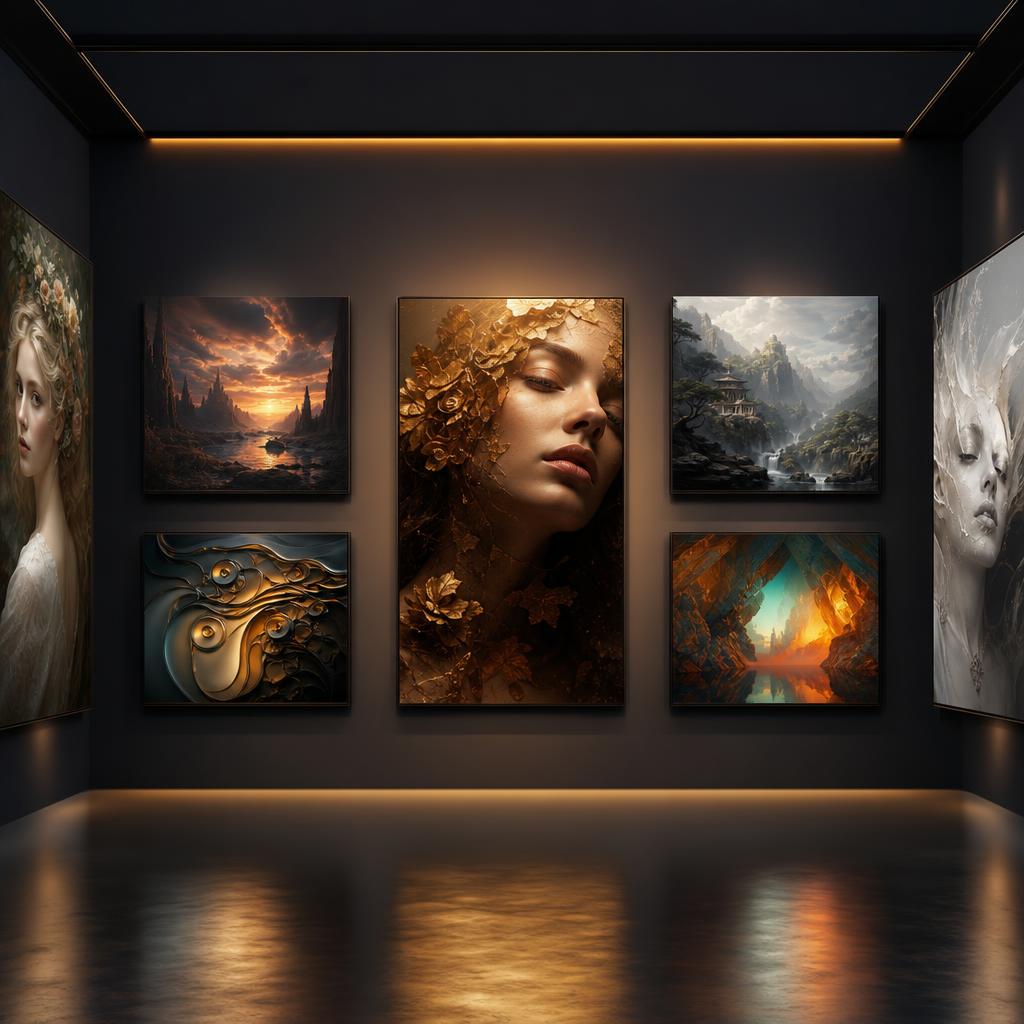
Image generators have reached the point where the choice is less about whether they can make an attractive picture and more about control. Commercial rights, typography, character consistency, editing tools, and predictable pricing matter when the output is going into a real campaign or product.
This guide compares the tools through that practical lens, so you can choose one for the job rather than chasing a single universal “best” model.
The AI Image Generator Landscape in 2026
The tools have diverged into three categories:
- Hosted web services (Midjourney, DALL-E, Ideogram, Adobe Firefly) — pay-per-image or subscription, no setup
- Open-source local generation (Stable Diffusion, Flux.1) — free to run locally, requires hardware
- Integrated creative suite tools (Adobe Firefly, Canva Magic Studio) — built into existing workflows
The quality gap between categories is now surprisingly small. A well-configured local Flux.1 setup can rival Midjourney. The real differences are in workflow, pricing, and legal rights.
Complete Tool Overview
| Tool | Type | Best For | Starting Price | Commercial Use |
|---|---|---|---|---|
| Design.com | Text-to-image + Brand toolkit | Branded marketing content | Free / $3/month | ✅ Yes |
| Midjourney v7 | Hosted | Artistic quality, photography | $10/month | ✅ (paid plans) |
| DALL-E 3 | Hosted API / ChatGPT | Prompt precision | Free (limited) / $0.04/image | ✅ |
| Stable Diffusion 3.5 | Open source | Custom workflows, privacy | Free (local) | ✅ |
| Adobe Firefly 3 | Integrated | Commercial safety, Photoshop | 25 credits free / $55/month | ✅ (licensed training) |
| Ideogram 2.0 | Hosted | Text in images, logos | Free (10/day) / $8/month | ✅ |
| Leonardo AI | Hosted | Game assets, fine-tuned models | Free (150 credits) / $12/month | ✅ |
| Flux.1 | Open weights | Quality + flexibility | Free (self-hosted) | ✅ |
Deep Dive: Every Major Tool
1. Design.com — Best for Branded Marketing Content
Design.com’s AI image generator is the only tool on this list that turns a generated image into finished branded content. Describe your subject, setting, mood, lighting, and composition in plain language, and the AI produces polished visuals within seconds. Generated images plug directly into Design.com’s branded templates, so custom visuals go straight into social posts, flyers, email banners, and presentations without switching tools. All output is copyright-safe, and the free tier lets you generate and edit images at no cost.
Try Design.com AI Image Generator
Why Choose Design.com?
Brand-Ready Output: Generated images aren’t standalone files — they feed directly into Design.com’s full suite of branded templates. Pair custom visuals with your logo, colors, and typography for consistent branded content across every channel.
Copyright-Safe by Design: Every AI-generated image is produced through a custom-trained model that guarantees copyright-safe outputs. For businesses that need legally clean assets from day one, this removes a risk that most other tools on this list don’t address.
No Design Experience Required: Describe what you want in plain language — subject, setting, mood, colors, lighting, composition — and the AI handles the rest. No technical prompting syntax needed.
Free Plan: Generate and edit images at no cost without creating an account. The free tier covers a set number of AI edits before hitting a limit.
Design.com Pricing
| Plan | Price | What’s Included |
|---|---|---|
| Free | $0 | AI image generation and editing, limited credits |
| AI Design Plan | $3/month (billed annually) | 50 AI-generated images/month, 651,000+ templates, business cards, social posts, email signatures, letterheads |
| AI Design Plan + Website | $5/month (billed annually) | Everything in the AI Design Plan, plus the website builder |
2. Midjourney v7 — Best Artistic Quality ⭐
Midjourney remains the gold standard for artistic AI image generation in 2026. The v7 release in early 2026 was a quantum leap: hands are now nearly perfect, faces have genuine character rather than uncanny-valley smoothness, and the texture rendering is breathtaking.
What's New in v7
Dramatically Improved Realism The v7 model was specifically trained to solve the persistent problems of previous versions: deformed hands, inconsistent eyes, and garbled text. Real-world testing shows hands that are correctly formed in 95%+ of generations — a massive improvement from v6's ~60% accuracy.
Photorealism Mode
Activate with --style raw for minimal artistic interpretation, or use the new Photorealism preset. Product photography, architectural visualization, and portrait work now produces results indistinguishable from stock photography for many use cases.
Style Reference System
Upload a reference image with --sref [URL] to capture and apply a specific artistic style to new generations. Consistent brand aesthetics across image series is now trivial.
Text in Images (Finally!) Midjourney v7 handles text within images — short phrases, signs, labels — with reasonable accuracy. Not perfect, but vastly better than v6.
V1 Video Model Midjourney launched a separate video generation model in 2026. Animate your static images into 5-second clips. Quality is competitive with Runway Gen-3 for short clips.
Midjourney Pricing
| Plan | Price | Fast GPU Hours | Commercial | Images |
|---|---|---|---|---|
| Basic | $10/month | 3.3 hours | ✅ | ~200/month |
| Standard | $30/month | 15 hours | ✅ | ~900/month |
| Pro | $60/month | 30 hours | ✅ | ~1800/month + Stealth mode |
| Mega | $120/month | 60 hours | ✅ | ~3600/month |
Midjourney Pros and Cons
| Pros | Cons |
|---|---|
| Best artistic quality in the market | Requires Discord (still no web app for some tiers) |
| Most active community for prompting tips | No API for developers |
| Photorealism mode is stunning | Cannot train custom models |
| Style reference system for brand consistency | Pricing adds up for heavy users |
| Unlimited relaxed mode on Standard+ | Output style is distinctly "Midjourney" — hard to escape |
3. DALL-E 3 — Best for Prompt Adherence
OpenAI's DALL-E 3 sits in a different niche from Midjourney: where MJ optimizes for artistry, DALL-E 3 optimizes for doing exactly what you ask. This makes it uniquely valuable when precision matters more than aesthetic beauty.
Key Features
Natural Language Mastery DALL-E 3 understands complex, conversational prompts without requiring special syntax. "A woman in a red raincoat stands at the edge of a pier at sunset, she's looking out to sea, the photo is in the style of a Fujifilm camera with film grain" works exactly as you'd imagine.
Safety and Content Policy DALL-E 3 has the strictest content filters of any major tool. This is a feature for some use cases (content moderation compliance, brand safety) and a limitation for others (creative freedom).
ChatGPT Integration Access DALL-E 3 through ChatGPT Plus for conversational image creation — describe, iterate, refine in natural conversation. This UX is uniquely intuitive for non-designers.
DALL-E 3 Pricing
| Access Method | Price | Rate |
|---|---|---|
| ChatGPT Plus | $20/month | Included (limited) |
| ChatGPT Free | $0 | Very limited access |
| API Standard | Pay-per-image | $0.040 per image (1024×1024) |
| API HD | Pay-per-image | $0.080 per image (1024×1024 HD) |
4. Stable Diffusion 3.5 — Best Open-Source Option
Stable Diffusion 3.5 from Stability AI is the most capable open-source image model available in 2026. "Open source" here means the model weights are publicly available — you can download and run it on your own hardware, with no API fees, no content restrictions beyond what you impose, and complete privacy.
Why Choose Stable Diffusion?
Cost at Scale After the hardware investment, generation cost is essentially $0. For studios generating thousands of images per week, the economics are compelling.
Infinite Customization LoRA fine-tuning lets you train mini-models on your own style, product, or character — train once, use indefinitely. ControlNet lets you precisely control composition, pose, and structure.
No Content Restrictions SD runs with whatever safeguards you configure — or none. For adult platforms, medical imagery, or other use cases where hosted tools apply content filters, SD is often the only viable path.
Privacy Images never leave your machine. For brands with unreleased products or sensitive creative work, local generation is the only option.
Hardware Requirements
| Setup | Minimum VRAM | Recommended | Generation Speed |
|---|---|---|---|
| SD 3.5 Medium | 8GB VRAM | RTX 3080 | 30-60 seconds |
| SD 3.5 Large | 16GB VRAM | RTX 4090 | 45-90 seconds |
| CPU only | None | Not recommended | 10-30 minutes |
| Cloud (RunPod) | N/A | H100 | 5-10 seconds |
Popular Frontends
- ComfyUI: Node-based workflow builder. Maximum flexibility, steeper learning curve.
- Automatic1111 (A1111): The classic web UI. Huge extension ecosystem.
- InvokeAI: Best UX for artists. Canvas-based editing, mask painting.
- Fooocus: Simplified Midjourney-like experience for SD. Great for beginners.
5. Adobe Firefly 3 — Best for Commercial Safety
Adobe Firefly's defining advantage is its training data: Firefly was trained exclusively on licensed Adobe Stock images, openly licensed content, and public domain works. This makes it the only major AI image generator with a copyright indemnification promise.
No documented firsthand test record was supplied for this guide. Treat proposed workflows as examples to evaluate, rather than measured outcomes.
Key Features
Generative Fill (Photoshop) Select any area in Photoshop, type a description, and Firefly fills it realistically. Replace backgrounds, extend images, remove objects, and add new elements — all within your existing Photoshop workflow.
Text to Image Full standalone image generation at firefly.adobe.com, with Photoshop-style control over aspect ratio, style, and reference images.
Vector Generation (Illustrator) Generate vector graphics directly in Illustrator — editable paths, not rasterized images.
Commercial Copyright Promise Adobe legally indemnifies enterprise customers against copyright claims from Firefly-generated content. This is unique in the market and crucial for brands with legal teams.
Adobe Firefly Pricing
| Plan | Price | Credits | Access |
|---|---|---|---|
| Free | $0/month | 25 credits | Web only |
| Creative Cloud | $55/month | 1000 credits | All Adobe apps |
| Enterprise | Custom | Unlimited | Custom + indemnification |
6. Ideogram 2.0 — Best for Text in Images
Every AI image generator has struggled with text — distorted letters, garbled words, impossible spellings. Ideogram 2.0 solved this problem. It's the best tool for generating images where text quality matters: logos, posters, greeting cards, social media graphics, book covers.
Key Features
- Typography generation: Specify fonts, weights, and styling in natural language
- Logo design: Generate complete logo concepts with legible text and iconography
- Poster layouts: Precise text placement with multi-line support
- Realistic text integration: Text on signs, storefronts, merchandise in photorealistic scenes
Ideogram Pricing
| Plan | Price | Images Per Day |
|---|---|---|
| Free | $0/month | 10 images |
| Basic | $8/month | 400/month |
| Plus | $20/month | 1000/month |
7. Flux.1 by Black Forest Labs — The Open-Weight Game Changer
Flux.1 is the most significant development in open AI image generation since Stable Diffusion itself. Created by former Stability AI researchers, Flux.1 produces images that rival Midjourney in aesthetic quality — and the weights are publicly available.
Why Flux.1 Matters
- Photorealism: Handles human anatomy, faces, and hands with accuracy that shocked the community on release
- Prompt adherence: Better instruction following than SD 3.5 for complex scenes
- Speed: Optimized architecture for faster generation
- Variants: Flux.1-Pro (API only, best quality), Flux.1-Dev (open weights for research), Flux.1-Schnell (fastest, open weights)
How to Access Flux.1
- Free via platforms: Hugging Face Spaces, Replicate (limited free), Fal.ai
- Paid API: Black Forest Labs API, Replicate, Together AI
- Self-hosted: Download Flux.1-Dev or Schnell weights and run locally
Quality Comparison by Use Case
| Use Case | Best Tool | Runner-Up | Avoid |
|---|---|---|---|
| Product Photography | Midjourney v7 Photorealism | Flux.1 Pro | DALL-E (over-processed) |
| Social Media Graphics | Canva Magic Studio | Ideogram | Stable Diffusion (setup friction) |
| Logo Design | Ideogram 2.0 | Adobe Firefly | Midjourney (text issues) |
| Digital Art / Illustrations | Midjourney v7 | Leonardo AI | Adobe Firefly (too photo-realistic) |
| Game Assets | Leonardo AI | Stable Diffusion + LoRA | DALL-E (limited styles) |
| Architectural Visualization | Midjourney v7 | Stable Diffusion + ControlNet | Ideogram |
| Commercial Advertising | Adobe Firefly | Midjourney | Stable Diffusion (rights unclear) |
| Custom Brand Style | Stable Diffusion + LoRA | Leonardo AI | DALL-E (limited fine-tuning) |
| Posters with Text | Ideogram 2.0 | Canva Magic Studio | All others |
| Research / Privacy-First | Stable Diffusion (local) | Flux.1-Dev (local) | Any hosted service |
Commercial Use Rights Breakdown
This is critical for anyone using AI images professionally:
| Tool | Commercial Use | Training Data | Copyright Indemnification |
|---|---|---|---|
| Design.com | ✅ | Custom-trained, copyright-safe | ✅ Built into every output |
| Midjourney v7 | ✅ (paid plans) | Unclear/litigated | ❌ |
| DALL-E 3 | ✅ | Licensed + filtered | ❌ |
| Stable Diffusion 3.5 | ✅ (check specific model) | Varies by model | ❌ |
| Adobe Firefly | ✅ | Licensed Stock + PD | ✅ Enterprise |
| Ideogram 2.0 | ✅ (paid plans) | Undisclosed | ❌ |
| Flux.1 Pro | ✅ (API terms) | Undisclosed | ❌ |
| Leonardo AI | ✅ (paid plans) | Fine-tuned | ❌ |
Legal reality in 2026: Copyright law around AI-generated images remains unsettled. The safest choice for commercial work at scale is Adobe Firefly with its enterprise indemnification. For most individual and small-business use, the legal risk is practically low — no generator offers a blanket guarantee.
Prompt Engineering Guide
Midjourney v7 Prompt Structure
[subject], [environment], [lighting], [style], [camera/technical], --ar 16:9 --style raw --v 7
Example: A Japanese ramen shop at night, rain-slicked street, neon reflections, steam rising from bowls, photographic style, Sony A7IV 35mm f/1.8 --ar 3:2 --style raw --v 7
Key parameters:
--ar— aspect ratio (16:9, 1:1, 9:16, etc.)--style raw— minimal artistic interpretation--chaos 0-100— variation in results--sref [URL]— style reference--no [elements]— exclude from image
DALL-E 3 Prompt Tips
DALL-E works best with conversational, natural language:
- Be specific about what you don't want: "no text overlays, no watermarks"
- Include compositional details: "the subject is centered, rule of thirds, background is blurred"
- Specify camera style: "DSLR photo," "35mm film," "iPhone photo candid"
- Add lighting explicitly: "golden hour sunlight," "studio lighting with soft box"
Stable Diffusion Effective Prompts
SD uses a different syntax — comma-separated tags with quality boosters:
[subject], [style], [quality tags], [technical], [negative prompt]
Example: portrait of a woman in a red dress, professional photography, masterpiece, best quality, 8k, sharp focus, soft lighting, photorealistic
Negative: deformed, ugly, blurry, watermark, text, extra fingers
Hardware Guide for Local Image Generation
If you want to run Stable Diffusion or Flux.1 locally:
Minimum Setup (Budget)
- GPU: RTX 3070 (8GB VRAM) — ~$400 used
- RAM: 16GB system RAM
- Storage: 1TB SSD (models are 2-7GB each)
- OS: Windows 11 or Ubuntu 22.04
- Speed: ~45 seconds per SD 3.5 image
Recommended Setup (Enthusiast)
- GPU: RTX 4080 (16GB VRAM) — ~$900
- RAM: 32GB
- Storage: 2TB NVMe SSD
- Speed: ~10-15 seconds per Flux.1 image
Professional Setup (Studio)
- GPU: RTX 4090 (24GB VRAM) or dual GPU — ~$2000+
- RAM: 64GB
- Speed: ~5-8 seconds per image, can run larger models
Cloud Alternative
If you don't want to buy hardware, RunPod and Vast.ai offer GPU rentals for $0.20-0.80/hour. Run SD or Flux.1 on a cloud H100 without owning any hardware.
FAQ
Q: Is Midjourney still the best AI image generator in 2026? A: For artistic quality and aesthetic appeal, yes. But Flux.1 has closed the gap dramatically, and for specific use cases (text in images, commercial safety, workflow integration), other tools win. Midjourney v7 is the best for pure visual impact.
Q: Can I sell images created with AI generators? A: Generally yes, but each tool has different terms. Midjourney allows commercial use on paid plans. DALL-E and Adobe Firefly explicitly allow it. Stable Diffusion is generally permissive. Always read the current terms of service — they update frequently.
Q: Is Stable Diffusion difficult to set up? A: It used to be. With tools like Pinokio (one-click installer) and cloud platforms like RunDiffusion, you can have SD running in minutes without command line knowledge. ComfyUI and Automatic1111 have both improved dramatically in accessibility.
Q: What's the difference between Flux.1 Pro, Dev, and Schnell? A: Pro is API-only, highest quality, no weights released. Dev is open weights, good quality, licensed for non-commercial research. Schnell is open weights, fastest generation, Apache 2.0 license (most permissive, commercial use allowed).
Q: Can AI image generators make consistent characters across multiple images? A: This is the hardest problem in AI image generation. Midjourney's style reference helps. Stable Diffusion with character LoRAs is the most reliable for consistent characters. No tool does this perfectly in 2026, but the approaches are improving rapidly.
Q: How good is Midjourney for video now? A: The V1 Video Model generates 5-second clips from still images. Quality is good for short loops and atmospheric content, but for sophisticated video work, Runway Gen-3 and Kling AI remain superior. Midjourney video is best for animating your Midjourney stills.
Q: Is there a free alternative to Midjourney that's actually good? A: Yes. Microsoft Bing Image Creator (DALL-E 3, free 15 boosts/day), Ideogram free tier (10 images/day), and Stable Diffusion locally (free after hardware cost). Flux.1-Schnell is also accessible for free on Hugging Face.
Q: Which tool should a small business use for marketing materials? A: Adobe Firefly for safety and Photoshop integration. Or Midjourney Standard ($30/month) for maximum quality. Avoid free tiers for commercial marketing to stay clear of ambiguous terms of service.
Conclusion
AI image generation in 2026 is genuinely excellent across multiple tools. Here's the quick decision guide:
- Branded marketing content with copyright-safe outputs: Design.com AI Image Generator
- Maximum artistic quality: Midjourney v7
- Doing exactly what you ask: DALL-E 3
- Free, flexible, powerful: Stable Diffusion 3.5 or Flux.1
- Commercial safety: Adobe Firefly 3
- Text in images (logos, posters): Ideogram 2.0
- Game assets and custom styles: Leonardo AI
- Open-source rival to Midjourney: Flux.1
The democratization of professional-quality image generation is complete. The question in 2026 isn't whether AI can create compelling images — it's about matching the right tool to your workflow, budget, and legal requirements.
The right choice ultimately depends on whether you prioritize creative ease or technical autonomy.
Tags
Written by

Sourabh Gupta
Founder & Data Scientist, AI Tools Specialist · 2+ years in AI/ML
Sourabh Gupta is responsible for Teach AI Tools. Research guides and documented firsthand reviews are identified separately. An author profile is not evidence of testing; look for sources, test records, and limitations in the article.
Full bio & editorial process →