

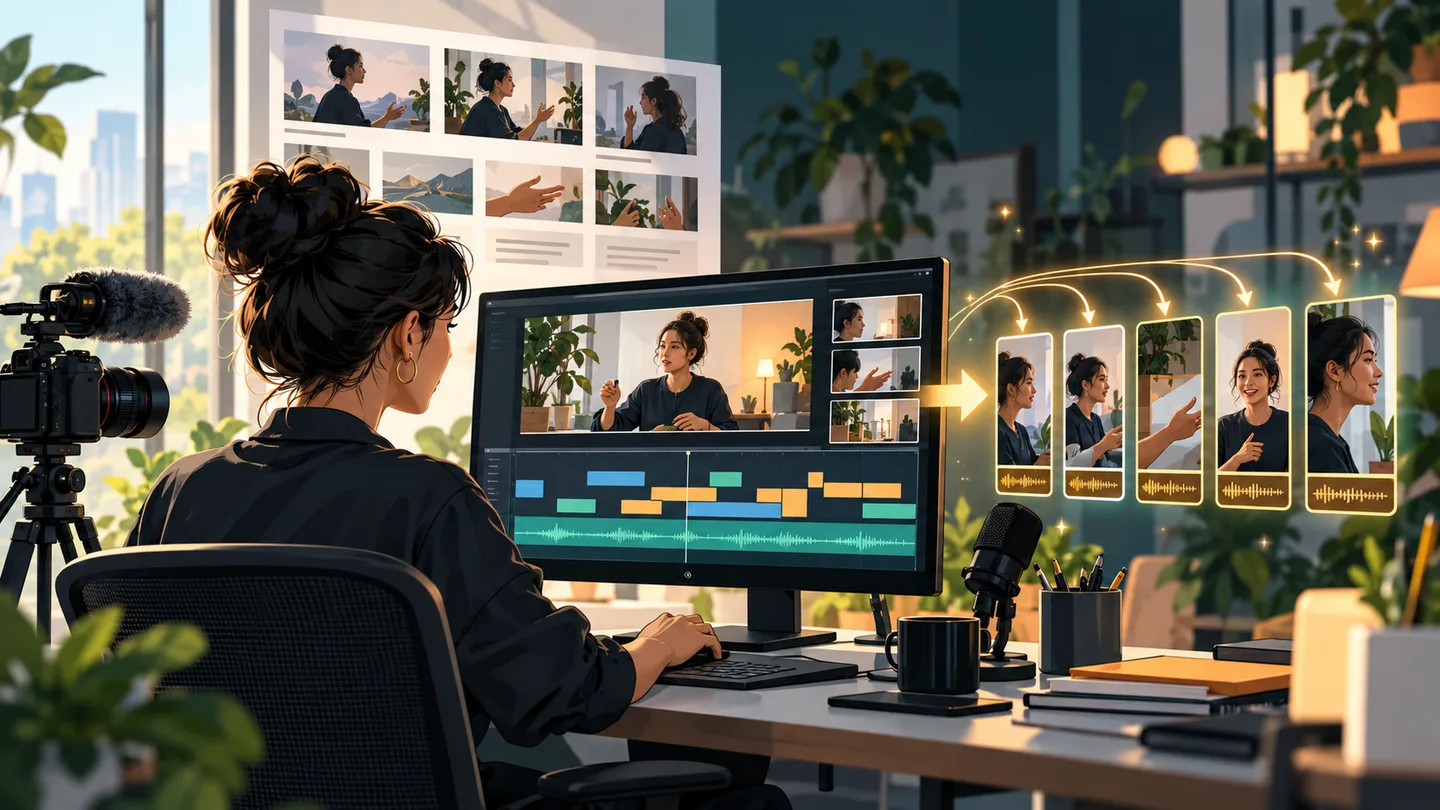
Before choosing an AI video tool, identify what you already have. A recorded webinar needs editing and selection. A software tutorial needs an accurate view of the product. A training script may need a presenter and a repeatable visual structure. These are different production jobs, even when the products appear in the same search results.
This distinction prevents a common buying mistake: paying for impressive generated footage when most of your working week involves correcting captions and trimming recordings. It also prevents the opposite mistake, expecting a clipping tool to build an entire training course from an outline.
This guide examines Descript, OpusClip, HeyGen, and Synthesia, using official documentation checked on October 2, 2026. Recommendations describe likely workflow fit; they are not hands-on quality rankings. Any prices are displayed USD rates before taxes, with billing intervals identified. Production examples are proposed evaluation tasks, not measured results.
Start with the source material
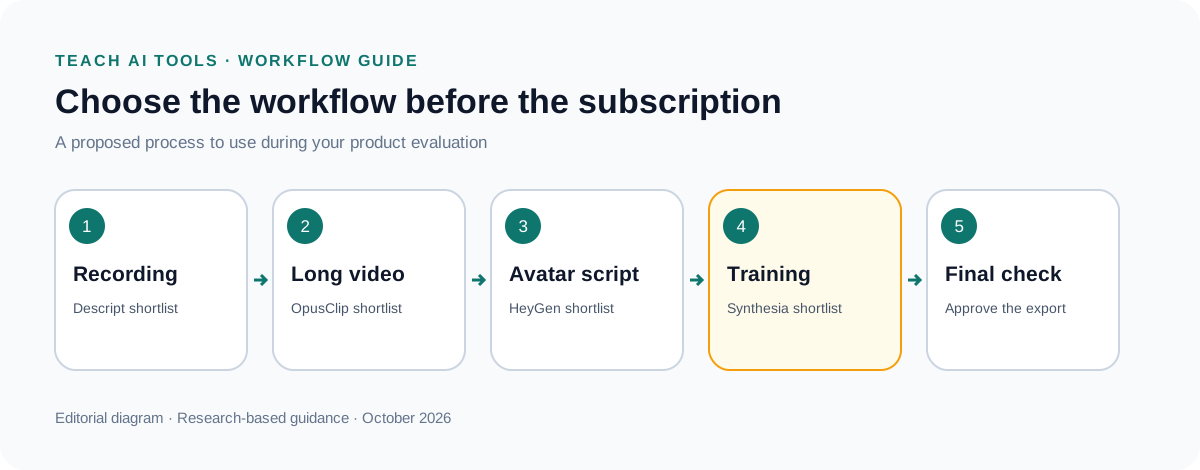
| Starting point | Tool to shortlist | Main question for the trial |
|---|---|---|
| Recorded explanation or interview | Descript | How much correction and finishing work remains? |
| Long recording with several useful moments | OpusClip | Do selected clips preserve meaning and framing? |
| Script needing an avatar presenter | HeyGen | What does an approved version consume in credits? |
| Repeatable training presentation | Synthesia | How easily can the team revise and approve lessons? |
You may eventually use more than one tool, but start with the stage consuming the most effort. Buying an entire stack before finishing one representative video makes it difficult to identify which subscription is earning its place.
1. Descript: evaluate it for editing recorded explanations
Descript's pricing lists Hobbyist at $16 per person per month with annual billing, or $24 monthly. That tier includes ten media hours and 400 AI credits monthly, with watermark-free 1080p export. Creator is $24 with annual billing, or $35 monthly, with thirty media hours, 800 AI credits, and 4K export. Descript pricing
The important budgeting distinction is between media allowance and AI allowance. Descript documents separate pools for imported or recorded media and AI features. Unused allowances do not roll over; even interacting with its Underlord assistant consumes AI credits. Therefore, having recording capacity left does not mean every AI operation remains available at no extra cost. Descript usage guide
My recommended trial is a real product walkthrough with a rough opening, a mistaken sentence, a pause, and a section that should be removed. Finish a version suitable for a customer. Count the time spent checking the edit, repairing transitions, correcting terminology, and exporting.
Pay particular attention to the meaning of edits. Removing a hesitation can improve pacing; removing the qualification beside a product claim can make the video misleading. Keep the original recording available until the final version is approved.
A team publishing interviews or narrated tutorials should evaluate this workflow before prioritizing synthetic presenters. The quality of the explanation matters more than the novelty of the production method. If the recording already contains a credible expert and useful demonstrations, preserving those strengths may be the best creative decision.
2. OpusClip: evaluate it for finding reusable moments
OpusClip's Starter plan is $15 monthly with 150 credits, captioning, clipping features, and watermark removal. Pro is $29 monthly or $174 annually, with 300 credits per month, two seats, a scheduler, and editing exports for Premiere Pro and DaVinci Resolve. The free tier has a watermark and a limited export window. OpusClip pricing
Treat automatic clip selection as an editorial suggestion. A speaker's most emphatic sentence is not always a complete argument. A clip may need the preceding question, a definition, or a limitation to remain accurate when viewed outside the original recording.
For a useful trial, choose a webinar containing three distinct teaching points and a product demonstration. Write down the moments you would select manually before processing it. Then compare the suggestions against that list. Include unexpected useful selections, but reject clips whose apparent drama depends on missing context.
Inspect vertical framing carefully. A centered face is not the only important visual element. A chart, cursor, error message, or second speaker may contain the actual explanation. Watch each clip on a phone at ordinary viewing size, with captions enabled, before treating it as finished.
OpusClip includes a Virality Score in its product offering. That label should not become a promise of views or sales in your content plan. Use a proposed clip's relevance to your audience and its factual completeness as editorial criteria. Actual performance needs to be observed after publication. OpusClip feature comparison
This is a strong category to explore if you already record useful long-form material. It offers less practical value when the original recording contains little information worth repurposing. Clipping cannot supply the missing expertise.
3. HeyGen: evaluate the cost of an approved avatar video
HeyGen's current pricing displays Creator at $29 per month with 600 credits, 1080p output, watermark removal, and a maximum video length of thirty minutes. Pro is $49 per month with 1,000 credits and 4K output. The free plan allows three videos monthly, each up to one minute. HeyGen pricing
The maximum length of one video is different from the total amount you can generate. Likewise, 600 credits should not be interpreted as 600 finished minutes. Before subscribing, identify the credit rate for your chosen generation method and the effect of revisions.
Use a script containing your company name, a technical term, a price, and a date. These details are often the parts that must be exactly right. Produce a short draft, make one wording change, then produce the approved version. Record the credits consumed across the whole process.
If you need multiple languages, have a fluent reviewer assess the script and the output. Check pronunciation, meaning, on-screen text, and the call to action separately. A video can look complete while pointing viewers to a landing page in the wrong language.
For a product demo, pair any presenter segment with verifiable product footage. A confident avatar reading a script does not establish that a feature works. Show the relevant screen, use the current interface, and make sure the narration matches what viewers can see.
Shortlist HeyGen when an avatar is a deliberate part of your format and repeatable production matters. Avoid buying it merely to put a talking face over a weak script. The script still needs an audience, a clear explanation, and facts someone has checked.
4. Synthesia: evaluate training production and revision
Synthesia's monthly comparison lists Starter at $29 per month and Pro at $89 per month. Its offering includes avatar presentation and templates; enterprise options include collaboration and identity-management features. The pricing page contains several allowance displays, so confirm the selected package's credits and video limits in the final order rather than combining numbers from different sections. Synthesia pricing
My suggested use case is a short employee or customer training sequence that will change over time. Create three modules: an introduction, a procedure, and a troubleshooting example. Then change the procedure and measure the work required to update the finished lesson.
That revision exercise is more revealing than generating an introductory video. In training, the recurring expense can be keeping instructions aligned with current policies and software. A production process that makes the first video quickly but complicates every update may be a poor fit.
Ask the eventual reviewer to check the lesson without sitting beside the person who built it. Can they identify the version, find the passage needing correction, and confirm the updated result? Record any manual handoffs or extra files the team needs.
Evaluate the actual delivery requirement before purchasing. If learners must access videos through an existing learning platform, test the proposed export and playback route there. Do not assume that a visually suitable editor automatically meets your organization's tracking or assessment requirements.
Synthesia belongs on the shortlist when repeatable presentation and review matter. For an unscripted interview or a detailed screen recording, evaluate tools designed around the material you already have before introducing an avatar workflow.
The budget that matters: cost per approved asset
Subscription price is only one part of production cost. Add any extra credits, paid assets, editing time, review time, and localization work. Divide that total by the number of videos that actually reach publication or internal use.
Consider a hypothetical monthly project with a $30 subscription, $20 of extra usage, and two hours of review valued internally at $25 per hour. If it yields five approved videos, the illustrative cost is $20 per approved video. This is a budgeting example, not a quoted result for any product.
A failed draft still consumes time and may consume usage. Keep a simple record of first versions, rejected versions, revisions, and final exports. That record makes it possible to compare tools fairly when one produces a good first draft but another makes corrections easier.
Do the trial on monthly terms where available before committing to a year. Annual discounts are valuable after you understand your production volume and quality requirements. They do not compensate for buying a workflow the team avoids using.
A practical quality checklist before publishing
Watch the complete export, not only the editing preview. Check captions against the spoken words, especially names, numbers, and negations. Verify that a caption break does not change the meaning of a sentence.
Listen through ordinary headphones and a phone speaker. Confirm that narration is understandable without music masking it. For screen tutorials, check whether interface labels remain legible after resizing and platform compression.
Keep a rights record for source recordings, music, images, and any person's voice or likeness used in production. Obtain the necessary permission before creating a clone or using a customer recording. This should be part of collecting source material, not a last-minute publishing task.
For a sponsored tutorial, identify the commercial relationship clearly and distinguish sponsor-provided claims from what the video demonstrates. Show limitations that affect the intended buyer. A demo that admits an extra setup step can be more useful than a polished sequence that hides it.
Finally, archive the script, editable project, approved export, and source evidence for factual claims. When a feature or price changes, that package tells you exactly what needs updating.
Which one should you try first?
Start with Descript for recorded explanations, OpusClip for repurposing substantial recordings, HeyGen for an intentional avatar format, and Synthesia for repeatable training presentations. These recommendations describe starting points for evaluation, not measured superiority.
Produce one representative asset from beginning to end before purchasing a larger plan. The winning tool is the one that helps your team deliver accurate, usable video within its budget, including the less glamorous work of checking, correcting, and updating it.